
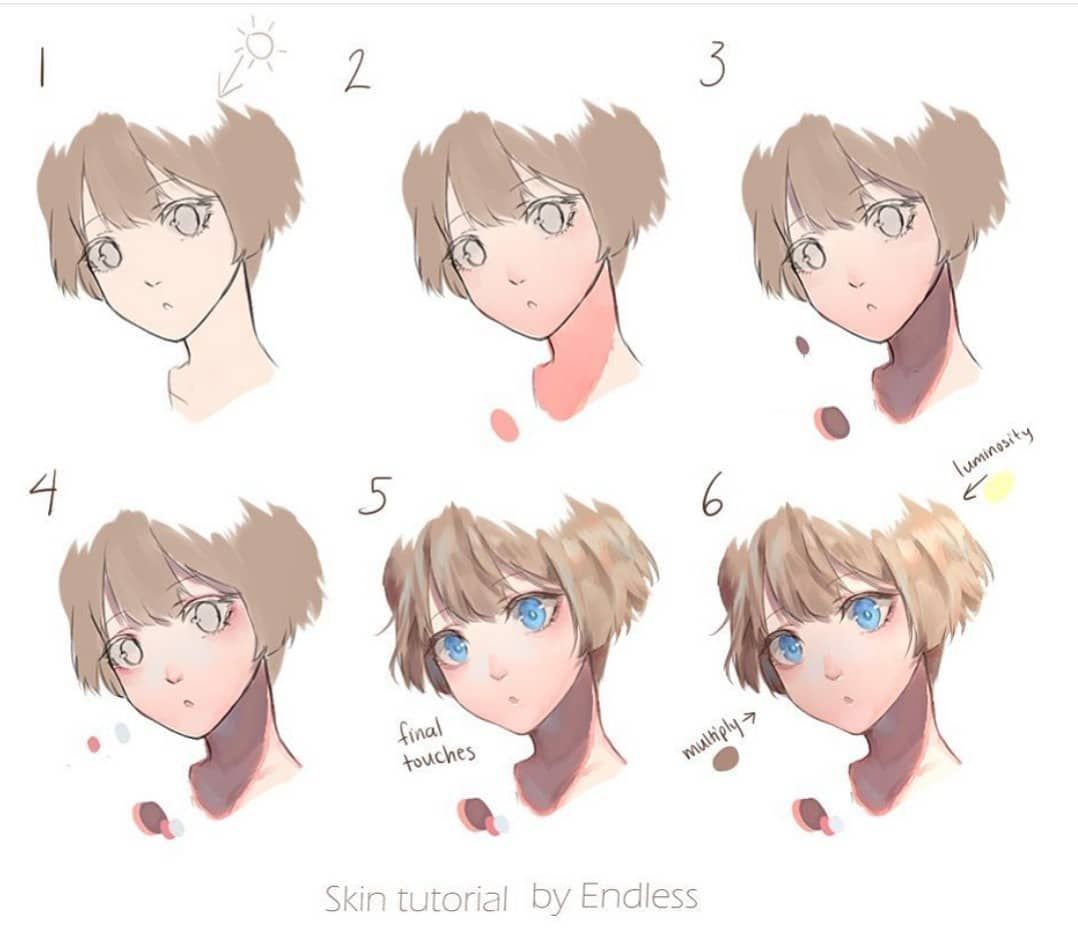
How to Color in Digital: A Step-by-step Guide
Are you tired of coloring in traditional media? Do you want to explore the world of digital art without breaking the bank or investing too much time? Look no further! In this article, we will show you how to color in digital on your PC, smartphone, and tablet using various software and apps.
The Benefits of Digital Coloring
Digital coloring offers several benefits over traditional media. For one, it’s a more efficient way to create art, as you can easily undo mistakes or change colors without having to start from scratch. Additionally, digital art can be easily shared and exported in high quality, making it perfect for personal projects or professional work.
Software For Digital Coloring on PC
There are several software options available for digital coloring on PC. Here are a few:
- Adobe Photoshop: A popular choice among artists and designers, Adobe Photoshop offers a wide range of tools and features to help you create stunning digital art.
- Gimp: A free and open-source alternative to Adobe Photoshop, GIMP is a powerful software that can help you achieve professional-level results.
- Inkscape: Another free and open-source option, Inkscape is a vector graphics editor that’s perfect for creating scalable designs.
Apps For Digital Coloring on Smartphone And Tablet
If you prefer to color on your smartphone or tablet, there are several apps available. Here are a few:
- Adobe Draw: A versatile app that offers a range of tools and features for digital art creation.
- Procreate: A popular choice among artists and designers, Procreate is a powerful app that offers advanced tools and features.
- Infinite Painter: A free app that offers a range of brushes and tools for digital painting.
Getting Started With Digital Coloring
Whether you’re using software or an app, the process of digital coloring is similar. Here’s a step-by-step guide to get you started:
- Choose your software or app.
- Create a new document or canvas.
- Import your image or design.
- Color and shade as desired.
Tips And Tricks
Here are some tips and tricks to help you achieve professional-level results with digital coloring:
- Use high-quality images or designs to ensure the best results.
- Experiment with different brushes and tools to find the perfect look for your art.
- Pay attention to colors and shading to create a realistic effect.
Conclusion
Digital coloring is a fun and creative way to express yourself through art. With the right software or app, you can achieve professional-level results without breaking the bank or investing too much time. Whether you’re an artist, designer, or simply someone who loves to color, digital coloring has something to offer everyone.


