
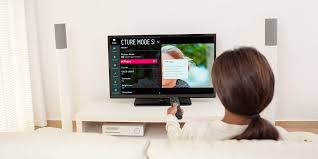
Are you tired of mediocre picture quality on your TV? Do you find yourself adjusting the settings time and again, only to be underwhelmed by the results? Look no further! In this comprehensive guide, we’ll walk you through the intricacies of color calibration, ensuring that your TV’s visuals are nothing short of breathtaking.
Understanding The Basics
Before diving into the nitty-gritty, it’s essential to grasp the fundamental concepts behind color calibration. Your TV, much like a fine-tuned instrument, requires precise adjustments to deliver optimal picture quality. The process involves tweaking various parameters, including brightness, contrast, and color settings, to achieve a harmonious balance that pleases the eye.
The Parameters at Play
To unlock the full potential of your TV’s visuals, you’ll need to familiarize yourself with the following parameters:
- Backlight: This setting controls the intensity of light emitted by the panel, affecting overall brightness and color accuracy.
- Contrast: Regulates the difference between light and dark areas, making images appear more defined and nuanced.
- Brightness: Adjusts the overall brightness level, ensuring that blacks are truly black and whites are crisp and clear.
- Sharpness: Optimizes image detail, allowing you to see textures, patterns, and subtle nuances with clarity.
Regulating Colors
Color calibration is an art that requires patience and attention to detail. By adjusting the color settings, you can achieve a rich tapestry of hues that enhance your viewing experience. Be sure to calibrate each parameter according to your preferences, as individual tastes may vary:
- Color: Regulates the saturation and intensity of primary colors, ensuring accurate representation.
- Hue: Adjusts the tone or tint of specific colors, fine-tuning their appearance on-screen.
A Step-by-step Guide to Calibration
To guide you through this process, we’ve created a step-by-step tutorial that walks you through each parameter:
- Backlight: Ensure the backlight is set correctly for your viewing environment.
- Contrast: Adjust contrast levels according to your preference, taking into account content type (e.G., HD or SD).
- Brightness: Balance brightness levels for optimal viewing comfort and picture quality.
- Sharpness: Fine-tune sharpness settings based on the type of content you watch most often.
Specific Calibration Procedures For Popular Tvs
We’ve also included specific guidelines for popular TV models, including:
- Samsung Qled Tvs: Utilize the TV’s built-in calibration tools or adjust settings manually to optimize picture quality.
- Other Samsung Models: Follow similar steps as above, taking into account individual TV features and options.
Smartphone Apps For Color Calibration
In today’s digital age, smartphones have become an integral part of our viewing experiences. Utilize these apps to fine-tune your color calibration settings:
- Screen Test (Android): This app allows you to calibrate colors using reference images.
- Thx Tune-up (iOS/iPadOS): A user-friendly app that guides you through the calibration process, ensuring optimal picture quality.
Conclusion
Color calibration is an art that requires patience and attention to detail. By understanding the fundamental parameters at play and following our step-by-step guide, you’ll unlock a world of breathtaking visuals on your TV. Don’t settle for mediocrity – take control of your viewing experience today!
Frequently Asked Questions (FAQs)
-
What is Color Calibration?
Color calibration involves adjusting various settings to optimize picture quality and achieve a harmonious balance between brightness, contrast, and color. -
Why is it Essential to Calibrate Colors on my Tv?
Calibrating colors ensures accurate representation of hues, leading to a more immersive viewing experience. -
Can I Use Smartphone Apps For Color Calibration?
Yes! Utilize Screen Test (Android) or THX Tune-up (iOS/iPadOS) to fine-tune your color settings and achieve optimal picture quality. -
How do I Adjust The Backlight on my Tv?
Check your TV’s manual or manufacturer website for specific instructions, as this setting varies across models. -
What is The Ideal Brightness Level For my Tv?
Adjust brightness levels according to your viewing environment and personal preference.
Bonus Tips
- Experiment With Different Settings: Don’t be afraid to try new combinations of settings to achieve your desired picture quality.
- Consult Manufacturer Guidelines: Refer to your TV’s manual or manufacturer website for specific calibration instructions.
- Monitor Color Accuracy: Regularly check your TV’s color calibration to ensure optimal performance.
Feel free to explore more questions and topics in our comprehensive guide!


