
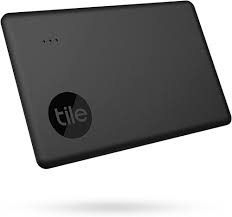
What is Timtag Slim?
TIMTag SLIM is a revolutionary device that utilizes GPS technology to track objects, animals, or vehicles in real-time. This compact device measures 37 x 48 x 14 mm and weighs only 30 grams, making it extremely portable and easy to use.
How Does Timtag Slim Work?
TIMTag SLIM uses a combination of GPS, GLONASS, and SBAS satellite systems, as well as mobile network GPRS technology, to provide accurate location tracking. The device is extremely easy to configure and can be used to track various types of objects or animals, including pets, bicycles, or even valuable items.
Key Features of Timtag Slim
- Impermeable design for durability
- Battery life up to 3 days
- Easy configuration via mobile app
- Alerts for unusual motion or position changes
- Speed monitoring and alerts
- Geofencing capabilities for defined safe zones
Functions of Timtag Slim
- Location: Provides the current position of the tracked object or animal.
- Follow: Monitors the movements of the tracked object or animal in real-time, consuming less battery life than location tracking.
- Find Me: Allows users to locate the tracked object or animal on a map and visualize the path to reach it.
- Alarm of Motion: Notifies users when the tracked object or animal moves out of a defined safe zone or experiences unusual motion.
How to Use Timtag Slim
- Acquire TIMTag SLIM by visiting the official website or purchasing from authorized retailers.
- Activate the SIM card and install the TIMTag app on your smartphone.
- Configure the device via the mobile app, setting up alerts and other preferences.
- Attach the device to the object or animal you wish to track using the provided collar or attachment.
Benefits of Using Timtag Slim
- Enhanced safety and security for pets, valuables, or vehicles
- Increased peace of mind through real-time tracking and alerts
- Easy configuration and use via mobile app
How to Add New Users or Devices
- Open the TIMTag app and navigate to the user menu.
- Add a new user by entering their phone number or selecting from your contact list.
- Configure permissions for the added user, including location tracking and settings access.
How to Turn Off Timtag Slim
- Press and hold the power button for 2 seconds.
- Alternatively, open the TIMTag app, select the device name, and tap on the “Turn off” option.
Additional Tips And Features
- Use the historical icon in the menu to view past locations and events.
- Modify notification settings or configure geofencing boundaries as needed.
- Share your TIMTag SLIM experience with others by posting reviews or sharing tips online.
Frequently Asked Questions (FAQs)
- Q: How Accurate is Timtag Slim’s Location Tracking?
A: Location accuracy depends on the availability of GPS signals; GPRS technology provides an alternative, but with a lower precision. - Q: Can I Use Multiple Devices With One Account?
A: Yes, you can manage up to 10 TIMTag SLIM devices with one account. - Q: Is Timtag Slim Compatible With my Smartphone?
A: TIMTag SLIM is compatible with both Android and iOS devices. - Q: How do I Reset my Password if Forgotten?
A: Visit the official website or contact customer support for assistance.
Conclusion
TIMTag SLIM offers a convenient, user-friendly solution for tracking objects, animals, or vehicles in real-time. With its compact design, long battery life, and advanced features, this device provides peace of mind and enhanced safety for various applications.


