
How to Join Audio Files on Your Smartphone or Tablet: A Comprehensive Guide
Are you looking for a way to join audio files on your smartphone or tablet? Do you want to merge multiple audio tracks into one file without any hassle? If so, you’re in the right place! In this article, we’ll show you how to join audio files using various apps available on both Android and iOS devices.
Why Join Audio Files?
Joining audio files can be useful in several scenarios:
- You want to create a playlist of your favorite songs without switching between tracks.
- You need to merge two or more audio recordings into one file for editing or sharing purposes.
- You want to add background music to a video or presentation.
Best Apps to Join Audio Files on Android And Ios
Here are some of the best apps to join audio files on Android and iOS devices:
Audiolab (Android)
AudioLab is a powerful audio editor that allows you to join multiple audio tracks into one file. It’s free, with in-app purchases to unlock advanced features.
To use AudioLab, follow these steps:
- Download and install the app from the Google Play Store.
- Launch the app and select the “Join Audio” option.
- Choose the audio files you want to join and add them to the playlist.
- Select the format of the output file (MP3, WAV, etc.) And click on the “Join” button.
Hokusai Audio Editor (iOS/iPadOS)
The Hokusai Audio Editor is another popular app that allows you to join audio files. It’s free, with in-app purchases to unlock advanced features.
To use Hokusai Audio Editor, follow these steps:
- Download and install the app from the App Store.
- Launch the app and select the “Join Audio” option.
- Choose the audio files you want to join and add them to the playlist.
- Select the format of the output file (MP3, WAV, etc.) And click on the “Join” button.
Mp3 Audio Merger & Joiner (Android)
The MP3 Audio Merger & Joiner app allows you to join multiple audio tracks into one file in MP3 format. It’s free, with ads.
To use MP3 Audio Merger & Joiner, follow these steps:
- Download and install the app from the Google Play Store.
- Launch the app and select the “Join” option.
- Choose the audio files you want to join and add them to the playlist.
- Select the format of the output file (MP3) and click on the “Join” button.
Other Apps to Join Audio Files
If you’re looking for more options, here are a few more apps that allow you to join audio files:
- SuperSound (Android)
- Modify Audio (Android)
- Handy Audio Editor (iOS/iPadOS)
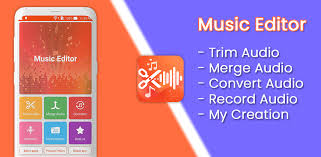
- Music Editor (iOS/iPadOS)
Joining Audio And Video Files
If you want to join both audio and video files, here are some apps that can help:
- Adobe Premiere Rush (Android/iOS/iPadOS)
- KineMaster (Android/iOS/iPadOS)
These apps allow you to create professional-looking videos with synchronized audio tracks.
Conclusion
Joining audio files on your smartphone or tablet has never been easier. With these apps, you can merge multiple audio tracks into one file without any hassle. Whether you want to create a playlist of your favorite songs, merge two or more audio recordings, or add background music to a video or presentation, there’s an app for that.
Frequently Asked Questions
- What is The Best App to Join Audio Files?
The best app to join audio files depends on your specific needs and preferences. Some popular options include AudioLab, Hokusai Audio Editor, and MP3 Audio Merger & Joiner. - Can I Join Audio Files on my Smartphone or Tablet?
Yes, you can join audio files on both Android and iOS devices using the apps mentioned above. - What is The Format of The Output File When Joining Audio Files?
The format of the output file depends on the app used to join the audio files. Some apps allow you to select the format (MP3, WAV, etc.), While others may have a default format. - Can I Add Background Music to a Video or Presentation Using These Apps?
Yes, some of these apps allow you to add background music to a video or presentation by joining audio and video files. - Are There Any In-app Purchases or Subscriptions Required to Use These Apps?
Some of these apps have in-app purchases or subscriptions required to unlock advanced features.
We hope this article has been helpful!


