
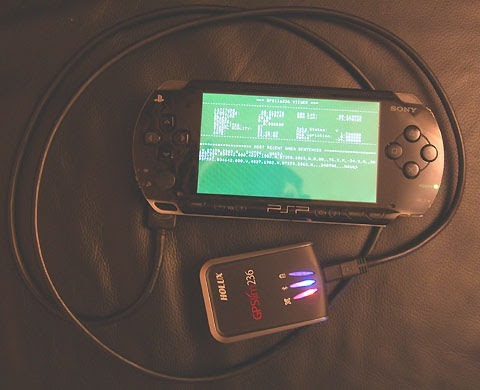
Modifying Your Playstation Portable (PSP) – A Comprehensive Guide
Are you ready to unlock your PSP’s true potential? In this article, we will guide you through the process of modifying your PSP, from understanding the basics to installing a custom firmware and running homebrew applications.
What is Modding a Psp?
Modding a PSP refers to the process of transforming your console into something unique and personalized. It involves installing custom firmware, executing software not officially authorized by Sony, and personalizing your interface. This fascinating world has been a favorite among tech enthusiasts for years, allowing users to push their consoles beyond the limits set by the manufacturer.
Important Considerations Before Modding Your Psp
Before diving into the modification process, it’s essential to consider some crucial factors:
- Warranty Voidance: Modifying your PSP may void its warranty. If you’re still under warranty, it’s best to consult with Sony or a authorized service provider.
- Data Backup: Make sure to backup all your data, including games, settings, and other important files, before proceeding with the modification process.
- Software Sources: Be cautious when downloading software from untrusted sources, as they may contain malware or damaging code.
Understanding Firmware Updates
The PSP has undergone various firmware updates over the years, each introducing new features and improvements. To modify your PSP, you’ll need to understand the concept of Official Firmware (OFW) and custom firmware (CFW). The OFW is the official operating system provided by Sony, while CFW allows users to install unofficial software.
Installing a Custom Firmware
To install a CFW on your PSP, follow these steps:
- Update Your Psp: Ensure your PSP is updated to the latest OFW version.
- Download a Cfw: Choose a reputable source for downloading a CFW compatible with your PSP model (e.G., 6.61).
- Transfer The File: Copy the CFW file to your PSP using a mini-USB cable.
- Run The Installer: Follow the on-screen instructions to install the CFW.
Choosing The Right Cfw
There are several CFW options available, each with its own set of features and benefits. For this guide, we’ll focus on the Infinity 2.0 CFW, which provides a permanent modification for PSP models up to the PSP-3000.
Installing Homebrew Applications
Once your PSP is modified, you can run homebrew applications, which are software created by users themselves. To install a homebrew application:
- Copy The File: Copy the homebrew file to your PSP’s GAME folder.
- Run The Application: Initiate the homebrew application from the Game menu.
Modifying Your Psp 1000
The PSP 1000, also known as the PSP Phat/Fat, was one of the first models to be modded. To modify your PSP 1000:
- Update to Firmware 5.03: Ensure your PSP is updated to this version.
- Install Battery Pandora: Use a modified battery and Memory Stick Magic to initiate the console in a special mode.
- Run Chickhen or Half-byte Loader: Execute software not officially authorized without requiring additional hardware.
Conclusion
Modifying your PSP can be a rewarding experience, allowing you to unlock new features and explore the world of homebrew applications. However, it’s essential to approach this process with caution, considering the potential risks and warranty implications.
Frequently Asked Questions (FAQs)
- What is Modding a Psp?
Modding a PSP refers to transforming your console into something unique and personalized by installing custom firmware, executing software not officially authorized, and personalizing your interface.
- Will Modifying my Psp Void Its Warranty?
Yes, modding your PSP may void its warranty. Consult with Sony or an authorized service provider before proceeding.
- How do I Backup my Data Before Modifying my Psp?
Connect your PSP to a PC using a mini-USB cable and copy all your important files to the computer.
- What is Custom Firmware (CFW)?
A CFW is unofficial software that allows users to install applications not officially authorized by Sony.
- How do I Choose The Right Cfw For my Psp?
Research reputable sources and ensure compatibility with your PSP model before selecting a CFW.
- Can I Run Homebrew Applications on my Modified Psp?
Yes, once your PSP is modified, you can run homebrew applications by copying them to the GAME folder and initiating from the Game menu.
- Will Modifying my Psp 1000 Void Its Warranty?
Yes, modding a PSP 1000 may void its warranty. Consult with Sony or an authorized service provider before proceeding.
- How do I Install Battery Pandora on my Psp 1000?
Use a modified battery and Memory Stick Magic to initiate the console in a special mode, then run ChickHEN or Half-Byte Loader to execute software not officially authorized.


