
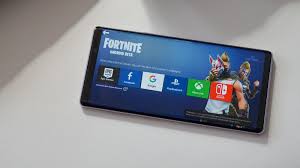
Fortnite on Samsung: A Comprehensive Guide
Are you ready to experience the thrill of Fortnite on your Samsung device? Look no further! This guide will walk you through the process of downloading and playing Fortnite on your Android or PC.
Why Fortnite is a Must-play Game
Fortnite has taken the gaming world by storm, with its unique blend of battle royale gameplay and colorful graphics. With millions of players worldwide, it’s no wonder why Fortnite has become a cultural phenomenon. And now, you can join the fun on your Samsung device!
System Requirements For Fortnite on Android
Before we dive into the installation process, make sure your device meets the minimum requirements:
- Operating System: Android 10 to 64-bit or successive versions
- RAM: 4GB
- GPU: Adreno 530 or superior, Mali-G71-MP20 or superior, Mali-G72-MP12 or superior
- Processor: ARM64
Don’t worry; most Samsung devices meet these requirements. However, if you’re unsure, we’ll provide a troubleshooting guide later in this article.
Downloading Fortnite on Android
Since Fortnite is no longer available on the Play Store, you’ll need to download it manually from the Epic Games website. Follow these steps:
- Go to the official Fortnite website and log in to your account.
- Tap on the “Download” button and follow the instructions to complete the download process.
- Once downloaded, tap on the installer file (FortniteInstaller-[version].Apk) to begin the installation process.
- Follow the prompts to install Fortnite, which may include granting permissions or selecting a launcher.
Getting Exclusive Skins
Did you know that Epic Games occasionally offers exclusive skins for Samsung users? To get these skins, follow these steps:
- Create a Samsung account and associate it with a credit card.
- Open the Galaxy Store on your device and access your profile.
- Tap on the “Add Card” button to add a credit card.
- Once added, launch Fortnite and navigate to the Battle Royale lobby.
- Tap on the V-Buck icon (the last one on the right) and select the exclusive skin.
Fortnite on Pc: A Guide
While Fortnite is primarily designed for mobile devices, you can also play it on your PC using the Epic Games Launcher. Here are the system requirements:
- Operating System: Windows 10 64-bit version 1703
- Processor: Core i3-3225 3.3 GHz
- Memory: 8 GB
- Graphics Card: Intel HD 4000 – AMD Radeon Vega 8
For an optimal experience, consider upgrading to the following requirements:
- Operating System: Windows 10/11 64-bit
- Processor: Core i5-7300U 3.5 GHz – AMD Ryzen 3 3300U
- Memory: 16 GB
- Graphics Card: NVIDIA GTX 960 – AMD R9 280 – GPU DX11 equivalent
Conclusion
Fortnite on Samsung is an exciting experience that’s within your reach! By following this guide, you’ll be able to download and play Fortnite on your Android or PC device. Remember to meet the minimum requirements, get exclusive skins, and enjoy the game with friends.
Frequently Asked Questions (FAQs)
- Q: Can I Play Fortnite on my Samsung Tablet?
A: Yes, but please ensure it meets the minimum system requirements. - Q: Why is Fortnite Not Available on The Play Store?
A: Due to differences in compatibility and policies between platforms. - Q: How do I Get Exclusive Skins?
A: Follow the steps outlined earlier, or check our tutorial for more information. - Q: What Are The Minimum Requirements For Fortnite on Pc?
A: Operating System: Windows 10 64-bit version 1703; Processor: Core i3-3225 3.3 GHz; Memory: 8 GB; Graphics Card: Intel HD 4000 – AMD Radeon Vega 8. - Q: Can I Play Fortnite in Cloud Gaming?
A: Yes, but you’ll need a stable internet connection and meet the minimum system requirements. - Q: What Are The System Requirements For Fortnite on PC (recommended)?
A: Operating System: Windows 10/11 64-bit; Processor: Core i5-7300U 3.5 GHz – AMD Ryzen 3 3300U; Memory: 16 GB; Graphics Card: NVIDIA GTX 960 – AMD R9 280 – GPU DX11 equivalent. - Q: Can I Create a Samsung Account to Get Exclusive Skins?
A: Yes, follow the steps outlined earlier. - Q: Where Can I Find More Information About Fortnite on Pc?
A: Check our tutorial or visit the official Fortnite website for more details.
I hope this guide has been helpful!


