
How to Contact Microsoft: A Comprehensive Guide
As one of the world’s most influential companies, Microsoft has revolutionized various sectors, including personal computing, with its numerous software products such as Windows and Office. If you’re a frequent user of Microsoft products and have encountered issues with their services, it’s essential to know how to contact them effectively.
Why Contact Microsoft?
Microsoft provides an array of support options to cater to the diverse needs of its customers. Whether you’re experiencing technical difficulties or require assistance with their products, reaching out to Microsoft can help resolve your concerns efficiently.
Contacting Microsoft in Italy
In this article, we’ll delve into the various ways to contact Microsoft, specifically focusing on their Italian operations. We’ll explore each option in detail, ensuring that you’re well-equipped to navigate any issues that may arise.
Contacting Microsoft by Telephone
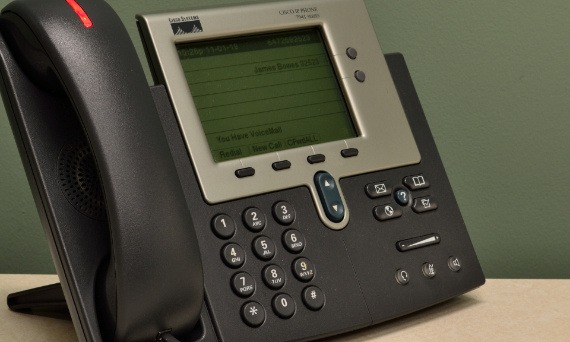
If you prefer a more traditional approach, contacting Microsoft via telephone might be the best option for you. However, please note that Microsoft has transferred its telephone assistance to an online service. Nevertheless, if you want to try calling their customer support line, dial +39 02 38 591 444. Follow these steps:
- Listen to the welcome message and press the “1” key to agree to the call recording.
- Choose whether you need assistance as a private user (key “1”), business user (key “2”), or Microsoft Partners Network member (key “3”).
- If you opt for private assistance, press “1” to receive information on Xbox or “2” for Surface-related issues.
- Wait in line; if no operator answers, listen to a vocal message encouraging you to use the online service instead.
Important Note: Microsoft advises against calling the customer support line and suggests using their online service instead.
Contacting Microsoft Via Email or Chat
If you prefer a more modern approach, contacting Microsoft through email or chat might be a better fit. Unfortunately, Microsoft Italia does not provide a direct email address for customers to contact them. However, their technical support team is available via live chat from Monday to Friday (9:00 AM – 6:00 PM) and Saturday and Sunday (10:00 AM – 6:00 PM).
To initiate the chat process:
- Visit the Microsoft Support page.
- Select the product or service you need assistance with (e.G., Windows).
- Choose whether you’re seeking private user or business support.
- If your issue requires technical assistance, fill out the inquiry form on the webpage.
Contacting Microsoft Outlook Support
If you’re experiencing issues with Microsoft Outlook, follow these steps:
- Visit the Microsoft Support page.
- Select “Office” and then click on “Outlook.”
- Choose whether you need private user or business support.
- If your issue requires technical assistance, fill out the inquiry form on the webpage.
Contacting Microsoft 365 Support
For Microsoft 365-related issues, follow a similar process:
- Visit the Microsoft Support page.
- Select “Microsoft 365” and click on the corresponding product (e.G., Microsoft 365).
- Choose whether you need private user or business support.
- If your issue requires technical assistance, fill out the inquiry form on the webpage.
Conclusion
In conclusion, contacting Microsoft can be achieved through various channels. While telephone support is available, it’s recommended to utilize their online services for a more efficient experience. By following these steps and guidelines, you’ll be well-equipped to navigate any issues that may arise with your Microsoft products or services.


