
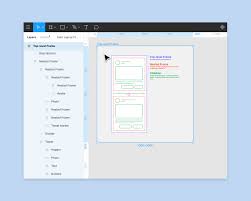
What is Figma?
Figma is a powerful tool for web design that allows users to create graphic interfaces for applications and websites, both desktop and mobile, without needing to write code. This software is accessible directly from the browser or as an application on Windows and macOS. It’s also available on smartphones and tablets, but with limited functionality.
How Does Figma Work?
Figma offers a free version that allows users to access all the helpful instruments for creating websites and web apps, along with the ability to use the base functionality of the tool FigJam. This enables users to share blueprints with their team by inserting grades, creating flow diagrams, labels, conceptual maps, and more.
However, if users want to use Figma for professional purposes, they can activate a paid subscription (Figma Professional) that costs 12 euros per month. This upgraded version includes additional features like an in-app audio chat to communicate with collaborators without using external software and other tools to collaborate with the design team remotely.
Creating a Figma Account
To use the free version of Figma from the browser or install it as an application on Windows or macOS, the first step is to create a free account. To do this:
- Go to the official Figma page.
- Click on Get Started in the top right corner.
- If you have a Google account, click on Continue with Google, and sign in with your credentials.
- If not, register for a new account using your email address.
How to Use Figma
Once signed up, users can access their dashboard directly from the browser or by downloading the application on Windows or macOS. The interface is identical across all platforms. Here’s how to get started:
- Log in with your Google account or email credentials.
- Click on Design with Figma in the welcome popup.
- Choose a pre-set template for your new blueprint, or create one from scratch by clicking Blank Canvas.
Working With Frames And Tools
In the initial design canvas:
- Click on Frame to set up the dimensions of your work area.
- Select from various pre-defined templates or define custom dimensions using the mouse.
- Personalize the frame settings as needed (e.G., Adjusting orientation, fill color).
Saving And Exporting Designs
To save a design:
- Access the Main Menu in the top right corner.
- Click on Back to Rows.
- To save locally, click Save Local Copy.
For exporting designs in various formats (e.G., PNG, JPG, SVG):
- Go to Design > Export.
- Choose your desired format.
Creating Active Buttons And Menus
To create active buttons:
- Use the Text tool to insert button text.
- Modify text appearance as needed using the right menu options (e.G., Color, typeface).
- To add animations, go to Animation in the popup, select Smart Animation, and choose your desired effect.
Figma Templates
For those who don’t want to start from scratch:
- Visit the Figma community page.
- Choose templates based on category (Web, Mobile, Icons, Wireframes).
- Click Get Copy to download or access the template directly in your browser.
How Does Figma Function For Smartphones And Tablets?
Figma is available for mobile devices (Android, iOS/iPadOS), but its functionality is limited to viewing existing blueprints, sharing them, and not actual design creation. To use Figma on smartphones and tablets:
- Download the app.
- Log in with your account credentials.
- Access your files by tapping Files.
Conclusion
Figma offers a powerful platform for web designers without the need for coding. Its accessibility directly from the browser or as an application makes it easy to use, even for those not tech-savvy. Whether you’re looking to create a website or app, Figma’s features and templates provide a solid starting point.
Faqs
- What is Figma?
- Figma is a software tool used for web design that allows users to create graphic interfaces without writing code.
- How do I Get Started With Figma?
- Sign up for a free account on the official Figma page, then either use it directly from your browser or download and install it on your computer (Windows or macOS).
- What Are The Different Versions of Figma?
- The free version provides access to all helpful instruments for creating websites and web apps with base functionality. A paid subscription (Figma Professional) offers additional features like in-app audio chat.
- How do I Create a New Blueprint in Figma?
- Start by choosing a template or going blank, then click on Frame to set up dimensions. Personalize the frame settings as needed.
- Can I Use Figma For Professional Purposes?
- Yes, with a paid subscription (Figma Professional), you get access to additional features like an in-app audio chat and collaboration tools with your design team remotely.
- How do I Save my Designs?
- Go to the Main Menu > Back to Rows for immediate saving or click Save Local Copy for offline storage.
- Can I Export my Designs in Different Formats?
- Yes, go to Design > Export and choose from various file types (e.G., PNG, JPG, SVG).
- How Does Figma Work on Smartphones And Tablets?
- It’s available as an app but only for viewing existing blueprints; not for actual design creation.


