
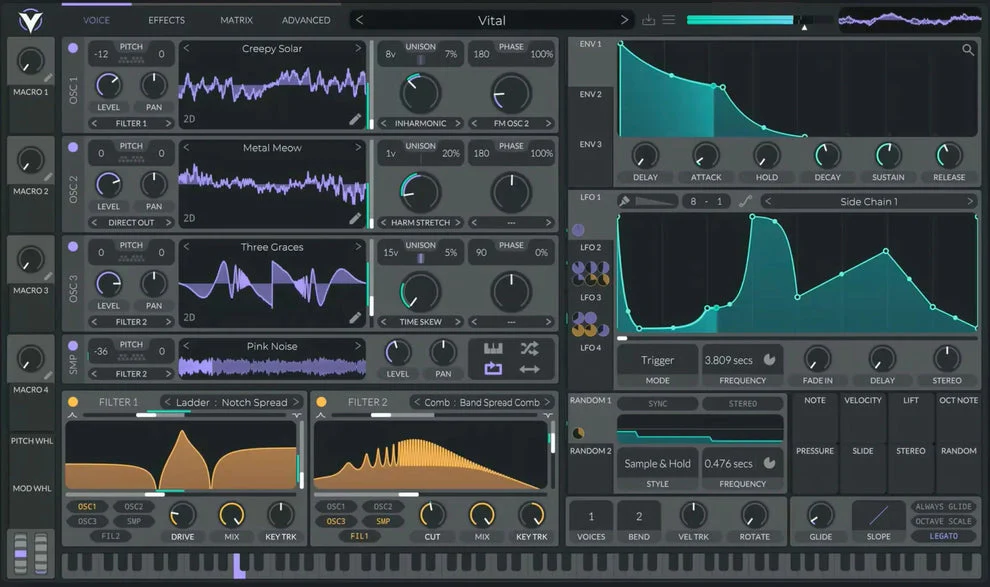
Unlocking Creativity: The Best Free Vst Plugins For Music Production
Are you a musician looking to take your music production to the next level without breaking the bank? Look no further! In this article, we’ll explore the best free VST plugins available for music producers, covering FL Studio and Audacity.
Understanding Vst Plugins
Before diving into the plugins themselves, let’s quickly cover what VST stands for. VST is an acronym that represents Virtual Studio Technology. It’s a standard interface developed by Steinberg for creating virtual instruments and effects processors. In simple terms, VST plugins are software components that can be used to enhance or manipulate audio within digital audio workstations (DAWs) like FL Studio and Audacity.
Top Free Vst Plugins For FL Studio
Here are the top free VST plugins for FL Studio:
Helix
- Helix is a synthesizer plugin that’s perfect for creating unique sounds.
- It features a user-friendly interface and comes with a range of presets to get you started.
- Download Helix from Audjoo’s official website, and follow the installation instructions carefully.
Dexed
- Dexed is a legendary FM synthesizer plugin that’s been around for decades.
- It’s known for its unique sound and versatility.
- Download Dexed from its official website, and follow the installation instructions to get started.
Other Free Vst Plugins For FL Studio
While Helix and Dexed are top-notch plugins, there are many more great options available. Here are a few more:
Moun Tau Bassline
- Moun Tau Bassline is a synthesizer plugin based on the iconic Roland TB-303.
- It’s perfect for creating deep basslines and comes with a range of presets.
Native Instruments Kontakt 6 Player
- This plugin is a great sampler that can be used to create rich, detailed sounds.
- Download Native Instruments Kontakt 6 Player from its official website.
Tunefish
- TuneFish is another excellent synthesizer plugin that’s perfect for creating unique sounds.
- It features a user-friendly interface and comes with a range of presets.
Installing Vst Plugins in FL Studio
Installing VST plugins in FL Studio is relatively straightforward:
- Download the plugin from its official website.
- Follow the installation instructions carefully.
- Open FL Studio, navigate to the OPTIONS menu, select MANAGE PLUGINS, and click on FIND PLUGINS.
- Locate the plugin you’ve installed, click on it, and then click OK.
Top Free Vst Plugins For Audacity
Here are the top free VST plugins for Audacity:
Kjaerhus Audio Classic Series
- This plugin is a great set of effects processors that can be used to enhance your audio.
- It features a range of presets and comes with a user-friendly interface.
Installing Vst Plugins in Audacity
Installing VST plugins in Audacity is relatively straightforward:
- Download the plugin from its official website.
- Follow the installation instructions carefully.
- Open Audacity, navigate to the EFFECTS menu, select ADD/REMOVE EFFECTS, and then click on QUALIFY EXTENSIONS.
- Locate the plugin you’ve installed, click on it, and then click OK.
Conclusion
In this article, we’ve explored some of the best free VST plugins available for music producers using FL Studio and Audacity. Whether you’re a seasoned musician or just starting out, these plugins can help take your music production to the next level without breaking the bank.
Faqs
Here are some frequently asked questions about VST plugins:
- What is a Vst Plugin?
A VST plugin is software component that can be used to enhance or manipulate audio within digital audio workstations (DAWs).
- How do I Install Vst Plugins in FL Studio?
To install VST plugins in FL Studio, follow the installation instructions on the plugin’s official website.
- What Are Some of The Best Free Vst Plugins For Music Production?
Some of the best free VST plugins include Helix, Dexed, and Kjaerhus Audio Classic Series.
- How do I Install Vst Plugins in Audacity?
To install VST plugins in Audacity, follow the installation instructions on the plugin’s official website.
- Can I Use Vst Plugins With Other Daws?
While VST plugins are specifically designed for FL Studio and Audacity, some plugins may be compatible with other DAWs.
- Are Vst Plugins Free to Use?
Some VST plugins come with a free version, while others require a paid license.
- Can I Customize my Vst Plugins?
Yes, many VST plugins can be customized to suit your specific needs.
- What Are Some of The Most Popular Vst Plugins For Music Production?
Some of the most popular VST plugins include Helix, Dexed, and Native Instruments Kontakt 6 Player.
I hope you enjoyed reading this content!


