
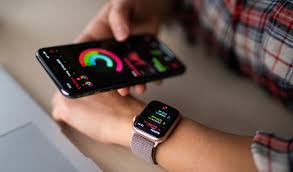
Connecting Your Huawei Watch to Your Smartphone: A Step-by-step Guide
Are you excited to explore the world of wearable technology? Do you want to connect your Huawei watch to your smartphone seamlessly? You’ve come to the right place! In this article, we’ll guide you through the process of connecting your Huawei watch to both Android and iPhone devices.
Why Connect Your Watch to Your Smartphone?
Connecting your watch to your smartphone is essential for enjoying a seamless experience. With your phone and watch connected, you can receive notifications, track your fitness activities, and control music playback directly from your wrist.
Preliminary Operations on Android Devices
Before we dive into the main process, make sure you’ve completed these preliminary operations:
- Install The Huawei Health App: Download the Huawei Health app from the Google Play Store or have it pre-installed on your smartphone.
- Activate Bluetooth And Gps: Go to Settings > Connections > Bluetooth and turn it ON. If your device is running Android 6.0 Or later, also enable Location Services.
Connecting Your Watch to an Android Device
- Launch The Huawei Health App: Open the app on your phone and tap on the “Ahead” button.
- Accept The Terms of Service: Read and agree to the terms of service by tapping on “Accept”.
- Create a Huawei ID: Create or log in to your Huawei ID account, providing the required information (date of birth, email address, password, etc.).
- Add Your Device: Tap on the “Devices” tab and select the type of device you want to add (smartwatch or smartband). Choose your Huawei watch from the list of supported devices.
- Associate Your Watch: Follow the prompts to associate your watch with your phone.
Preliminary Operations on Iphone Devices
Before connecting your watch to an iPhone, ensure you’ve completed these preliminary operations:
- Download The Huawei Health App: Get the app from the Apple App Store and install it on your device.
- Activate Bluetooth: Go to Settings > Bluetooth and turn it ON.
Connecting Your Watch to an Iphone
- Launch The Huawei Health App: Open the app on your phone and tap on the “Ok” button.
- Accept The Terms of Service: Read and agree to the terms of service by tapping on “Accept”.
- Create a Huawei ID: Create or log in to your Huawei ID account, providing the required information (date of birth, email address, password, etc.).
- Add Your Device: Tap on the “Devices” tab and select the type of device you want to add (smartwatch or smartband). Choose your Huawei watch from the list of supported devices.
- Associate Your Watch: Follow the prompts to associate your watch with your iPhone.
Tips For Success
- Make sure both your phone and watch are updated to their latest software versions.
- Ensure Bluetooth is enabled on both devices during the association process.
- If you encounter any issues, try restarting both devices or seeking assistance from Huawei support.
Conclusion
Connecting your Huawei watch to either an Android or iPhone device is a straightforward process that requires some basic setup. By following these steps and completing the necessary preliminary operations, you’ll be enjoying a seamless experience with your phone and watch in no time!
Frequently Asked Questions (FAQs)
- Q: Why do I Need to Connect my Watch to my Smartphone?
A: Connecting your watch to your phone allows for seamless communication between devices, enabling features like notifications, fitness tracking, and music control. - Q: What Are The Necessary Preliminary Operations on Android Devices?
A: You must install the Huawei Health app, activate Bluetooth and GPS, and create a Huawei ID account before connecting your watch. - Q: How do I Connect my Watch to an Iphone?
A: Follow the same steps as for Android devices, ensuring you download the Huawei Health app, activate Bluetooth, and complete the association process using the Huawei Health app. - Q: What if I Encounter Issues During The Association Process?
A: Restart both devices, ensure Bluetooth is enabled on both devices, or seek assistance from Huawei support. - Q: Do I Need to Update my Phone And Watch Software Before Connecting Them?
A: Yes, ensure both devices are updated to their latest software versions for a seamless experience. - Q: Can I Use my Watch With Multiple Phones?
A: Yes, you can connect your watch to multiple phones using the Huawei Health app.
I hope this article has been helpful in guiding you through the process of connecting your Huawei watch to your smartphone! If you have any further questions or concerns, feel free to ask.


