
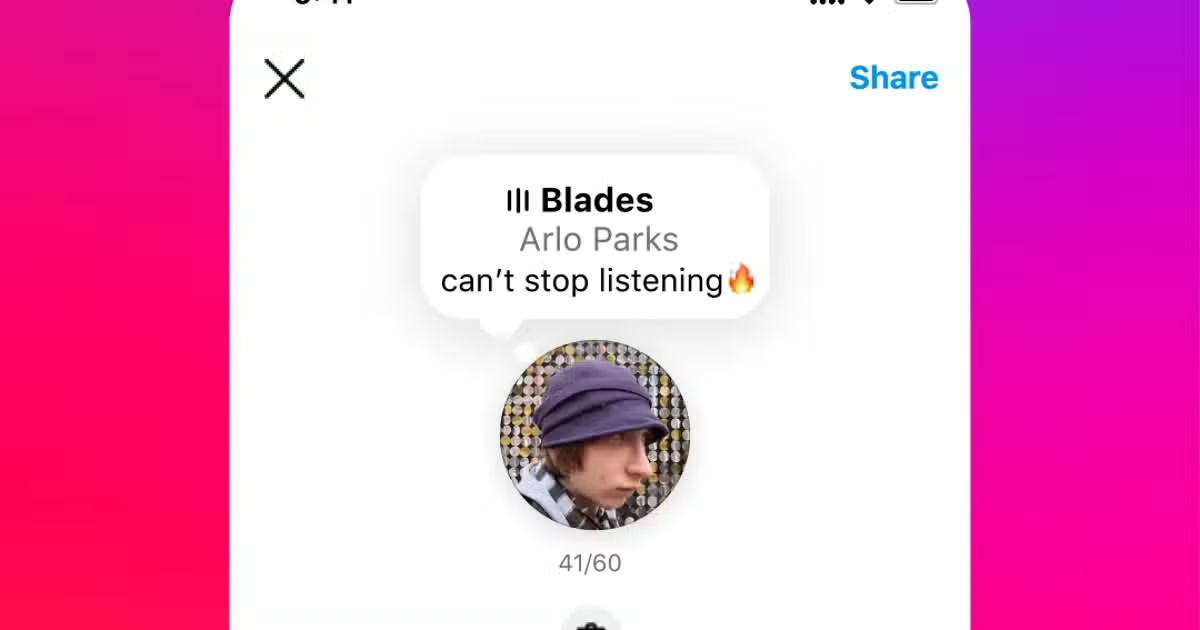
How to Share Music on Instagram: A Step-by-step Guide
Are you a music enthusiast who wants to share your favorite tunes with friends and family on Instagram? Look no further! In this article, we’ll show you how to share music on Instagram in various ways, including sharing individual songs, playlists, and even live videos.
Understanding The Music-sharing Options on Instagram
Instagram offers several options for sharing music, including:
- Sharing individual songs
- Creating playlists
- Live streaming with music
- Adding background music to stories
- Sharing music links
In this article, we’ll explore each of these options in detail and provide step-by-step instructions on how to share music on Instagram.
Sharing Music on Instagram
To share music on Instagram, you can follow these steps:
- Open The Instagram App: Tap the Instagram icon on your smartphone or tablet.
- Access Your Account: Log in to your Instagram account if you haven’t already.
- Choose a Sharing Option: Select the type of content you want to share, such as a story, post, reel, or live stream.
Sharing Music in Stories
To share music in stories, follow these steps:
- Open the Instagram app and access your account.
- Tap the “+” icon at the top-left corner of the screen to create a new story.
- Select the “Music” sticker from the sticker menu.
- Choose the song you want to add from the list of available songs.
- Adjust the song duration as needed (optional).
- Add any additional media or text to your story.
Sharing Music in Posts
To share music in posts, follow these steps:
- Open the Instagram app and access your account.
- Tap the “+” icon at the top-right corner of the screen to create a new post.
- Select the “Music” option from the menu.
- Choose the song you want to add from the list of available songs.
- Adjust the song duration as needed (optional).
- Add any additional media or text to your post.
Sharing Music in Reels
To share music in reels, follow these steps:
- Open the Instagram app and access your account.
- Tap the “+” icon at the top-right corner of the screen to create a new reel.
- Select the “Music” option from the menu.
- Choose the song you want to add from the list of available songs.
- Adjust the song duration as needed (optional).
- Add any additional media or text to your reel.
Sharing Music Links on Instagram
To share music links on Instagram, follow these steps:
- Open the Instagram app and access your account.
- Tap the “+” icon at the top-left corner of the screen to create a new story.
- Select the “Link” sticker from the sticker menu.
- Add the link to the music you want to share.
- Adjust any additional settings as needed (optional).
Sharing Music on Instagram With Apple Music
If you use Apple Music, you can share your favorite songs directly from the app. To do so:
- Open the Apple Music app and access your account.
- Select the song you want to share.
- Tap the “…” Icon at the top-right corner of the screen.
- Choose the “Share” option.
- Select Instagram as the sharing platform.
Sharing Music on Instagram With Spotify
To share music on Instagram with Spotify, follow these steps:
- Open the Spotify app and access your account.
- Select the song you want to share.
- Tap the “…” Icon at the top-right corner of the screen.
- Choose the “Share” option.
- Select Instagram as the sharing platform.
Conclusion
Sharing music on Instagram is easier than ever! With these step-by-step guides, you can share individual songs, playlists, and even live videos with your friends and family. Don’t forget to explore other features like adding background music to stories and sharing music links. Happy sharing!
Frequently Asked Questions (FAQs)
- Q: Can I Share Music on Instagram For Free?
A: Yes! Sharing music on Instagram is completely free. - Q: Do I Need an Instagram Account to Share Music?
A: Yes, you’ll need a valid Instagram account to share music. - Q: How do I Add Background Music to Stories on Instagram?
A: Simply tap the “+” icon, select the “Music” sticker, and choose your song from the list. - Q: Can I Share Multiple Songs at Once on Instagram?
A: Yes! You can create playlists or share multiple songs in a single post or story. - Q: How do I Share Music Links on Instagram?
A: Tap the “+” icon, select the “Link” sticker, and add the link to your song. - Q: Can I Use Apple Music to Share Music on Instagram?
A: Yes! Simply open the Apple Music app, select your song, and tap the “…” Icon to choose Instagram as the sharing platform. - Q: How do I Share Music on Instagram With Spotify?
A: Open the Spotify app, select your song, tap the “…” Icon, and choose Instagram as the sharing platform. - Q: Can I Add Effects or Filters to my Shared Music on Instagram?
A: Yes! You can use Instagram’s built-in editing tools to customize your shared music.
I hope this helps you share your favorite tunes with friends and family on Instagram!


