
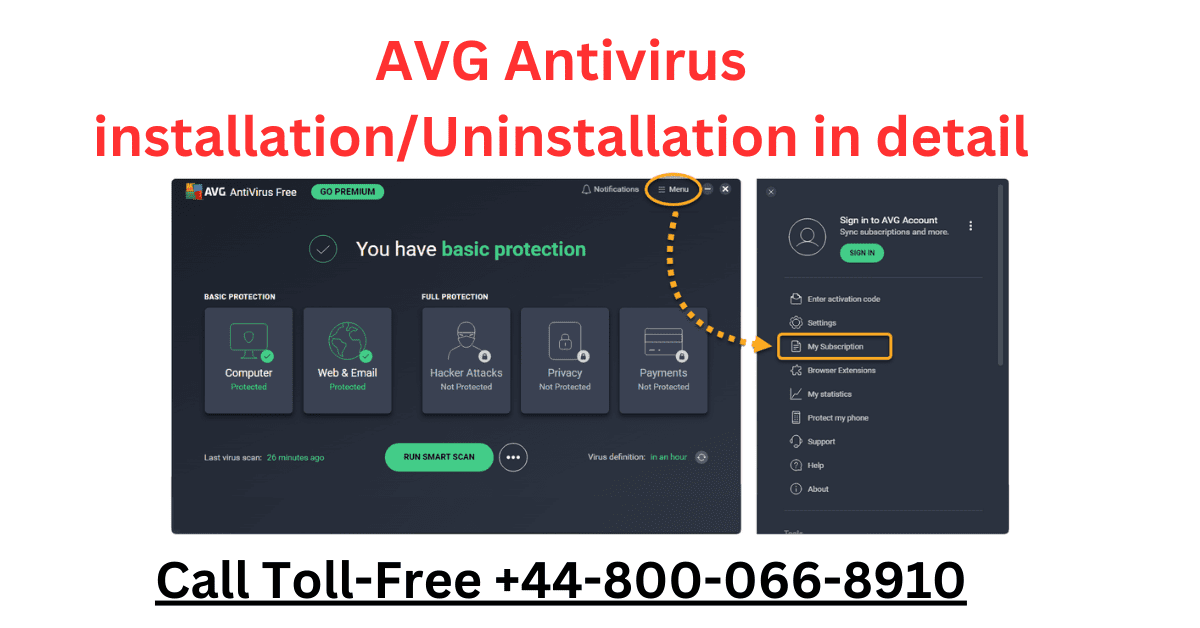
Installing Avg Antivirus: A Comprehensive Guide
Are you tired of worrying about malware, ransomware, and other online threats? Look no further than AVG antivirus! With its robust features and user-friendly interface, AVG is an excellent choice for protecting your device from the most sinister cyber threats.
What to Expect From This Article
In this article, we’ll delve into the world of AVG antivirus, exploring its leading characteristics, various available plans, and operating systems supported. We’ll also guide you through the process of installing AVG on different devices, including PCs, Macs, smartphones, and tablets. Whether you’re a seasoned tech enthusiast or a curious newcomer, this article has got you covered!
Avg Antivirus: A Brief Overview
Before we dive into the installation process, let’s take a quick look at what AVG antivirus has to offer.
- Free Version: AVG offers a free version of its antivirus software for PCs and Macs, providing essential protection against malware and other online threats.
- Paid Versions: For added security and features, AVG offers paid versions of its antivirus software, including the Ultimate plan for PCs and the Premium plan for mobile devices.
Installing Avg Antivirus: A Step-by-step Guide
Now that we’ve covered the basics, let’s move on to the installation process!
Installing Avg Antivirus on a PC
- Download The Software: Head over to the official AVG website and click on the “Download free” button.
- Run The Installer: Once downloaded, run the installer and follow the prompts to install AVG antivirus.
- Choose Your Plan: Select your preferred plan from the available options (Free or Paid).
- Install And Activate: Install and activate the software, making sure to read through the terms and conditions.
Installing Avg Antivirus on a Mac
- Download The Software: Visit the official AVG website and click on the “Download free” button.
- Open The Dmg File: Once downloaded, open the DMG file and follow the prompts to install AVG antivirus.
- Choose Your Plan: Select your preferred plan from the available options (Free or Paid).
- Install And Activate: Install and activate the software, making sure to read through the terms and conditions.
Installing Avg Antivirus on an Android Device
- Download The App: Visit the Google Play Store and search for “AVG antivirus”.
- Install The App: Once found, click on the “Install” button and wait for the installation process to complete.
- Launch The App: Launch the app and follow the prompts to install AVG antivirus.
- Choose Your Plan: Select your preferred plan from the available options (Free or Paid).
Installing Avg Antivirus on an Ios Device
- Download The App: Visit the Apple App Store and search for “AVG antivirus”.
- Install The App: Once found, click on the “Get” button and wait for the installation process to complete.
- Launch The App: Launch the app and follow the prompts to install AVG antivirus.
Upgrading to a Paid Version
If you’re not satisfied with the free version of AVG antivirus or want additional features, you can upgrade to a paid plan at any time!
- Pcs: Visit the official AVG website and click on the “Upgrade” button to access the paid plans.
- Macs: Follow the same steps as above for PC users.
Conclusion
Installing AVG antivirus is a straightforward process that requires minimal effort. With its robust features and user-friendly interface, AVG is an excellent choice for protecting your device from online threats. Whether you’re a seasoned tech enthusiast or a curious newcomer, this article has provided you with a comprehensive guide to installing AVG antivirus on different devices.
Frequently Asked Questions
- What Are The System Requirements For Installing Avg Antivirus?
AVG antivirus can be installed on PCs and Macs running Windows 10/8/7 and macOS Catalina/Mojave. - Is Avg Antivirus Free to Download And Install?
Yes, AVG offers a free version of its antivirus software for PCs and Macs. - What Are The Benefits of Upgrading to a Paid Plan?
Upgrading to a paid plan provides access to additional features, including real-time protection, password management, and more. - Can I Install Avg Antivirus on Multiple Devices?
Yes, you can install AVG antivirus on multiple devices using a single license key. - Does Avg Antivirus Protect Against Malware And Ransomware?
Yes, AVG antivirus provides robust protection against malware and ransomware. - How Often Does Avg Antivirus Update Its Virus Definitions?
AVG antivirus updates its virus definitions regularly to ensure maximum protection against online threats. - Can I Use Avg Antivirus on a Mobile Device?
Yes, AVG offers mobile apps for Android and iOS devices. - What is The Cost of Upgrading to a Paid Plan?
The cost of upgrading to a paid plan varies depending on the plan you choose.
References
- [1] AVG Antivirus Official Website
- [2] PC Magazine – Best Antivirus Software of 2023
- [3] Macworld – Top Antivirus Software for Macs in 2023


