
How to Check The Release Date of Your Driver’s License in Italy
Are you curious about the release date of your driver’s license in Italy? This article will guide you through the process, providing step-by-step instructions on how to check the date when your patente was released.
Understanding The Basics
Before we dive into the details, it’s essential to understand what a patente is. A patente, also known as a driving license, is a document that confirms an individual has passed a practical driving test and is authorized to drive a vehicle in Italy. The patente is usually issued by the Italian authorities after a successful exam.
Checking The Release Date Online
If you have a physical copy of your patente, checking the release date is relatively straightforward. However, if you don’t have access to your original document or prefer an online solution, there are alternatives available.
Using The Portal of The Motorist
The official portal for motorists in Italy offers an online service that allows you to check various details about your patente, including the release date. To use this service:
- Visit the Portal of the Motorist website.
- Click on the “Access to the portal” button and select the option to log in with your SPID (Servizio Pubblico di Identità Digitale) or CIE (Carta di Identità Elettronica).
- Follow the login process using your digital credentials.
- Once logged in, click on the “Balance Punctured” box and scroll down to find the column labeled “Given Variation Punctured.”
- Look for the date mentioned next to the SCORE RELEASE DOCUMENT label.
Using The Ipatente App
If you prefer to use a mobile app, there’s an official app called iPatente available on both iOS and Android platforms. The process is similar:
- Download and install the iPatente app from your device’s store.
- Open the app and follow the login process using your SPID or CIE credentials.
- Select the “Patenti” tab within the app.
- Choose the relevant patente for which you want to check the release date.
Checking The Release Date With a Smart Reader
If you have an NFC-enabled smartphone, you can use it as a reader to access your patente information through the iPatente app.
- Open the iPatente app and click on the “Access with CIE” option.
- Scan the QR code displayed in the browser window using your phone’s NFC reader.
- Enter your PIN or digital footprint, and follow the prompts to complete the login process.
Checking The Release Date in Older Patenti
For patenti issued before July 1, 2003, it might not be possible to check the release date through the online services mentioned above. In such cases:
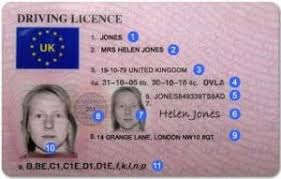
- Check the patente for the date of prime acquisition, which is usually printed on the document.
- The date mentioned next to column 10 on the patente’s B side (category) will indicate when your license was first acquired.
Important Notes
Keep in mind that these services might not be available if you’re a private citizen without a digital identity (SPID or CIE). In such cases, you can refer to online tutorials for guidance. Additionally, there may be limitations on checking the release date if your patente has been renewed or replaced.
Conclusion
Checking the release date of your driver’s license in Italy is now easier than ever with the services mentioned above. Whether using The Portal of the Motorist or the iPatente app, following these simple steps will give you access to the necessary information.


