
The Ultimate Guide to Monitoring Amazon Prices
Are you a frequent shopper on Amazon? Do you often find yourself wondering if the prices of your favorite products are about to drop? Well, wonder no more! In this article, we’ll explore the best ways to monitor Amazon prices and get notified when they go on sale.
Why Monitor Amazon Prices?
Amazon is one of the largest e-commerce platforms in the world, with millions of products listed every day. With so many options available, it’s easy to get caught up in the excitement of shopping online. However, this can lead to overspending and regret. By monitoring Amazon prices, you can avoid these pitfalls and make informed purchasing decisions.
Method 1: Using Amazon’s Built-in Price Tracking Feature
Did you know that Amazon offers a built-in price tracking feature? It’s true! When you add an item to your cart or save it for later, Amazon will notify you if the price drops. To access this feature, follow these simple steps:
- Log in to your Amazon account.
- Add the product you’re interested in to your cart.
- Click on “Save for Later” and then click on the “Saved Items” tab.
- Look for the product you added and check if there’s a price drop notification.
Method 2: Using Amazon’s Lists Feature
Amazon lists are another great way to track prices and stay organized. Here’s how to create a list:
- Open your Amazon app or website.
- Tap on the menu icon (three horizontal lines) and select “Your Lists”.
- Click on “Create List” and name it accordingly.
- Add products you’re interested in by searching for them or adding them from your cart.
- Access your list anytime to see if prices have dropped.
Method 3: Using a Third-party App
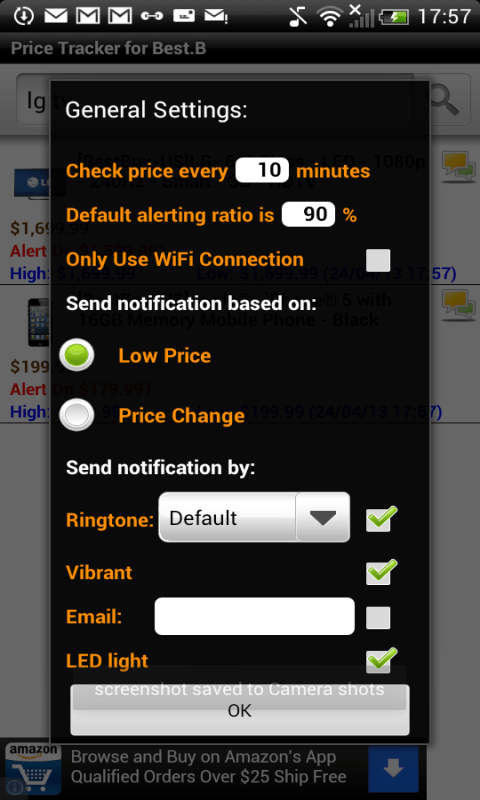
If you want more advanced features, consider using a third-party app specifically designed for monitoring Amazon prices. Some popular options include:
- Keepa: A price tracker that also provides alerts and notifications when prices drop.
- CamelCamelCamel: A browser extension that tracks price history and sends notifications when prices drop.
- PriceZombie: A web-based tool that allows you to track multiple products at once.
Method 4: Using Amazon’s Coupon And Deals Section
Amazon offers a dedicated section for coupons, deals, and discounts. To access it:
- Log in to your Amazon account.
- Click on the “Deals” tab.
- Browse through various categories or search for specific products.
- Look for coupon codes and deals that can save you money.
Tips And Tricks
Here are some additional tips to help you monitor Amazon prices effectively:
- Set up price alerts for multiple products at once.
- Use a browser extension to track price history and get notifications when prices drop.
- Create separate lists for different categories or product types.
- Check the “Deals” section regularly for coupons and discounts.
Conclusion
Monitoring Amazon prices is easier than you think! By using Amazon’s built-in features, third-party apps, or following our tips and tricks, you can stay on top of price drops and make informed purchasing decisions. Happy shopping!
Frequently Asked Questions (FAQs)
- Q: How do I Set up Price Alerts For Multiple Products at Once?
A: You can use a third-party app like Keepa or CamelCamelCamel to track multiple products simultaneously. - Q: What’s The Difference Between Amazon’s “Save For Later” And “Lists” Features?
A: “Save for Later” is for tracking individual products, while “Lists” allows you to organize products by category or type. - Q: Can I Use a Browser Extension to Track Price History And Get Notifications When Prices Drop?
A: Yes! Browser extensions like CamelCamelCamel can provide this functionality. - Q: How Often Should I Check The “Deals” Section For Coupons And Discounts?
A: We recommend checking it regularly, especially during holidays or special events. - Q: Can I Use a Third-party App to Monitor Prices on my Phone?
A: Yes! Many apps offer mobile versions that allow you to track prices and get notifications on-the-go. - Q: What if I’m Not Comfortable Using a Third-party App? Can I Still Monitor Amazon Prices Effectively?
A: Absolutely! You can use Amazon’s built-in features or follow our tips and tricks to stay on top of price drops.
Further Reading


