
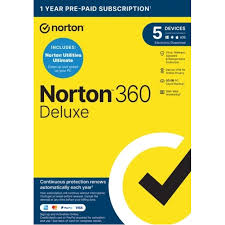
Unlocking The Power of Norton 360 Deluxe: A Comprehensive Guide
Are you tired of feeling vulnerable online? Do you want to protect your devices from cyber threats? Look no further than Norton 360 Deluxe, a powerful solution that provides comprehensive protection for all your devices.
In this article, we will delve into the world of Norton 360 Deluxe, exploring its features, benefits, and how it can be used to safeguard your online presence. We will also discuss how to download and install the software, as well as provide tips on how to get the most out of its various tools and features.
What is Norton 360 Deluxe?
Norton 360 Deluxe is an all-in-one security solution that protects multiple devices from cyber threats. It includes a range of features such as antivirus, firewall, password manager, and more. With Norton 360 Deluxe, you can protect up to 5 devices, including PCs, Macs, Android, and iOS/iPadOS devices.
Key Features of Norton 360 Deluxe
- Antivirus: Protect your devices from malware, viruses, and other cyber threats.
- Firewall: Block unauthorized access to your devices and network.
- Password Manager: Securely store and manage your passwords with ease.
- Secure Vpn: Encrypt your internet traffic and protect your online identity.
- Backup: Automatically backup your important files to the cloud.
- System Optimizer: Improve your device’s performance and speed.
How to Download And Install Norton 360 Deluxe
Downloading and installing Norton 360 Deluxe is a straightforward process. Here are the steps:
- Go to the Norton website and sign in to your account or create a new one.
- Click on the “Download” button and select the desired version for your device.
- Run the installer and follow the prompts to install the software.
- Launch Norton 360 Deluxe and complete the setup process.
Scanning Your System
Norton 360 Deluxe includes a range of scanning tools that can help identify and remove malware from your system. To execute a fast scan, click on the “Scan” button in the main window or right-click on the icon in the notification area and select “Execute Fast Scan”.
Optimizing Your System
In addition to protection features, Norton 360 Deluxe also includes tools to optimize your system’s performance. To access these tools, click on the arrow next to the “Open” button in the main window and select “Performance”. From here, you can run a disc cleanup, defragmentation, or other maintenance tasks.
Secure Vpn
Norton 360 Deluxe comes with a built-in Secure VPN that encrypts your internet traffic and protects your online identity. To activate the VPN, click on the “VPN” button in the main window and select the desired location.
Backup
Norton 360 Deluxe includes a backup feature that automatically saves your important files to the cloud. To set up the backup feature, click on the “Backup” button in the main window and follow the prompts.
Password Manager
The password manager is a powerful tool that securely stores and manages your passwords. To access the password manager, click on the “Password Manager” button in the main window and follow the prompts to create a new vault or import existing data.
Protection For Minors
Norton 360 Deluxe includes a feature called Protection for Minors that allows you to limit access to certain content online. This feature is available on PCs and can be configured by clicking on the “Manage” button in the main window.
App For Mobile Devices
Norton 360 also comes with an app for mobile devices, which provides protection against malware and other cyber threats. The app can be downloaded from the Google Play Store or Apple App Store.
Conclusion
Norton 360 Deluxe is a powerful all-in-one security solution that protects multiple devices from cyber threats. With its comprehensive range of features, including antivirus, firewall, password manager, Secure VPN, backup, system optimizer, and Protection for Minors, it’s an essential tool for anyone looking to safeguard their online presence.
Frequently Asked Questions
- What is The Cost of Norton 360 Deluxe?
The cost of Norton 360 Deluxe is $94.99 Per year. - How Many Devices Can I Protect With Norton 360 Deluxe?
You can protect up to 5 devices with Norton 360 Deluxe, including PCs, Macs, Android, and iOS/iPadOS devices. - What Are The System Requirements For Norton 360 Deluxe?
The system requirements for Norton 360 Deluxe vary depending on the device. For PCs, it requires Windows 10 or later, while for Macs, it requires macOS High Sierra or later. - How do I Install Norton 360 Deluxe on my Device?
To install Norton 360 Deluxe, simply download and run the installer from the Norton website. - What Are The Benefits of Using a Secure Vpn With Norton 360 Deluxe?
The Secure VPN feature in Norton 360 Deluxe encrypts your internet traffic and protects your online identity, making it a valuable tool for anyone looking to safeguard their online presence.
Table: Key Features of Norton 360 Deluxe
| Feature | Description |
|---|---|
| Antivirus | Protects devices from malware, viruses, and other cyber threats. |
| Firewall | Blocks unauthorized access to devices and network. |
| Password Manager | Secures and manages passwords with ease. |
| Secure Vpn | Encrypts internet traffic and protects online identity. |
| Backup | Automatically saves important files to the cloud. |
| System Optimizer | Improves device performance and speed. |
Table: System Requirements For Norton 360 Deluxe
| Device | Operating System | Processor | Memory |
|---|---|---|---|
| PC | Windows 10 or later | Intel Core i3 or equivalent | 4 GB RAM |
| Mac | macOS High Sierra or later | Intel Core i5 or equivalent | 8 GB RAM |
Table: Protection Features of Norton 360 Deluxe
| Feature | Description |
|---|---|
| Protection For Minors | Limits access to certain content online. |
| Secure Vpn | Encrypts internet traffic and protects online identity. |
| Password Manager | Secures and manages passwords with ease. |
| Backup | Automatically saves important files to the cloud. |
Table: Mobile App Features of Norton 360
| Feature | Description |
|---|---|
| Malware Protection | Protects mobile devices from malware and other cyber threats. |
| Firewall | Blocks unauthorized access to mobile devices and network. |
| Password Manager | Secures and manages passwords with ease. |
I hope this article has provided you with a comprehensive understanding of Norton 360 Deluxe and its various features and benefits. If you have any further questions or concerns, please don’t hesitate to ask!


