
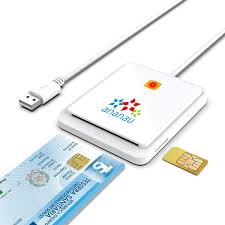
The Power of Digital Signatures: How Remote Digital Signature Aruba Can Revolutionize Your Workflow
Are you tired of the hassle and inconvenience of traditional paper-based documents? Do you wish there was a way to streamline your workflow, increase efficiency, and reduce errors? Look no further than the Remote Digital Signature Aruba. In this article, we’ll explore the benefits and features of this innovative tool, and show you how it can revolutionize your work processes.
What is Remote Digital Signature Aruba?
Remote Digital Signature Aruba is a cutting-edge digital signature solution that allows individuals and businesses to sign, verify, and apply temporal marks to electronic documents with ease. This powerful tool is designed to simplify the process of creating and managing electronic signatures, making it easier than ever to conduct business online.
How Does Remote Digital Signature Aruba Work?
Remote Digital Signature Aruba uses advanced technology to create a qualified electronic signature that meets all the requirements for authenticity, integrity, and legal validity. This signature is generated by a certified entity, such as Aruba, which guarantees the identity of the person signing the document.
The process of using Remote Digital Signature Aruba is straightforward:
- Sign Documents: Use the software to sign electronic documents, including contracts, bills, and communications with public administrations.
- Verify Signatures: Check the authenticity and integrity of signed documents using the public key of the sender.
- Apply Temporal Marks: Add a timestamp to the document to ensure its validity.
Benefits of Remote Digital Signature Aruba
The benefits of using Remote Digital Signature Aruba are numerous:
- Increased Efficiency: Streamline your workflow by signing and verifying documents electronically.
- Improved Security: Ensure the authenticity and integrity of signed documents with advanced encryption technology.
- Reduced Errors: Minimize the risk of errors and inconsistencies with automatic timestamping.
- Cost Savings: Eliminate the need for physical devices and reduce costs associated with traditional paper-based systems.
How to Get Started With Remote Digital Signature Aruba
Getting started with Remote Digital Signature Aruba is simple:
- Sign up: Create an account on the Aruba website or through the mobile app.
- Choose a Recognition Method: Select from various methods, including SPID, webcam, or app-based recognition.
- Activate Your Account: Complete the registration process and activate your account.
Using Remote Digital Signature Aruba on Your Smartphone or Tablet
Remote Digital Signature Aruba is not just limited to computer use; it can also be used on your smartphone or tablet. The mobile app allows you to sign, verify, and apply temporal marks to documents directly from your device.
- Download The App: Get the Remote Digital Signature Aruba app for Android or iOS.
- Log in: Access your account through the app.
- Sign Documents: Use the app to sign electronic documents.
Conclusion
Remote Digital Signature Aruba is a game-changing tool that can revolutionize your workflow by making it easier, more efficient, and more secure. With its advanced technology and user-friendly interface, this digital signature solution is perfect for individuals and businesses looking to streamline their processes.
Frequently Asked Questions (FAQs)
- Q: What is Remote Digital Signature Aruba?
A: Remote Digital Signature Aruba is a cutting-edge digital signature solution that allows users to sign, verify, and apply temporal marks to electronic documents. - Q: How Does Remote Digital Signature Aruba Work?
A: Remote Digital Signature Aruba uses advanced technology to create a qualified electronic signature that meets all the requirements for authenticity, integrity, and legal validity. - Q: What Are The Benefits of Using Remote Digital Signature Aruba?
A: The benefits include increased efficiency, improved security, reduced errors, and cost savings. - Q: How do I Get Started With Remote Digital Signature Aruba?
A: Sign up on the Aruba website or through the mobile app, choose a recognition method, and activate your account. - Q: Can I Use Remote Digital Signature Aruba on my Smartphone or Tablet?
A: Yes, you can use Remote Digital Signature Aruba on your smartphone or tablet using the mobile app. - Q: What Are The Costs Associated With Remote Digital Signature Aruba?
A: The cost is 36 euros + VAT for a 3-year certificate. - Q: How do I Check The Authenticity And Integrity of Signed Documents?
A: Use the public key of the sender to verify the signature. - Q: Can I Add a Timestamp to The Document?
A: Yes, you can apply a temporal mark to ensure the document’s validity.
Recommended Reading
For more information on Remote Digital Signature Aruba, check out the official guide, articles on the Aruba Magazine, and video tutorials on the Aruba website.


