
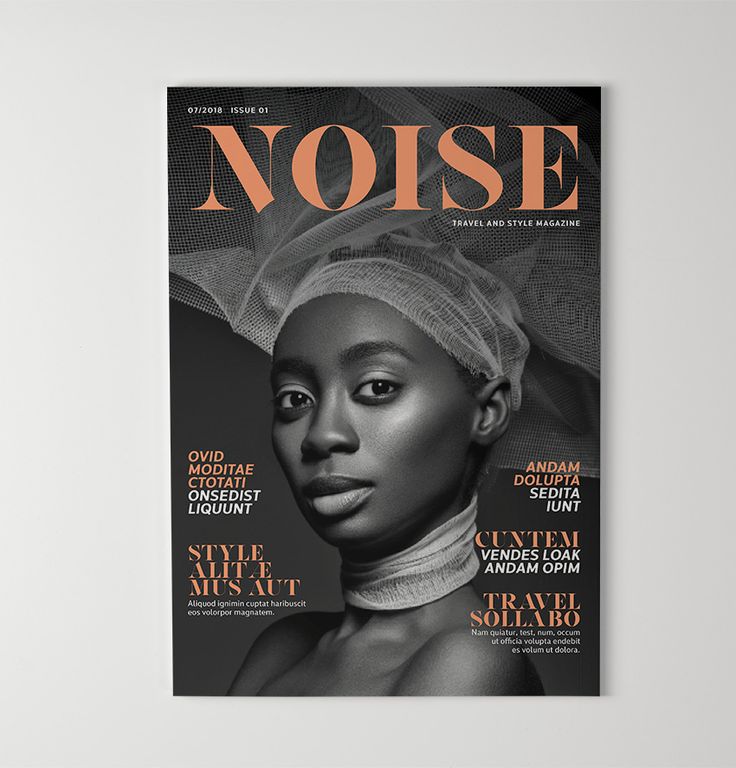
Creating a Cover Page: A Step-by-step Guide
Are you tired of using plain cover pages for your journals or magazines? Do you want to make them stand out from the rest? Creating a custom cover page is now easier than ever, thanks to various online tools and apps that can help you achieve this goal. In this article, we will explore the different options available and guide you through the process of creating a professional-looking cover page using your own photos.
What Are The Benefits of Using Custom Cover Pages?
Using custom cover pages can have numerous benefits, including:
- Making Your Journal or Magazine Stand Out: A unique and visually appealing cover page can grab the attention of potential readers and make your publication stand out from the rest.
- Reflecting Your Brand Identity: A well-designed cover page can reflect the tone and style of your publication, making it more relatable to your target audience.
- Enhancing Engagement: A custom cover page can encourage readers to engage with your content by providing a visually appealing introduction to your publication.
What Are The Tools Available For Creating Custom Cover Pages?
There are several tools available that can help you create custom cover pages, including:
- Photofunia: PhotoFunia is an online tool that allows you to create custom cover pages using your own photos and various design templates.
- Canva: Canva is a graphic design platform that provides a wide range of templates and design tools for creating professional-looking cover pages.
- Solutions IA: Solutions IA is an artificial intelligence-powered tool that can generate custom cover pages based on your input.
How to Use Photofunia
To use PhotoFunia, follow these steps:
- Visit The Photofunia Website: Go to the PhotoFunia website and sign up for a free account.
- Choose a Design Template: Select a design template that suits your needs from the available options.
- Upload Your Photos: Upload your photos to the platform, and select the ones you want to use for your cover page.
- Customize Your Cover Page: Use the various design tools provided by PhotoFunia to customize your cover page.
How to Use Canva
To use Canva, follow these steps:
- Visit The Canva Website: Go to the Canva website and sign up for a free account.
- Choose a Design Template: Select a design template that suits your needs from the available options.
- Upload Your Photos: Upload your photos to the platform, and select the ones you want to use for your cover page.
- Customize Your Cover Page: Use the various design tools provided by Canva to customize your cover page.
How to Use Solutions IA
To use Solutions IA, follow these steps:
- Visit The Bing Website: Go to the Bing website and sign up for a free account.
- Chat With The AI Assistant: Start a conversation with the AI assistant, and ask it to generate a custom cover page based on your input.
- Select Your Options: Select the options provided by the AI assistant to customize your cover page.
- Download Your Cover Page: Download your custom cover page in the desired format.
Conclusion
Creating a custom cover page for your journal or magazine can be an exciting and creative process. With the various tools available, you can choose the one that best suits your needs and preferences. Whether you use PhotoFunia, Canva, or Solutions IA, these platforms provide a user-friendly interface and a wide range of design options to help you create a professional-looking cover page.
Frequently Asked Questions
- What Are The Benefits of Using Custom Cover Pages?
- Using custom cover pages can make your journal or magazine stand out from the rest, reflect your brand identity, and enhance engagement.
- What Tools Are Available For Creating Custom Cover Pages?
- There are various tools available, including PhotoFunia, Canva, and Solutions IA.
- How do I Use Photofunia?
- To use PhotoFunia, visit the website, choose a design template, upload your photos, customize your cover page, and download your cover page.
- How do I Use Canva?
- To use Canva, visit the website, choose a design template, upload your photos, customize your cover page, and download your cover page.
- How do I Use Solutions Ia?
- To use Solutions IA, visit the Bing website, chat with the AI assistant, select your options, and download your custom cover page.
Conclusion
In conclusion, creating a custom cover page for your journal or magazine can be an exciting and creative process. With the various tools available, you can choose the one that best suits your needs and preferences. Whether you use PhotoFunia, Canva, or Solutions IA, these platforms provide a user-friendly interface and a wide range of design options to help you create a professional-looking cover page.


