
Lost Password? Don’t Worry! We’ve Got You Covered
Are you struggling to extract files from a password-protected archive? Do you find yourself frustrated with guessing passwords or searching for help online? Well, you’re in luck because we have the perfect solution for you!
In this article, we’ll explore various programs that can help you bypass passwords and unlock your protected archives. Whether you’re using Windows, Mac, or Linux, we’ve got a tool for you.
The Problem: Lost Passwords
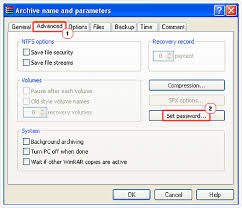
You’ve received an email with a password-protected file attachment. You try to open it with WinRAR, but no matter how hard you guess the password, you just can’t get it right. Your friend who sent the file has become unresponsive, and you’re left wondering what to do.
The Solution: Programs For Bypassing Passwords
Fear not, dear reader! We’ve got a list of programs that can help you bypass passwords and unlock your protected archives. From online tools to desktop applications, we’ll explore each option in detail.
1. Lostmypass (Online)
LostMyPass is an online tool that can help you find the password for a password-protected file. It’s free to use, but if you need to retrieve a complex password, it may cost you 39 euros. The program claims to have a success rate of up to 61% for complex passwords.
Pros: Free to use, easy to access online
Cons: Limited functionality for complex passwords, may not work for all files
2. Passfab For Rar (Windows)
PassFab for RAR is a Windows-exclusive tool that can help you find the password for a password-protected file. It’s a paid software, but it offers a free version that can test whether the program works on your file.
Pros: Easy to use, effective for simple passwords
Cons: Paid software, limited functionality for complex passwords
3. Script Bat (Windows)
Script bat is a Windows tool that uses brute-force attacks to find the password for a password-protected file. It’s free and easy to use, but it may take some time to work.
Pros: Free to use, effective for simple passwords
Cons: Limited functionality for complex passwords, may require several hours or days to work
4. John The Ripper (Linux)
John The Ripper is a powerful tool that can help you find the password for a password-protected file on Linux. It’s free and easy to use, but it may take some time to work.
Pros: Effective for simple and complex passwords
Cons: May require several hours or days to work, limited functionality for certain types of files
Conclusion
Lost passwords are a frustrating experience, but with the right tools, you can overcome this problem. Whether you’re using Windows, Mac, or Linux, we’ve got a solution for you.
Frequently Asked Questions (FAQs)
- Q: What is The Success Rate of Lostmypass?
A: The program claims to have a success rate of up to 61% for complex passwords. - Q: Is Passfab For Rar Effective For Simple Passwords?
A: Yes, PassFab for RAR is effective for simple passwords. - Q: Can I Use Script Bat on Linux?
A: No, Script bat is a Windows tool and cannot be used on Linux. - Q: How Long Does John The Ripper Take to Work?
A: It may take several hours or days for John The Ripper to work, depending on the complexity of the password.
Final Thoughts
Lost passwords are a common problem, but with the right tools and patience, you can overcome this issue. Whether you’re using Windows, Mac, or Linux, we’ve got a solution for you. Try these programs out and see which one works best for your needs!


