
How to Watch 4K Video on Tv: A Step-by-step Guide
Are you wondering how to watch your favorite 4K video on TV? Look no further! In this article, we’ll guide you through the process of watching 4K videos on your television, including the necessary requirements and some fantastic devices that can help you achieve this goal.
Informational Preliminaries
Before diving into the nitty-gritty details, let’s cover the basics. To watch a 4K video on TV, you’ll need a television that supports at least a resolution of 3840 x 2160 pixels. This is known as Ultra HD or UHD 4K. Don’t worry if your current TV doesn’t meet this requirement – we’ll discuss some solutions later.
Apps to Watch 4K Video on TV
Fortunately, there are several apps available that can help you watch 4K videos on your TV without needing a separate device. Some of these apps include:
- Youtube: This popular video-sharing platform has made it easy to watch 4K content directly on your TV.
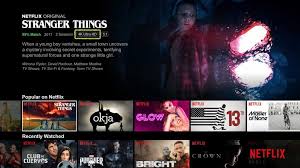
- Netflix: One of the most well-known streaming services, Netflix offers an impressive collection of 4K content that you can access directly from your TV.
Other Services And Devices
In addition to these apps, there are several other services and devices that can help you watch 4K videos on your TV. Some of these include:
- Amazon Prime Video: This streaming service offers a vast library of 4K content that you can access directly from your TV.
- Mediaset Play Infinity+: This Italian streaming service provides a range of 4K content, including movies and TV shows.
- Disney+: Although this relatively new streaming service doesn’t offer as much 4K content as some other platforms, it’s definitely worth checking out if you’re interested in watching exclusive Disney, Pixar, Marvel, Star Wars, and National Geographic content.
Devices to Watch 4K Video on TV
If your TV doesn’t support 4K resolution or if you prefer a more traditional viewing experience, there are several devices that can help you watch 4K videos on your TV. Some of these include:
- Chromecast With Google Tv/ Ultra: This device allows you to stream content from your phone or tablet directly to your TV.
- Apple TV 4K: A streaming media player developed by Apple, this device offers access to a wide range of apps and services, including Netflix and Amazon Prime Video.
- TV Box Android: These devices allow you to access various apps and services, including Netflix and Amazon Prime Video.
Blue-ray Readers
If you’re looking for a more traditional viewing experience or want to watch 4K content on your TV using a physical disc, consider investing in a Blue-ray reader. Some popular options include:
- Sony Bdp-s6700: A high-end Blu-ray player that supports 4K resolution.
- Panasonic Dp-ub150eg-k: A mid-range Blu-ray player that also supports 4K resolution.
Game Consoles
If you’re an avid gamer, you might be interested in using your gaming console to watch 4K content on your TV. Some popular options include:
- Playstation 5: This next-generation console offers access to a wide range of 4K content.
- Xbox Series X And S: Microsoft’s latest consoles also support 4K resolution.
Timvision Box
Finally, if you’re looking for a more affordable option that still allows you to watch 4K content on your TV, consider investing in a TIMVISION box. This device offers access to various streaming services, including Netflix and Amazon Prime Video.
In conclusion, watching 4K video on TV is now more accessible than ever, thanks to the many devices and apps available. Whether you prefer streaming services like Netflix or Amazon Prime Video or want to watch content using physical discs, there’s a solution out there for everyone.
Faqs
- What Are The Necessary Requirements For Watching 4K Video on Tv?
To watch 4K video on TV, you’ll need a television that supports at least a resolution of 3840 x 2160 pixels. - Which Devices Can Help me Watch 4K Videos on my Tv?
There are several devices available that can help you watch 4K videos on your TV, including Chromecast with Google TV/ Ultra, Apple TV 4K, and TV Box Android. - Can I Use a Blue-ray Reader to Watch 4K Content on my Tv?
Yes, you can use a Blue-ray reader to watch 4K content on your TV, but make sure it supports the resolution of your TV. - Are Gaming Consoles Compatible With 4K Video Playback?
Yes, many modern gaming consoles support 4K resolution and can be used to watch 4K videos on your TV.
Hope you enjoyed reading this article as much as we did writing it!


