
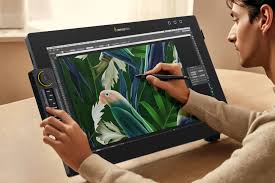
Designing With The Graphic Tablet: A Beginner’s Guide
Are you a lover of cartoons and have finally decided to take the plunge into digital graphic design? Look no further! This article will guide you through the basics of designing with a graphic tablet, making it easy for you to start creating your own masterpieces.
Choosing The Right Graphic Tablet
Before we dive into the world of digital cartooning, it’s essential to choose the right graphic tablet. The first step is to determine what you want to use your tablet for. If you’re just starting out or using it for leisure, a more affordable and feature-rich option might be the way to go. On the other hand, if you have specific needs or plan on using it extensively, investing in a higher-end model could be worth considering.
Factors to Consider
When selecting a graphic tablet, consider the following factors:
- Blank Space: How much space do you need for your creations? If you don’t plan on working with large canvases, there’s no need to invest in an enormous tablet.
- Software Compatibility: What software will you be using with your tablet? Some tablets are specifically designed for use with certain programs, so make sure you choose one that’s compatible.
- Brand And Quality: Research different brands and read reviews from other users. This will help you determine the quality of the tablet and whether it’s worth the investment.
Some popular graphic tablets on the market include:
- Wacom One by Wacom
- Wacom Cintiq 16 – Graphic Tablet with Monitor
Configuring Your Graphic Tablet
Once you’ve chosen your tablet, it’s time to set it up. This involves downloading and installing the driver software provided by the manufacturer. For example, if you’re using a Wacom tablet, you can find the driver on the official Wacom website.
To download the driver:
- Visit the Wacom website and search for your specific model.
- Click on the “Download Driver” button and follow the prompts to install it.
- Once installed, restart your computer and begin using your graphic tablet.
Using Your Graphic Tablet With Photoshop
Photoshop is a popular software used by digital artists, and it’s easily compatible with graphic tablets. Here’s how to get started:
- Open Photoshop and create a new document.
- Select the brush tool from the toolbar and choose a pen or pencil tip that suits your style.
- Adjust the settings as needed, such as sensitivity and pressure control.
- Start creating! Use your tablet to draw directly onto your canvas.
If you’re interested in learning more about using Photoshop, check out our guide on how to use it effectively.
Using Your Graphic Tablet With Gimp
GIMP is a free alternative to Photoshop that offers many of the same features. Here’s how to get started:
- Install GIMP and ensure your graphic tablet driver is updated.
- Open GIMP and select the “Modify” menu option.
- Choose the “Devices” option and configure your graphic tablet as needed.
Practical Tips For Using Your Graphic Tablet
Here are some practical tips to help you get started with using your graphic tablet:
- Positioning Your Hand: Hold your hand in a comfortable position, with your fingers relaxed and your wrist straight.
- Tip of The Pen: Keep an eye on the tip of your pen, as it can become worn down or damaged over time. Replace it regularly to ensure optimal performance.
- Shortcut Keys: Customize your shortcut keys to suit your needs. This will help you work more efficiently and avoid confusion.
By following these tips, you’ll be well on your way to becoming a digital cartooning pro in no time!


