
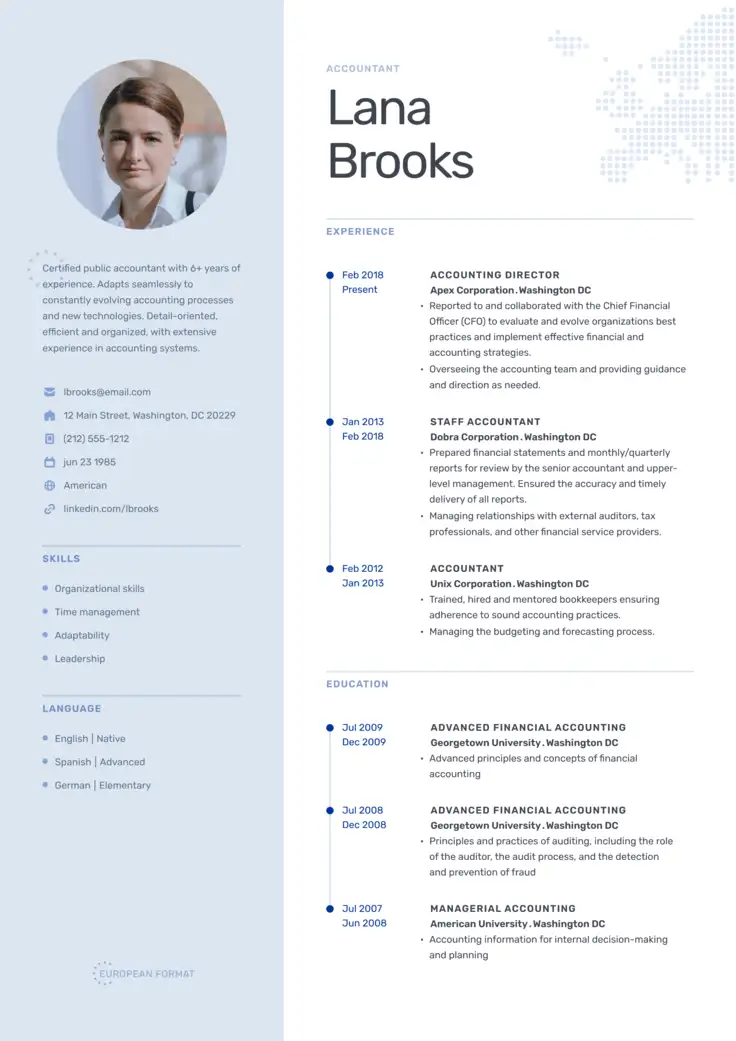
How to Modify a CV Europass: A Step-by-step Guide
Are you tired of using an outdated CV Europass? Do you want to update your profile and make it more attractive to potential employers? Look no further! In this article, we will guide you through the process of modifying a CV Europass, step by step.
Why Update Your CV Europass?
Your CV Europass is an essential tool in showcasing your skills, experience, and achievements to potential employers. Updating it regularly ensures that your profile remains relevant and up-to-date, making it easier for recruiters to find you. Additionally, modifying your CV Europass can help you:
- Improve your chances of getting hired
- Enhance your professional reputation
- Stay competitive in the job market
How to Modify a CV Europass
Modifying a CV Europass is a straightforward process that requires no special software or technical expertise. Here’s how to do it:
Step 1: Access Your CV Europass Profile
To modify your CV Europass, you need to access your profile on the Europass website. Click on the “Login” button and enter your username and password.
Step 2: Select The CV You Want to Modify
Once logged in, select the CV europass you want to modify from your library. If you don’t have a CV europass yet, click on the “Create new CV” button to create one.
Step 3: Click on The “Modify” Button
Click on the “Modify” button next to the CV you want to update. This will take you to the modification page.
Step 4: Update Your Profile Information
Update your profile information, including your name, address, phone number, and email address.
Step 5: Modify Your Work Experience
Modify your work experience by adding or removing sections as necessary. You can also update your job titles, employers, and dates of employment.
Step 6: Add New Sections
You can add new sections to your CV europass, such as hobbies and interests, volunteering, or certifications.
Step 7: Update Your Language Competences
Update your language competences by adding or removing languages. You can also specify your level of proficiency in each language.
Step 8: Add Digital Competences
Add digital competences to your CV europass by specifying the tools and software you are proficient in using.
Step 9: Choose a New Template (Optional)
If you want to change the template of your CV europass, select a new one from the available options.
Step 10: Save Your Changes
Save your changes to the CV europass by clicking on the “Save” button.
How to Modify a CV Europass Pdf
If you have downloaded your CV europass in PDF format and want to modify it offline, you can use a software program like Adobe Acrobat or a similar tool. Here’s how:
Step 1: Open Your Pdf File
Open your PDF file using Adobe Acrobat or a similar software.
Step 2: Select The Tools Menu
Select the “Tools” menu and choose the option to edit text.
Step 3: Update Your Information
Update your information, including your name, address, phone number, and email address.
Step 4: Save Your Changes
Save your changes to the PDF file by clicking on the “Save” button.
Tips For Modifying a CV Europass
Here are some tips to keep in mind when modifying a CV europass:
- Update your profile regularly to ensure that it remains relevant and up-to-date.
- Use clear and concise language to describe your skills and experience.
- Tailor your CV europass to the specific job you’re applying for by highlighting relevant skills and experience.
- Make sure to save your changes regularly to avoid losing any information.
Conclusion
Modifying a CV europass is a straightforward process that requires no special software or technical expertise. By following these steps, you can update your profile and make it more attractive to potential employers. Remember to keep your CV europass up-to-date by updating your skills and experience regularly.
What’s Next?
Now that you’ve modified your CV europass, what’s next?
- Review your updated profile to ensure that it accurately reflects your skills and experience.
- Tailor your CV europass to the specific job you’re applying for by highlighting relevant skills and experience.
- Practice your interview skills by responding to common interview questions.
Get Hired!
By following these steps, you can create a compelling CV europass that showcases your skills and experience. Remember to stay up-to-date with industry trends and continue to develop your skills to increase your chances of getting hired.
I hope this article helps you modify your CV Europass easily!
Please let me know if you have any further questions or need clarification on any of the steps.


