
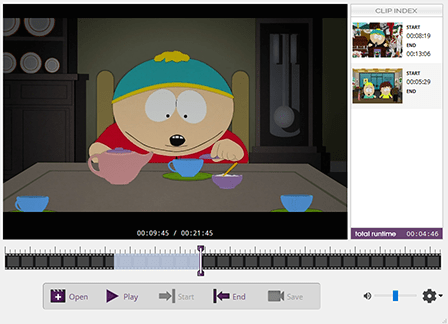
The Ultimate Guide to Cutting Videos Like a Pro
Are you tired of watching your favorite videos without the perfect edit? Do you want to create stunning videos that will leave your audience in awe? Look no further! In this article, we will explore the best apps for cutting videos on smartphones and computers.
Why Cut Videos?
Cutting videos is an essential skill for anyone who wants to tell a story through video. Whether you’re a vlogger, YouTuber, or simply want to create stunning videos for social media, cutting videos is a must-have skill.
The Best Apps For Cutting Videos on Smartphones
If you have a smartphone, you can cut videos using various apps. Here are some of the best ones:
Google Photos (Android/iOS/iPadOS)
Google Photos is one of the most popular apps for cutting videos on smartphones. It’s free, and it offers a range of editing features that will make your videos look stunning.
- To use Google Photos, download and install the app on your smartphone.
- Open the app and select the video you want to edit.
- Tap on the “Edit” button and choose the trim feature to cut out unwanted parts of the video.
- Adjust the video’s settings as needed, and then save the edited video.
Imovie (iOS/iPadOS)
If you have an iPhone or iPad, iMovie is a great app for cutting videos. It’s free, and it offers advanced editing features that will make your videos look professional.
- To use iMovie, download and install the app on your smartphone.
- Open the app and select the video you want to edit.
- Tap on the “Edit” button and choose the trim feature to cut out unwanted parts of the video.
- Adjust the video’s settings as needed, and then save the edited video.
Other Apps For Cutting Videos on Smartphones
There are many other apps available that can help you cut videos like a pro. Some popular ones include:
Adobe Premiere Rush (Android/iOS)
Adobe Premiere Rush is a powerful app for cutting videos that offers advanced editing features.
Kinemaster (Android/iOS)
KineMaster is another popular app for cutting videos on smartphones.
Vidtrim (Android)
VidTrim is a user-friendly app for cutting videos on Android devices.
The Best Apps For Cutting Videos on Computers
If you want to cut videos using your computer, here are some of the best apps available:
Avidemux (Windows/macOS/Linux)
Avidemux is a free and open-source app that offers advanced editing features for cutting videos.
- To use Avidemux, download and install the app on your computer.
- Open the app and select the video you want to edit.
- Use the trim feature to cut out unwanted parts of the video.
- Adjust the video’s settings as needed, and then save the edited video.
Davinci Resolve (Windows/macOS/Linux)
DaVinci Resolve is a professional-grade app for cutting videos that offers advanced editing features.
- To use DaVinci Resolve, download and install the app on your computer.
- Open the app and select the video you want to edit.
- Use the trim feature to cut out unwanted parts of the video.
- Adjust the video’s settings as needed, and then save the edited video.
Openshot (Windows/macOS/Linux)
OpenShot is a free and open-source app for cutting videos that offers advanced editing features.
- To use OpenShot, download and install the app on your computer.
- Open the app and select the video you want to edit.
- Use the trim feature to cut out unwanted parts of the video.
- Adjust the video’s settings as needed, and then save the edited video.
Clipchamp (Windows)
Clipchamp is a user-friendly app for cutting videos on Windows devices.
The Best Apps For Cutting Videos Online
If you don’t want to download any apps or install software on your computer or smartphone, there are many online services that can help you cut videos. Some popular ones include:
Cut Video (123apps)
Cut Video is a free online service that allows you to cut videos without downloading any software.
- To use Cut Video, open the website in your browser and select the video you want to edit.
- Use the trim feature to cut out unwanted parts of the video.
- Adjust the video’s settings as needed, and then save the edited video.
Kapwing
Kapwing is another online service that allows you to cut videos without downloading any software.
- To use Kapwing, open the website in your browser and select the video you want to edit.
- Use the trim feature to cut out unwanted parts of the video.
- Adjust the video’s settings as needed, and then save the edited video.
Clideo
Clideo is a user-friendly online service that allows you to cut videos without downloading any software.
- To use Clideo, open the website in your browser and select the video you want to edit.
- Use the trim feature to cut out unwanted parts of the video.
- Adjust the video’s settings as needed, and then save the edited video.
Conclusion
Cutting videos is an essential skill for anyone who wants to tell a story through video. With the best apps for cutting videos on smartphones and computers, you can create stunning videos that will leave your audience in awe. Whether you’re a vlogger, YouTuber, or simply want to create stunning videos for social media, these apps will help you achieve your goals.
Faqs
- What is The Best App For Cutting Videos?
The best app for cutting videos depends on your device and personal preferences. Some popular ones include Google Photos, iMovie, Adobe Premiere Rush, KineMaster, and Avidemux. - Can I Cut Videos Online?
Yes, you can cut videos online using services like Cut Video, Kapwing, Clideo, and others. - What Are The Benefits of Cutting Videos on Smartphones?
Cutting videos on smartphones allows for quick editing and sharing on social media platforms. - Can I Cut Videos on Computers?
Yes, you can cut videos on computers using software like Avidemux, DaVinci Resolve, OpenShot, and others. - What Are The Benefits of Cutting Videos Online?
Cutting videos online allows for quick editing and sharing without having to download any software or install it on your device. - Can I Use These Apps For Free?
Yes, most of the apps mentioned in this article offer free versions or trials that allow you to cut videos without spending a dime.
I hope this article has helped you learn more about cutting videos and which apps are best suited for your needs. Happy editing!


