
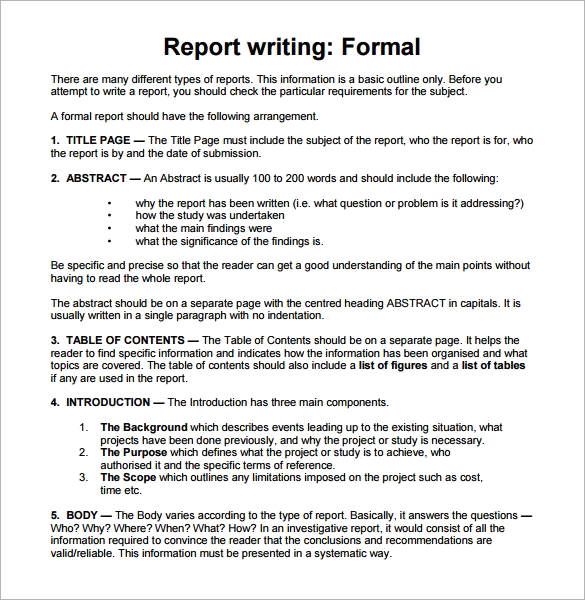
How to Type a Pdf Account: A Step-by-step Guide
Are you tired of struggling to create a professional-looking account? Look no further! In this article, we will guide you through the process of typing a PDF account step by step.
What is an Account?
An account is a document that summarizes information, such as text, images, and data. It can be used for various purposes, including academic, business, or personal projects. The length of an account varies depending on its purpose and target audience.
Choosing The Right Software
To type an account, you will need a software program that allows you to create and edit documents. Some popular options include Microsoft Word, LibreOffice Writer, and Pages. While these programs have their differences, they share similar features and functionality.
Step 1: Determine Your Destination
Before creating your account, it’s essential to determine who will read the document and what purpose it serves. This information will help you tailor the language and tone of your writing.
Step 2: Select a Formal or Informal Style
When choosing a style for your account, consider the audience and purpose. A formal style is often used for business or academic purposes, while an informal style may be more suitable for personal projects.
Step 3: Write Precise And Concise Content
As you write your account, remember to be precise and concise in your language. Avoid using jargon or technical terms that may confuse the reader. Use simple, clear language that is easy to understand.
Step 4: Collect Relevant Information
Gather information from trusted sources, such as books, articles, and online resources. Make sure to properly cite any sources used in your account.
Step 5: Write a Summary
A summary is an essential part of any account. It provides an overview of the main points and allows readers to quickly understand the content.
Step 6: Export Your Account as a Pdf
Finally, it’s time to export your account as a PDF file. This format is widely supported and can be read on various devices. You can use Microsoft Word or LibreOffice Writer to create a PDF file.
Additional Tips And Tools
- Use a formal font style, such as Times New Roman, for academic or business purposes.
- Consider using headings, subheadings, and bullet points to organize your content.
- Make sure to proofread your account carefully before exporting it as a PDF.
- Use online resources, such as Wikipedia, but be aware of potential biases or inaccuracies.
Conclusion
Creating an account can seem daunting, but with these step-by-step instructions, you’ll be well on your way to producing a professional-looking document. Remember to choose the right software, determine your destination, and write precise and concise content. With practice and patience, you’ll become proficient in typing PDF accounts.
Faqs
- What is an Account?
An account is a document that summarizes information, such as text, images, and data. - How do I Choose The Right Software For my Account?
Consider using Microsoft Word, LibreOffice Writer, or Pages to create your account. - How do I Determine Who Will Read my Account?
Think about the audience and purpose of your document before writing it. - What is a Formal or Informal Style?
A formal style is often used for business or academic purposes, while an informal style may be more suitable for personal projects. - Why Should I Write a Summary?
A summary provides an overview of the main points and allows readers to quickly understand the content. - How do I Export my Account as a Pdf?
Use Microsoft Word or LibreOffice Writer to create a PDF file from your document. - What Are Some Additional Tips For Creating an Account?
Consider using headings, subheadings, and bullet points to organize your content, and make sure to proofread carefully before exporting it as a PDF. - Where Can I Find More Information About Typing Accounts?


