
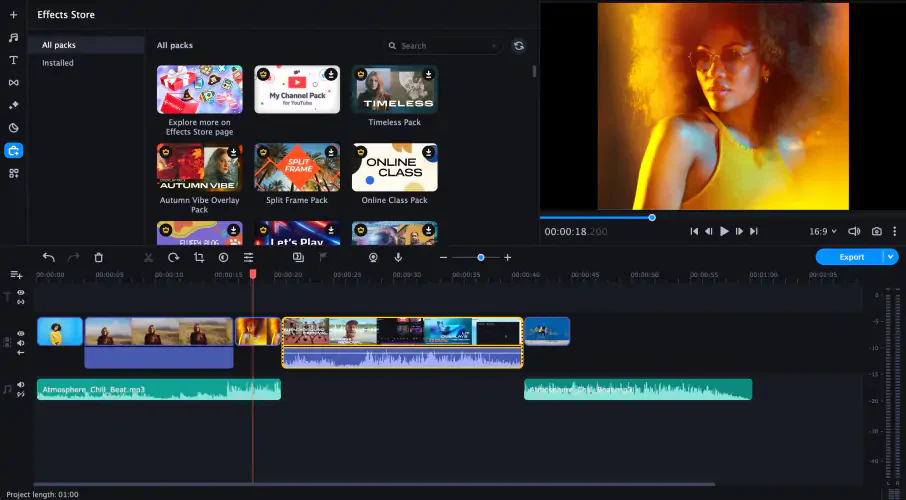
Creating Unforgettable Memories: A Guide to Video Editing Software
Are you looking for a way to preserve your special moments and create stunning videos with photos? Look no further! In this article, we’ll explore the world of video editing software that can help you achieve your goal.
The Importance of Preserving Memories
Life is full of precious moments, and it’s essential to capture them in a way that will last forever. With the rise of social media, it’s become easier than ever to share these memories with loved ones near and far. However, simply snapping photos or recording videos isn’t enough; you need to create something truly special that will make your audience feel like they’re part of the experience.
Video Editing Software: A Game-changer
That’s where video editing software comes in – a powerful tool that can help you transform your memories into breathtaking visual stories. With these programs, you can add music, effects, and transitions to create an immersive experience that will leave a lasting impression on your viewers.
Free Video Editing Software For Windows: Microsoft Clipchamp
For Windows users, Microsoft Clipchamp is an excellent choice. This free video editing software offers a user-friendly interface and a range of features that make it perfect for beginners. With Clipchamp, you can create stunning videos with photos, music, and effects, and even export them in high definition.
Free Video Editing Software For Mac: Imovie
If you’re using a Mac, don’t worry – there’s a free video editing software just for you! iMovie is an Apple program that comes pre-installed on many Macs. With its intuitive interface and range of features, you can create professional-looking videos with ease.
Other Free Video Editing Software Options
There are several other free video editing software options available, including Wondershare Filmora, DaVinci Resolve, and Canva. Each of these programs has its unique features and user interface, so it’s worth exploring to find the one that suits your needs.
Online Video Editing: The Future is Now
If you’re looking for a more convenient way to edit videos online, Canva is an excellent option. This cloud-based video editing software allows you to create stunning videos with photos, music, and effects, without needing any prior experience.
Mobile Video Editing Apps: Take Your Creativity on The Go
For those who want to edit videos on-the-go, there are several mobile video editing apps available. CapCut, Splice, and iMovie for iPhone and iPad are just a few examples of these powerful tools that can help you create stunning videos anywhere, anytime.
Tips And Tricks For Video Editing
Here are some tips and tricks to keep in mind when using video editing software:
- Keep it Simple: Don’t overdo it with too many effects or transitions. Sometimes, less is more.
- Use Music Wisely: Choose a soundtrack that complements your video and adds to the overall mood.
- Experiment With Different Styles: Try out different video editing styles to find what works best for you.
- Practice Makes Perfect: The more you use video editing software, the better you’ll become at creating stunning videos.
Conclusion
Creating unforgettable memories is a breeze when you have the right tools at your disposal. With these free video editing software options and online resources, you can create stunning videos with photos that will leave a lasting impression on your audience. So why wait? Dive in, experiment, and see what amazing creations you can come up with!
Frequently Asked Questions (FAQs)
- What is The Best Free Video Editing Software For Windows?
Microsoft Clipchamp is an excellent choice for Windows users.
- Can I Use Imovie on a Mac?
Yes, iMovie comes pre-installed on many Macs and is perfect for beginners.
- Are There Any Other Free Video Editing Software Options Available?
Yes, Wondershare Filmora, DaVinci Resolve, and Canva are just a few examples of other free video editing software options.
- Can I Edit Videos Online With Canva?
Yes, Canva is a cloud-based video editing software that allows you to create stunning videos online.
- What Mobile Video Editing Apps Can I Use?
CapCut, Splice, and iMovie for iPhone and iPad are just a few examples of powerful mobile video editing apps.
- Do I Need Prior Experience With Video Editing Software?
No, most free video editing software options come with user-friendly interfaces that make it easy to create stunning videos even if you’re a beginner.
- Can I Export my Videos in High Definition?
Yes, many of these free video editing software options allow you to export your videos in high definition.
- Are There Any Tutorials or Guides Available For Using These Software Options?
Yes, there are plenty of tutorials and guides online that can help you get started with using these video editing software options.


