
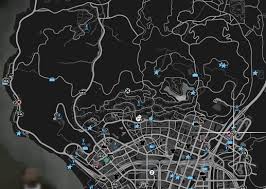
How to Open The Map on Gta 5: A Step-by-step Guide
Are you ready to dive back into the world of Los Santos? Grand Theft Auto 5 is a classic game that has stood the test of time, and with its latest updates, it’s more exciting than ever. If you’re new to the game or just need a refresher on how to open the map, this guide is for you.
Understanding The Basics
Before we dive into the nitty-gritty, let’s quickly review the basics. Grand Theft Auto 5 was originally released in 2013 for PlayStation 3 and Xbox 360. Since then, it has been updated for PlayStation 4, Xbox One, PC, and even PlayStation 5 and Xbox Series X/S. The game’s popularity has endured, thanks to its engaging storyline, open-world gameplay, and frequent updates.
Why Open The Map on Gta 5?
Opening the map on GTA 5 allows you to navigate through the vast world of Los Santos with ease. You can explore different districts, visit iconic landmarks, and discover hidden secrets. By opening the map, you’ll also be able to track your progress, find missions, and interact with non-playable characters (NPCs).
How to Open The Map on Gta 5: A Platform-by-platform Guide
Ps4: Opening The Map on Gta 5
If you’re playing on a PlayStation 4, follow these steps:
- Pause the game by pressing the Options button.
- Select the MAP option from the menu.
- Use the PS4 controller to zoom in and out of the map.
Ps5: Opening The Map on Gta 5
The process is similar for the PlayStation 5:
- Press the Options button to pause the game.
- Choose the MAP option from the menu.
- Use the controller’s right trigger to zoom in and out of the map.
Xbox: Opening The Map on Gta 5
On Xbox One or Series X/S, follow these steps:
- Press the Start/Menu button to pause the game.
- Select the MAP option from the menu.
- Use the controller’s left trigger to zoom in and out of the map.
Pc: Opening The Map on Gta 5
For PC players:
- Press the Esc key to pause the game.
- Use the mouse to navigate through the map.
- Zoom in and out using the scroll wheel or right-click and drag.
Tips And Tricks For Open-world Exploration
- Use your mini-map to track your location and movement.
- Explore different districts, including Vinewood Hills, Little Seoul, and Downtown Los Santos.
- Visit iconic landmarks like the Grand Emporium, the Los Santos Cemetery, and the Elgin Ballroom.
- Interact with NPCs to unlock new missions and storylines.
Conclusion
Opening the map on GTA 5 is a straightforward process that allows you to fully immerse yourself in the world of Los Santos. Whether you’re playing on PS4, PS5, Xbox, or PC, follow these steps to discover hidden secrets, explore iconic landmarks, and interact with non-playable characters.
Frequently Asked Questions
- What is The Best Way to Navigate Through Gta 5’s Map?
Use your mini-map to track your location and movement. - Can I Open The Map on Gta Online?
Yes, you can open the map by pausing the game and selecting the MAP option. - How do I Zoom in And Out of The Map?
Use the controller’s triggers or scroll wheel for PC players. - What Are Some Tips For Exploring Gta 5’s World?
Explore different districts, visit iconic landmarks, and interact with NPCs to unlock new missions and storylines.


