
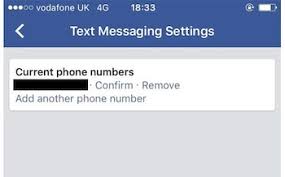
How to Remove Phone Number From Facebook
Are you tired of having your phone number visible on Facebook? Do you want to keep it private, but still allow some friends or acquaintances to see it? Look no further! In this article, we’ll guide you through the steps to remove your phone number from Facebook, both on your computer and mobile device.
Why Remove Phone Number From Facebook?
In today’s digital age, it’s essential to be cautious about sharing personal information online. Your phone number is a sensitive piece of information that can be used for spam calls, phishing attacks, or even identity theft. By removing it from Facebook, you’ll be taking an important step in protecting your privacy.
How to Remove Phone Number From Facebook on Computer
Removing your phone number from Facebook on computer is a straightforward process. Follow these steps:
- Log in to Your Facebook Account: Open Facebook on your computer and log in with your username and password.
- Click on The Menu Icon: Click on the menu icon (three horizontal lines) located at the top-right corner of the page.
- Select Settings & Privacy: From the dropdown menu, select “Settings & Privacy.”
- Click on Settings: Click on the “Settings” option from the next dropdown menu.
- Select Personal Details: In the left-hand menu, click on “Personal Details.”
- Edit Your Phone Number: Click on your phone number to edit it.
- Delete or Limit Visibility: Select either “Delete” or “Limit Visibility” to remove or limit the visibility of your phone number.
How to Remove Phone Number From Facebook on Mobile Device
Removing your phone number from Facebook on mobile devices (smartphones and tablets) is also easy. Follow these steps:
- Open The Facebook App: Open the Facebook app on your smartphone or tablet.
- Tap on The Menu Icon: Tap on the menu icon (three horizontal lines) located at the top-right corner of the screen.
- Select Settings & Account: From the dropdown menu, select “Settings & Account.”
- Click on Personal Details: In the left-hand menu, click on “Personal Details.”
- Edit Your Phone Number: Tap on your phone number to edit it.
- Delete or Limit Visibility: Select either “Delete” or “Limit Visibility” to remove or limit the visibility of your phone number.
What If I Want to Limit Visibility Instead of Removing?
If you don’t want to delete your phone number entirely, but rather limit its visibility on Facebook, you can do so by following these steps:
- Edit Your Phone Number: Edit your phone number in the “Personal Details” section.
- Select Modify Visibility: Select “Modify Visibility.”
- Choose an Option: Choose one of the available options to limit the visibility of your phone number, such as “Only Me” or “Friends Except Acquaintances.”
Troubleshooting: Removing Phone Number From Facebook
If you encounter any issues while trying to remove your phone number from Facebook, don’t panic! Try these troubleshooting steps:
- Check Your Account Settings: Ensure that your account settings are up-to-date and that you’re logged in with the correct username and password.
- Contact Facebook Support: Reach out to Facebook’s customer support team for assistance.
- Consult The Facebook Help Center: Visit the Facebook Help Center for more information on how to remove or limit visibility of your phone number.
Conclusion
Removing your phone number from Facebook is a simple process that can help protect your privacy and security online. By following these steps, you’ll be able to keep your personal contact information safe and secure. Remember to also limit the visibility of your phone number if you prefer not to delete it entirely.
Frequently Asked Questions (FAQs)
- Q: Why do I Need to Remove my Phone Number From Facebook?
A: Removing your phone number from Facebook helps protect your privacy and security online by preventing unwanted calls, spam messages, or identity theft. - Q: Can I Limit Visibility Instead of Deleting my Phone Number?
A: Yes! You can limit the visibility of your phone number on Facebook to only specific friends or acquaintances, rather than removing it entirely. - Q: How do I Remove my Phone Number From Facebook on Mobile Devices?
A: To remove your phone number from Facebook on mobile devices (smartphones and tablets), follow the steps outlined in this article. - Q: What if I Encounter Issues While Trying to Remove my Phone Number From Facebook?
A: If you encounter any problems, try checking your account settings, contacting Facebook support, or consulting the Facebook Help Center for assistance.


