
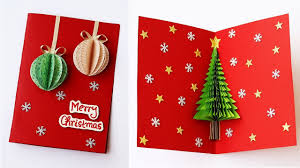
How to Create a Christmas Card Online: A Step-by-step Guide
Are you looking for ways to create a personalized Christmas card online without any design experience? Look no further! In this article, we will explore the various online services that allow you to design and print your own Christmas cards.
The Benefits of Creating a Christmas Card Online
Creating a Christmas card online has several benefits. Not only can you save money on printing costs, but you can also have fun customizing the design to suit your taste. With online services, you can choose from various templates, add photos, and even edit text to make it more personal.
The Best Online Services For Creating Christmas Cards
There are several online services that allow you to create a Christmas card online. Here are some of the best ones:
- Canva: Canva is one of the most popular online design platforms that allows you to create professional-looking Christmas cards without any design experience.
- Greetings Island: Greetings Island is another great service that offers a wide range of templates and design tools to help you create a personalized Christmas card.
- Got Free Cards: Got Free Cards is an online service that allows you to create free Christmas cards using their pre-designed templates.
How to Create a Christmas Card With Canva
To create a Christmas card with Canva, follow these steps:
- Go to Canva.Com and sign up for a free account.
- Click on the “Project” button and select “Christmas Card” from the template library.
- Choose a design that suits your taste and customize it by adding photos, text, and other elements.
- Once you’re happy with the design, click on the “Download” button to save it as a PDF file.
How to Create a Christmas Card With Greetings Island
To create a Christmas card with Greetings Island, follow these steps:
- Go to GreetingsIsland.Com and sign up for a free account.
- Click on the “Greetings” tab and select “Christmas” from the category list.
- Choose a design that suits your taste and customize it by adding photos, text, and other elements.
- Once you’re happy with the design, click on the “Print” button to print it out.
How to Create a Christmas Card With Got Free Cards
To create a Christmas card with Got Free Cards, follow these steps:
- Go to GotFreeCards.Com and sign up for a free account.
- Click on the “Christmas” tab and select a design that suits your taste.
- Customize the design by adding photos, text, and other elements.
- Once you’re happy with the design, click on the “Print” button to print it out.
Other Online Services For Creating Christmas Cards
There are several other online services that allow you to create a Christmas card online. Some of these services include:
- Fotor: Fotor is an online photo editing service that allows you to create professional-looking Christmas cards using their pre-designed templates.
- Adobe Express: Adobe Express is a free online design platform that allows you to create Christmas cards without any design experience.
- Vistacreate: VistaCreate is another great online service that offers a wide range of templates and design tools to help you create a personalized Christmas card.
How to Create a Christmas Card With Microsoft Word
To create a Christmas card with Microsoft Word, follow these steps:
- Open Microsoft Word on your computer.
- Click on the “File” menu and select “New” from the drop-down list.
- Choose a design template that suits your taste.
- Customize the design by adding photos, text, and other elements.
Other Programs For Creating Christmas Cards
There are several other programs that allow you to create a Christmas card online. Some of these programs include:
- Gimp: GIMP is a free graphics program that allows you to create professional-looking Christmas cards.
- Libreoffice Draw: LibreOffice Draw is a free graphics program that allows you to create contained printable documents, such as Christmas cards.
- Pages: Pages is a free graphics program that allows you to create presentations and other printed materials, including Christmas cards.
How to Choose The Best Online Service For Creating a Christmas Card
When choosing an online service for creating a Christmas card, consider the following factors:
- Ease of use: Look for services that are easy to use and require no design experience.
- Customization options: Consider services that offer a wide range of templates and customization options.
- Printing costs: Choose services that allow you to print your cards at home or have them shipped to you.
Conclusion
Creating a Christmas card online is a fun and easy way to express your creativity and show off your holiday spirit. With the various online services available, you can choose the one that suits your taste and preferences. Whether you’re looking for a simple design or something more elaborate, these services have got you covered. Happy creating!
Faqs
- What is The Best Online Service For Creating Christmas Cards?
The best online service for creating Christmas cards depends on your personal preference and needs. Some popular options include Canva, Greetings Island, and Got Free Cards. - How do I Create a Christmas Card With Microsoft Word?
To create a Christmas card with Microsoft Word, follow the steps outlined in this article. - What Are Some Other Programs For Creating Christmas Cards?
Some other programs for creating Christmas cards include GIMP, LibreOffice Draw, and Pages. - Can I Create a Christmas Card Online Without Any Design Experience?
Yes, you can create a Christmas card online without any design experience using services like Canva, Greetings Island, and Got Free Cards. - How do I Print my Christmas Card?
To print your Christmas card, follow the instructions provided by the online service you are using. - Can I Customize my Christmas Card With Photos And Text?
Yes, most online services allow you to customize your Christmas card with photos and text. - How Much Does it Cost to Create a Christmas Card Online?
Most online services offer free options or low-cost printing fees. However, some services may require a subscription or payment for premium features. - Can I Create a Christmas Card With Multiple Pages?
Yes, many online services allow you to create Christmas cards with multiple pages.


