
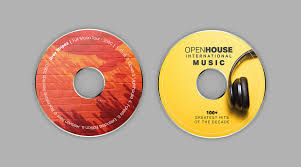
The Ultimate Guide to Labelling Cds: A Comprehensive Tutorial
Are you tired of juggling multiple CD labels at once? Do you struggle with finding the perfect design or layout for your music, movie, or software collection? Look no further! In this article, we will explore the world of CD labelling, covering everything from manual printing to online creation and even how to transfer labels onto CDs.
Why Labelling Cds Matters
Labelling CDs is not just about aesthetics; it’s also a matter of organization and identification. With so many discs in circulation, it can be easy to get them mixed up or lose track of which ones are which. By labelling your CDs, you ensure that each one has a clear and concise label that reflects its contents.
Manual Printing: The Old-school Way
Before we dive into the modern solutions, let’s take a look at manual printing as an option. This method involves creating labels on adhesive cards or paper and then affixing them to your CDs. While it may not be the most efficient way, manual printing can still produce high-quality results.
Software Solutions: Ronyasoft Cd/dvd Label Maker (Windows) And Swift Publisher (macOS)
For those who want a more streamlined process, software solutions are the way to go! Two popular options include Ronyasoft CD/DVD Label Maker for Windows and Swift Publisher for macOS. These programs allow you to create custom labels with ease, using pre-designed templates or your own images.
- Ronyasoft Cd/dvd Label Maker: This user-friendly software offers a range of features, including the ability to add text, images, and shapes to your label.
- Swift Publisher: With its intuitive interface, Swift Publisher lets you create professional-looking labels in no time. You can customize templates, add multimedia elements, and more.
Online Solutions: Artwork Creator
If software isn’t your thing or you prefer a web-based solution, consider using online platforms like Artwork Creator! This site allows you to design and print custom CD labels directly from their website. With a user-friendly interface and plenty of template options, it’s perfect for those who want a hassle-free experience.
Transferring Labels Onto Cds
Now that we’ve covered the different methods of creating labels, let’s talk about how to transfer them onto your CDs. This process involves using adhesive cards or other specialized materials to affix the label directly onto the CD surface.
- Using Adhesive Cards: Place the adhesive card on a flat surface and carefully position it on top of your CD. Make sure the label is centered and smooth out any air bubbles.
- Alternative Methods: If you don’t have access to adhesive cards or prefer not to use them, consider using other materials like stickers or transfer tape.
Tips And Tricks
Before we conclude, here are some valuable tips and tricks to keep in mind when labelling your CDs:
- Use High-quality Images: Ensure that your images are clear and well-defined for optimal print quality.
- Choose The Right Font: Select a font that’s easy to read and suitable for your label design.
- Leave Space For Writing: Don’t forget to leave some extra space for any additional information you might want to include.
Conclusion
Labelling CDs may seem like a simple task, but it can be overwhelming when faced with multiple options. By exploring the various methods outlined in this article – from manual printing to online creation and software solutions – you’ll find the perfect approach for your needs. Happy labelling!
Frequently Asked Questions (FAQs)
- Q: What is The Best Way to Label Cds?
A: The best method depends on your personal preference, but using software like Ronyasoft CD/DVD Label Maker or Swift Publisher is generally considered the most efficient and high-quality option. - Q: Can I Use Any Type of Adhesive Card For Labelling Cds?
A: While there are various types of adhesive cards available, it’s essential to choose ones specifically designed for this purpose to ensure optimal adhesion and print quality. - Q: How do I Transfer Labels Onto Cds Using Online Platforms Like Artwork Creator?
A: After designing your label on the website, simply download and print the image, then follow the usual process of affixing it to your CD surface.
Conclusion
Labelling CDs may seem daunting, but with the right guidance and resources, you can achieve professional-looking results. Whether you prefer manual printing, software solutions, or online platforms, there’s a solution for everyone. Happy labelling!


