
How to Download Intesa Sanpaolo App on Your Smartphone
Are you an Intesa Sanpaolo customer looking to download the bank’s mobile app on your smartphone? Look no further! In this article, we will guide you through the process of downloading the Intesa Sanpaolo app on both Android and iPhone devices. We’ll also cover how to access your account and services using the app.
Understanding The Various Apps Offered by Intesa Sanpaolo
Before diving into the download process, it’s essential to understand which apps are available for download from the bank. Intesa Sanpaolo offers several mobile apps, including:
- Intesa Sanpaolo Mobile: This app allows customers to access their account, check balances, transfer funds, and pay bills.
- Intesa Sanpaolo Inbiz: Designed for businesses, financial institutions, and public administrations, this app enables users to manage their treasury, liquidity, exchange commercial transactions, and more.
- Intesa Sanpaolo Invest: This app allows customers to follow market trends and buy/sell securities.
- Intesa Sanpaolo Reward: Users can participate in contests and win awards using this app.
- Intesa Sanpaolo Insurances: Customers can manage their insurance policies through this app.
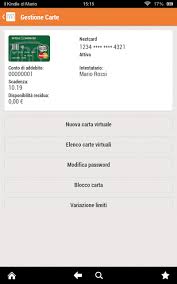
- Intesa Sanpaolo Prepagate: This app is specifically designed for customers with prepaid cards, allowing them to check card availability, view transactions, and make payments.
Downloading The Intesa Sanpaolo Mobile App on Android Devices
To download the Intesa Sanpaolo mobile app on your Android device:
- Open the Play Store app on your smartphone.
- Search for “Intesa Sanpaolo Mobile” in the search bar.
- Select the app from the search results and tap the “Install” button to begin the download process.
- Wait for the installation to complete, then open the app and follow the prompts to activate it.
Downloading The Intesa Sanpaolo Mobile App on Iphone Devices
To download the Intesa Sanpaolo mobile app on your iPhone:
- Open the App Store app on your device.
- Tap the “Search” tab at the bottom of the screen.
- Type “Intesa Sanpaolo Mobile” in the search bar and select the app from the results.
- Tap the “Get” button to begin the download process, then follow the prompts to activate the app.
Installing The Intesa Sanpaolo App on New Devices
If you’ve recently acquired a new smartphone and need to install the Intesa Sanpaolo app, follow these steps:
- Download and install the app using the instructions above.
- Open the app and tap the “Activate” button.
- Enter your account credentials and follow the prompts to complete the activation process.
Accessing Your Account on a PC
If you prefer to access your Intesa Sanpaolo account using a computer, follow these steps:
- Visit the Intesa Sanpaolo website and click the “Access clients” button.
- Enter your account credentials and follow the prompts to complete the login process.
Troubleshooting Common Issues
If you encounter any issues while downloading or accessing the Intesa Sanpaolo app, try the following:
- Check that your device has sufficient storage space and a stable internet connection.
- Ensure that you have the correct account credentials.
- If you’re experiencing difficulties with the download process, consider resetting your device’s cache and trying again.
Conclusion
Downloading the Intesa Sanpaolo app on your smartphone is a straightforward process. By following these steps, you’ll be able to access your account, check balances, transfer funds, and pay bills using the mobile app. If you encounter any issues or have questions about the download process, feel free to contact Intesa Sanpaolo’s customer support team for assistance.
Frequently Asked Questions
- Q: What are the different apps offered by Intesa Sanpaolo?
A: Intesa Sanpaolo offers various mobile apps, including Intesa Sanpaolo Mobile, Intesa Sanpaolo Inbiz, Intesa Sanpaolo Invest, Intesa Sanpaolo Reward, Intesa Sanpaolo Insurances, and Intesa Sanpaolo Prepagate. - Q: How do I download the Intesa Sanpaolo mobile app on Android devices?
A: To download the Intesa Sanpaolo mobile app on Android devices, open the Play Store app, search for “Intesa Sanpaolo Mobile,” select the app from the search results, and tap the “Install” button to begin the download process. - Q: How do I access my account using a PC?
A: To access your Intesa Sanpaolo account on a PC, visit the Intesa Sanpaolo website, click the “Access clients” button, enter your account credentials, and follow the prompts to complete the login process.
Additional Resources
For more information about downloading the Intesa Sanpaolo app or accessing your account using a computer, please refer to the official Intesa Sanpaolo website or contact their customer support team for assistance.


