
How to Recover Audio From Whatsapp: A Step-by-step Guide
Are you wondering how to recover audio from WhatsApp? You’re not alone! Many of us have found ourselves in a situation where we need to retrieve an important audio message that was sent or received on WhatsApp, but unfortunately, it’s been deleted. Don’t worry; we’ve got you covered!
In this article, we’ll guide you through the process of recovering audio from WhatsApp using both smartphones and computers. We’ll also provide tips for recovering audio messages erased by WhatsApp.
How to Recover Audio From Whatsapp on Smartphone
Whether you’re using an Android or iOS device, recovering audio from WhatsApp is a relatively straightforward process. Here’s how:
Recovering Audio From Whatsapp on Android
To recover audio from WhatsApp on your Android smartphone:
- Open the File Manager app on your phone.
- Go to the “Media” folder inside the WhatsApp folder.
- Find the audio file you’re looking for and tap on it.
- Tap the three dots in the top-right corner of the screen.
- Select “Open with” or “Copy to” from the menu.
Recovering Audio From Whatsapp on Iphone
To recover audio from WhatsApp on your iPhone:
- Open the WhatsApp app and go to the conversation containing the audio message.
- Tap and hold on the audio message until a menu appears.
- Select “Share” or “Copy” from the menu.
- Choose an option like “Save Image” or “Save Video” to save the audio file.
Recovering Audio From Whatsapp on Computer
If you’re using a computer, recovering audio from WhatsApp is also possible:
Recovering Audio From Whatsapp on Windows Pc
To recover audio from WhatsApp on your Windows PC:
- Open WhatsApp Web by scanning the QR code displayed on your phone.
- Go to the conversation containing the audio message.
- Right-click on the audio message and select “Save As” from the context menu.
Recovering Audio From Whatsapp on Mac
To recover audio from WhatsApp on your Mac:
- Open WhatsApp Web by scanning the QR code displayed on your phone.
- Go to the conversation containing the audio message.
- Right-click (or control-click) on the audio message and select “Save As” from the context menu.
Recovering Erased Audio Messages
If you’ve accidentally erased an audio message, don’t worry! You can recover it using these methods:
Recovering Erased Audio Messages on Android
To recover erased audio messages on your Android device:
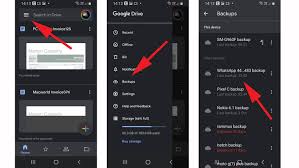
- Check if you have a WhatsApp backup.
- If the backup was created before the audio message was deleted, you can restore it.
- If not, use a third-party app like Wondershare Dr.Fone to recover the audio message.
Recovering Erased Audio Messages on Iphone
To recover erased audio messages on your iPhone:
- Check if you have an iCloud backup of WhatsApp.
- If the backup was created before the audio message was deleted, you can restore it.
- If not, use a third-party app like Wondershare Dr.Fone to recover the audio message.
Tips For Recovering Audio Messages
Here are some additional tips for recovering audio messages:
- Make sure your WhatsApp backups are up-to-date and stored safely.
- Use a reliable backup service like Google Drive or iCloud.
- Don’t delete any unnecessary files, as they might contain important data.
- If you need to recover an audio message urgently, try using a third-party app.
Frequently Asked Questions (FAQs)
Q: Can I recover deleted audio messages on WhatsApp?
A: Yes, but only if you have a backup of the conversation containing the audio message. You can restore it from there.
Q: How do I enable backups for WhatsApp conversations?
A: Go to Settings > Chats > Backup and select “Backup now” to enable automatic backups.
Q: Can I recover deleted audio messages using a third-party app?
A: Yes, apps like Wondershare Dr.Fone or WhatsRemoved+ can help you recover deleted audio messages on both Android and iOS devices.
Conclusion
Recovering audio from WhatsApp is possible with the right steps. Whether you’re using a smartphone or computer, we’ve provided detailed guides to help you retrieve your valuable audio messages. Don’t hesitate to reach out if you have any further questions!


