
Unblocking Your Microsoft Account: A Step-by-step Guide
Are you having trouble accessing your Microsoft account? Have you been blocked due to a breach of terms or an error? Don’t worry, we’ve got you covered! In this article, we’ll walk you through the official procedure for unblocking your Microsoft account.
Why Is My Account Blocked?
Before we dive into the solution, let’s understand why your account might be blocked in the first place. Sometimes, Microsoft blocks accounts due to suspicious activity or breaches of their terms of use. This could be anything from malware infections to phishing and spoofing attempts. In such cases, you’ll receive a notification on your screen, and access to your profile will be denied.
Can I Still Unblock My Account?
Yes, in most cases, you can still unblock your account by following the procedure outlined below. However, if your account has been blocked due to a breach of terms, Microsoft might require additional verification steps to ensure the security of their users.
Recovering Your Blocked Microsoft Account
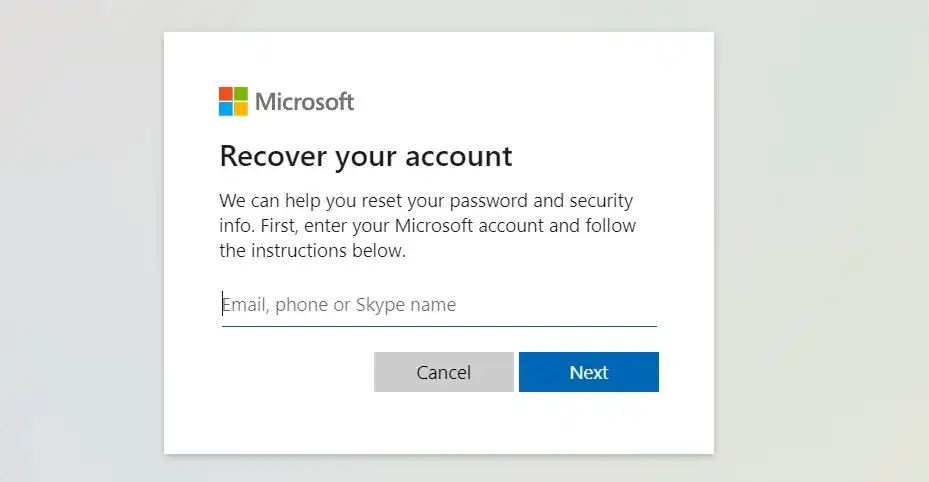
If your account is blocked for an error, you can easily recover it using a simple procedure provided by Microsoft. Here’s how:
- Access Your Profile: Go to the Microsoft website and sign in to your profile as you normally would.
- Notice of Blockage: You’ll receive a notification stating that your account has been blocked. Click on the “Next” button to proceed.
- Enter Phone Number: Enter a phone number where you can receive a verification code. This could be your personal number, or one belonging to a relative or friend.
- Receive Verification Code: Wait for 10 minutes and receive the verification code via SMS.
- Enter Code: Type in the code on the designated text field and click “Next.”
- Unblock Account: You’ll now have access to your account, and you can proceed with modifying your password if necessary.
What If I Don’t Receive a Verification Code?
If you’re not receiving the verification code, try re-entering the phone number or clicking on the voice button to receive the code via phone. If this doesn’t work, simply follow the procedure again.
Additional Steps For Some Cases
In some cases, you might encounter an error message stating that your account cannot be unblocked. This could be due to a breach of terms or other security concerns. If this happens:
- Click on The “aka.*Ms/” Link: Look for the “aka.*Ms/” link in the notification box and click on it.
- Fill Out The Form: Fill out the form provided by Microsoft, which will guide you through a control process to resolve the issue.
- Submit The Form: Once you’ve completed the form, submit it to receive assistance from a Microsoft operator.
Conclusion
Unblocking your Microsoft account is a straightforward process that requires patience and attention to detail. By following these steps, you should be able to regain access to your profile in no time. Remember to always verify the authenticity of any links or messages you receive, and never share sensitive information with anyone.
Related Resources
For more information on Microsoft account security, visit their official support page: Https://Support.Microsoft.Com.


