
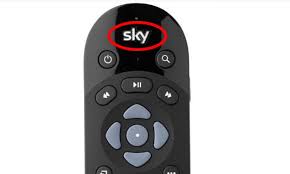
How to Open And Reset Your Sky Q Remote Control
Are you tired of dealing with a malfunctioning Sky Q remote control? Do you want to know how to open and reset it without breaking it? You’re in luck! In this article, we’ll guide you through the process of opening and resetting your Sky Q remote control, as well as provide some troubleshooting tips to get you back up and running.
Why Open Your Sky Q Remote Control?
Before we dive into the nitty-gritty of opening and resetting your Sky Q remote control, let’s discuss why you might want to do so in the first place. There are a few reasons why you might need to open your remote:
- Faulty Buttons: If some of the buttons on your remote aren’t working as they should, it might be due to a faulty switch or a loose connection.
- Malfunctioning Software: Sometimes, the problems with your remote can be attributed to a software glitch. In this case, resetting the device can resolve the issue.
- Physical Damage: If you’ve dropped your remote and it’s no longer working properly, opening it might help you identify the source of the problem.
Step 1: Attempting a Reset
Before you try opening your Sky Q remote control, let’s see if we can resolve the issues without disassembling it. Here’s how to attempt a reset:
- Press And Hold: Press and hold the buttons 7 and 9 on your remote at the same time for about 10 seconds.
- Release: Release the buttons and wait for about 5 seconds.
- Repeat: Repeat steps 1 and 2 until the LED light on your remote starts blinking twice.
If this process doesn’t resolve the issue, it’s likely that there’s a physical problem with your remote.
Step 2: Opening Your Sky Q Remote Control
Now that we’ve attempted to reset your remote control without opening it, let’s move on to the next step – opening it. Please note that you should only attempt to open your remote if you’re comfortable with basic electronics and have some experience with disassembling electronic devices.
Opening Your Sky Q Black Remote Control
To open your Sky Q Black remote control, follow these steps:
- Stir up The Batteries: Remove the batteries from the back of the remote by prying off the small plastic cover.
- Use a Flat Screwdriver: Use a flat screwdriver to carefully pry open the top part of the remote control.
- Separate The Two Parts: Gently separate the two parts of the remote along the black board.
Opening Your Sky Q Mini Remote Control
The procedure for opening your Sky Q Mini remote control is similar to that of the Black version:
- Stir up The Batteries: Remove the batteries from the back of the remote by prying off the small plastic cover.
- Use a Flat Screwdriver: Use a flat screwdriver to carefully pry open the top part of the remote control.
- Separate The Two Parts: Gently separate the two parts of the remote along the black board.
Opening Your Sky Q Road Internet Remote Control
The procedure for opening your Sky Q Road Internet remote control is slightly different:
- Stir up The Batteries: Remove the batteries from the back of the remote by prying off the small plastic cover.
- Use a Flat Screwdriver: Use a flat screwdriver to carefully pry open the top part of the remote control.
- Separate The Two Parts: Gently separate the two parts of the remote along the black board.
Tips And Precautions
When attempting to open your Sky Q remote control, please keep the following tips and precautions in mind:
- Make sure you have a flat surface and good lighting before attempting to open your remote.
- Use a flat screwdriver to avoid damaging any internal components.
- Be gentle when separating the two parts of the remote to avoid causing further damage.
Conclusion
In conclusion, opening and resetting your Sky Q remote control can be a relatively simple process if you follow these steps. However, please keep in mind that attempting to open or reset your remote might void the warranty on your device. If you’re unsure about any part of this process, it’s always best to consult the manufacturer’s instructions or contact a professional for assistance.
Additional Resources
If you need further assistance with opening and resetting your Sky Q remote control, here are some additional resources that might be helpful:
- Sky Q Support: Check out the official Sky Q support page for troubleshooting tips and guides on how to reset your remote.
- Youtube Tutorials: Look up YouTube videos that demonstrate the process of opening and resetting different types of Sky Q remotes.
References
- Sky Q User Manual: Check out the official Sky Q user manual for more information on how to reset and troubleshoot your remote control.
- Amazon Product Pages: Visit Amazon’s product pages for different types of Sky Q remotes for reviews, pricing, and customer feedback.


