
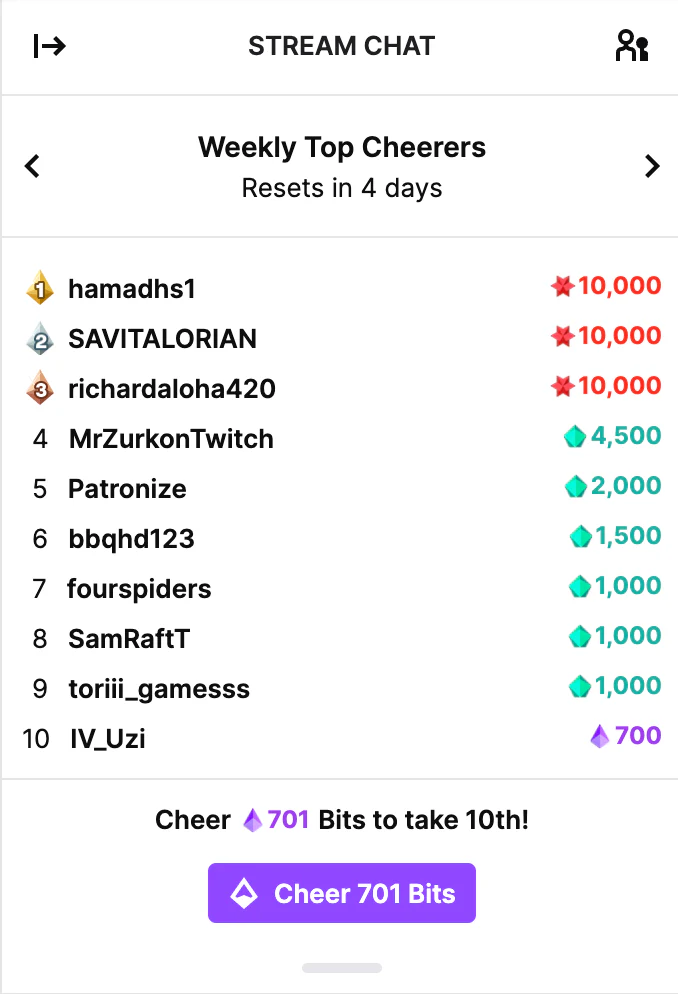
How to Donate Bits on Twitch: A Step-by-step Guide
Are you a fan of Twitch streams but unsure about how to donate bits to your favorite streamer? Look no further! In this article, we’ll guide you through the process of donating bits on Twitch using both the app and computer.
What Are Bits on Twitch?
Before we dive into the step-by-step guide, let’s quickly explain what bits are. Bits are a virtual currency that can be purchased and used to support your favorite streamers on Twitch. They’re similar to subscriptions but offer more flexibility in terms of donations. With bits, you can donate any amount from 1 to 10,000 bits to support your favorite channel.
Cost of Bits on Twitch
The cost of bits varies depending on the device you use to purchase them. Here’s a breakdown of the prices:
- On Android devices: 95 Bits for $2.09, 245 Bits for $4.99, 510 Bits for $9.99, 1,050 Bits for $19.99, 2,750 Bits for $49.99, 5,550 Bits for $99.99, And 11,500 bits for $199.99.
- On iPhone/iPad devices: 95 Bits for $1.99, 245 Bits for $4.99, 510 Bits for $9.99, 1,050 Bits for $19.99, 2,750 Bits for $49.99, 5,550 Bits for $99.99, And 11,500 bits for $199.99.
- On computers: 100 Bits for $1.54, 500 Bits for $7.72, 1,500 Bits for $22, 5,000 bits for $71, 10,000 bits for $138.92, And 25,000 bits for $339.57.
How to Donate Bits on Twitch Using The App
To donate bits using the app, follow these steps:
- Open the Twitch app on your Android or iOS device.
- Log in to your account or create a new one if you don’t have an existing account.
- Search for the channel you want to support and select it from the search results.
- Tap on the “Follow” button to follow the channel.
- Tap on the three horizontal lines in the top-right corner of the screen to access the menu.
- Select the “Gifts” option from the menu.
- Choose the type of gift you want to give, such as bits or a subscription.
- Select the amount of bits you want to donate (1-10,000).
- Confirm your donation by tapping on the “Donate” button.
How to Donate Bits on Twitch Using a Computer
To donate bits using a computer, follow these steps:
- Open a web browser and navigate to twitch.Tv.
- Log in to your account or create a new one if you don’t have an existing account.
- Click on the “Bits” tab at the top of the page.
- Select the amount of bits you want to purchase (100-25,000).
- Confirm your purchase by clicking on the “Buy Bits” button.
- Log in to your PayPal or credit card account to complete the payment.
- Once you’ve purchased the bits, go back to the channel page and click on the “Bits” tab again.
- Select the amount of bits you want to donate (1-10,000).
- Confirm your donation by clicking on the “Donate” button.
Using Emotifons to Donate Bits
Emotifons are a type of emoticon that can be used to donate bits to your favorite streamers. To use emotifons, follow these steps:
- Open the Twitch app or website.
- Search for the channel you want to support and select it from the search results.
- Click on the “Emotifon” button in the chat window.
- Select the type of emotifon you want to use (e.G., A heart or a smiley).
- Enter the amount of bits you want to donate (1-10,000) and confirm your donation.
Using Extensions to Donate Bits
Extensions are third-party plugins that can be used to enhance your Twitch experience. Some extensions allow you to donate bits to your favorite streamers using a custom interface. To use an extension, follow these steps:
- Open the Twitch app or website.
- Search for the channel you want to support and select it from the search results.
- Click on the “Extensions” button in the chat window.
- Select the extension you want to use (e.G., SoundAlerts).
- Follow the prompts to configure the extension and donate bits.
Conclusion
Donating bits on Twitch is a great way to show your support for your favorite streamers. By following these step-by-step guides, you can easily purchase and donate bits using both the app and computer. Whether you’re using emotifons or extensions, donating bits is a fun and rewarding experience that can help your favorite channel grow.
Frequently Asked Questions
Q: What are bits on Twitch?
A: Bits are a virtual currency that can be purchased and used to support your favorite streamers on Twitch.
Q: How much do bits cost on Twitch?
A: The cost of bits varies depending on the device you use to purchase them. Prices start at $2.09 For 95 bits on Android devices and go up to $339.57 For 25,000 bits on computers.
Q: How can I donate bits using the app?
A: To donate bits using the app, follow these steps: Open the Twitch app, search for the channel you want to support, select it from the search results, tap on the “Follow” button, and then tap on the “Gifts” option from the menu.
Q: How can I donate bits using a computer?
A: To donate bits using a computer, follow these steps: Open a web browser, navigate to twitch.Tv, log in to your account, click on the “Bits” tab, select the amount of bits you want to purchase, confirm your purchase by clicking on the “Buy Bits” button, and then go back to the channel page and click on the “Bits” tab again to donate.
Q: What are emotifons?
A: Emotifons are a type of emoticon that can be used to donate bits to your favorite streamers.


