
The Ultimate Guide to Creating Beautiful Video Presentations With Photos
Are you tired of scrolling through countless photos from your last vacation, wishing you could create a beautiful video presentation to share with friends and family? Look no further! In this article, we’ll explore the best apps to do video with photo on various platforms, including PC and Mac, online, Android, and iPhone.
The Importance of Creating Video Presentations
In today’s digital age, creating engaging video content is more important than ever. Not only can it help you share your memories with loved ones, but it also makes for a great way to showcase your travel experiences on social media or at family gatherings. With the right tools, you can create stunning video presentations that will leave everyone in awe.
The Best Apps to Do Video With Photo
PC And Mac
If you’re using a PC or Mac, there are several excellent apps to do video with photo available. Here are some of our top picks:
- Clipchamp (Windows): This Microsoft-owned app is the perfect solution for Windows users looking to create beautiful video presentations. With its intuitive interface and impressive feature set, Clipchamp makes it easy to add effects, transitions, and music to your videos.
- Photo (macOS): If you’re using a Mac, Photo is the built-in app that comes pre-installed on your computer. Not only can you edit photos, but you can also create stunning video presentations with ease.
Online
If you don’t want to download any software or prefer to access apps online, here are some fantastic options:
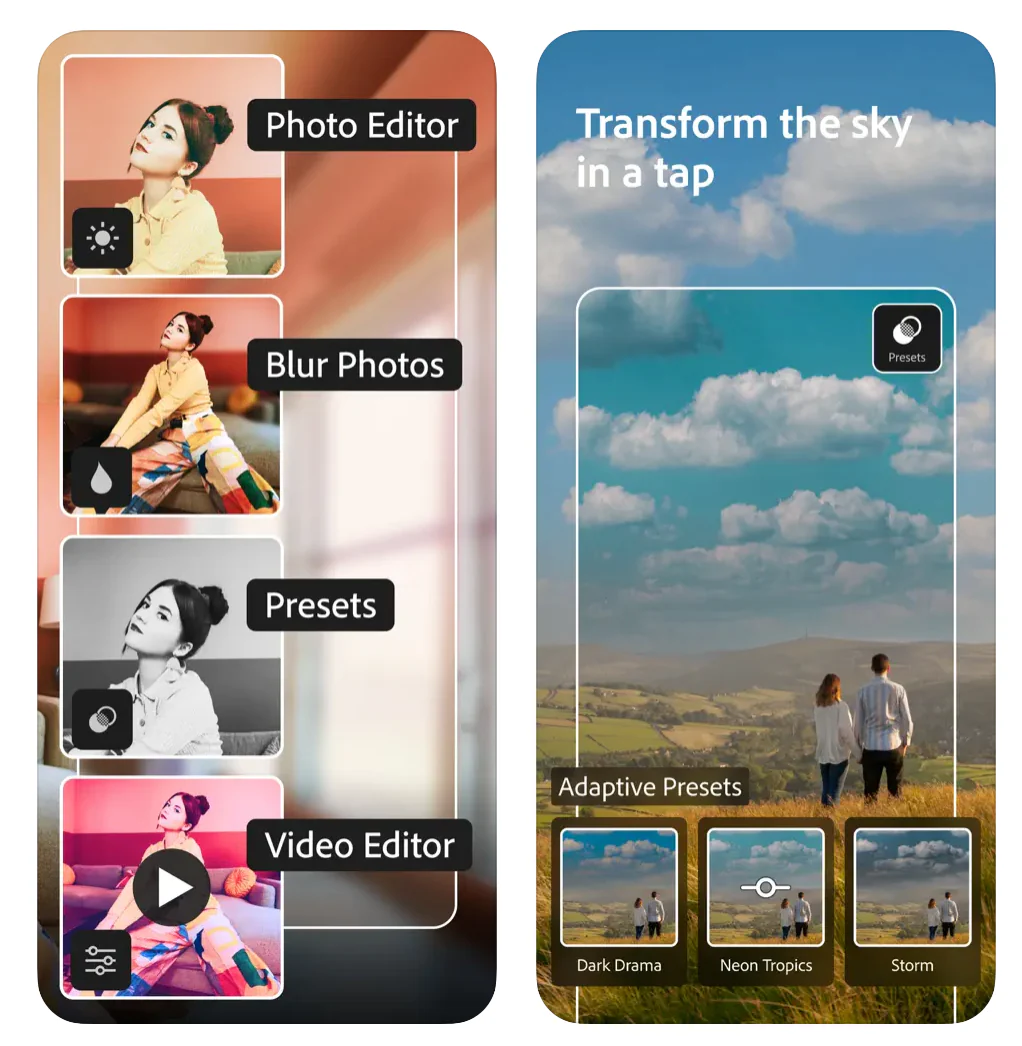
- Adobe Creative Cloud Express: This powerful online tool allows you to create professional-looking videos and presentations in just a few clicks. With its user-friendly interface and impressive feature set, Adobe Creative Cloud Express is the perfect solution for those new to video editing.
- Animoto: Another excellent online app, Animoto offers a range of features that make it easy to create stunning video presentations. From templates to music libraries, Animoto has everything you need to get started.
Android And Iphone
If you’re using an Android or iPhone device, there are plenty of great apps available to do video with photo:
- Quik (Android/iOS/iPadOS): Developed by GoPro, Quik is a fantastic app that allows you to create stunning video presentations with ease. With its user-friendly interface and impressive feature set, Quik is the perfect solution for those looking to get started with video editing on their mobile device.
Other Apps
If none of the above options appeal to you, don’t worry! There are plenty of other apps available that can help you create beautiful video presentations:
- Smartshow 3D (Windows): This powerful app allows you to create stunning video and slideshow presentations with ease. With its user-friendly interface and impressive feature set, SmartSHOW 3D is the perfect solution for those looking to take their video editing skills to the next level.
- Imovie (macOS): If you’re using a Mac, iMovie is an excellent app that allows you to edit videos and create stunning presentations. With its user-friendly interface and impressive feature set, iMovie is the perfect solution for beginners.
Tips And Tricks
Here are some tips and tricks to keep in mind when creating video presentations with photos:
- Use High-quality Images: Make sure your photos are clear and well-lit to ensure they look stunning in your final video presentation.
- Choose a Catchy Theme: Select a theme that complements the mood of your photos and helps tell your story.
- Experiment With Transitions: Don’t be afraid to try out different transitions to add some visual flair to your video presentation.
Conclusion
Creating beautiful video presentations with photos is easier than ever, thanks to the numerous apps available on various platforms. Whether you’re using a PC or Mac, online, Android, or iPhone device, there’s an app out there that can help you create stunning video content.
So why not give it a try? Download your preferred app and start creating today!
Frequently Asked Questions
Here are some frequently asked questions to get you started:
-
What is The Best App to do Video With Photo?
The answer depends on your personal preference and device! If you’re using a PC or Mac, Clipchamp (Windows) and Photo (macOS) are excellent choices. For online apps, Adobe Creative Cloud Express and Animoto are great options. On Android and iPhone devices, Quik (Android/iOS/iPadOS) is an excellent choice. -
How do I Create Stunning Video Presentations With Photos?
To create stunning video presentations, use high-quality images, choose a catchy theme, experiment with transitions, and don’t be afraid to try out different editing techniques! -
What Are The Benefits of Using Online Apps For Creating Video Presentations?
Using online apps offers flexibility, convenience, and access to powerful features without having to download software. -
Can I Use These Apps For Free?
Some apps offer a free version or trial period, while others may require subscription or one-time payment. Be sure to check the pricing before downloading! -
Are There Any Beginner-friendly Apps Available?
Absolutely! Apps like Adobe Creative Cloud Express and Quik (Android/iOS/iPadOS) are perfect for beginners, with user-friendly interfaces and intuitive editing tools. -
Can I Use These Apps on my Tablet or Mobile Device?
Yes! Most of the apps mentioned in this article are available on various platforms, including tablets and mobile devices. -
What is The Best App For Creating Video Presentations With Photos For Android Devices?
Quik (Android) is an excellent choice, offering a range of features and a user-friendly interface perfect for Android device users. -
Can I Create Professional-looking Videos Using These Apps?
While some apps offer advanced editing capabilities, others may not be suitable for professional-level video creation. However, with practice and patience, you can still achieve stunning results!


