
Il testo sembra essere una traduzione di un articolo di riferimento sul modo in cui chiudere un account eBay da computer e dall’app. Ecco la versione originale in inglese:
How to Close Your Ebay Account: A Step-by-step Guide
Are you tired of using eBay? Do you want to delete your account but don’t know how? Look no further! Closing an eBay account can be a bit tricky, but with this guide, you’ll be able to do it easily and efficiently.
What Happens When You Close Your Ebay Account?
Before we dive into the step-by-step instructions, let’s talk about what happens when you close your eBay account. When you delete your account, all your data, including feedback, will be erased. This means you won’t be able to access your account or see your past transactions.
How to Close Your Ebay Account From a Computer
To close your eBay account from a computer, follow these steps:
- Log in to Your Ebay Account: Go to the eBay website and log in with your username and password.
- Access The Settings: Click on the “Account” tab at the top of the page and select “Settings”.
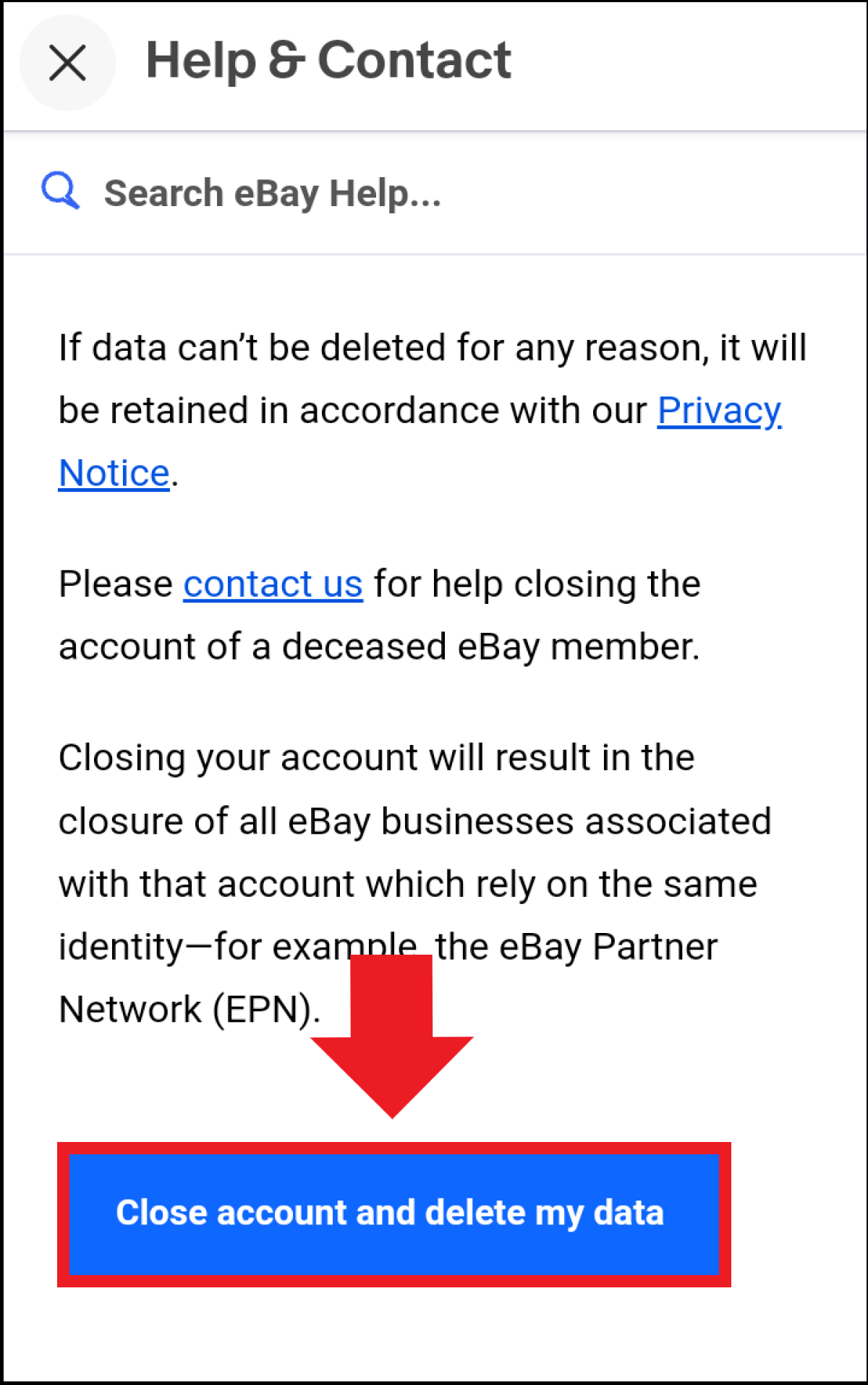
- Close Your Account: In the new window that opens, click on the “Close Account” button.
- Select a Reason: Choose a reason for closing your account from the dropdown menu.
- Confirm Your Decision: Click on the “Forward” button to confirm your decision.
How to Close Your Ebay Account From an App
To close your eBay account from an app, follow these steps:
- Open The Ebay App: Open the eBay app on your smartphone or tablet.
- Access The Menu: Tap on the three horizontal lines at the top left of the screen to access the menu.
- Select “My Ebay”: Choose the “My eBay” option from the menu.
- Tap on The Settings Icon: Tap on the gear icon in the top right corner of the screen to access the settings.
- Close Your Account: Scroll down and tap on the “Close Account” button.
- Select a Reason: Choose a reason for closing your account from the dropdown menu.
- Confirm Your Decision: Tap on the “Forward” button to confirm your decision.
How to Close Your Ebay Vendor Account
If you’re a vendor who sells on eBay, closing your account is slightly different. Here’s how:
- Log in to Your Ebay Account: Go to the eBay website and log in with your username and password.
- Access The Settings: Click on the “Account” tab at the top of the page and select “Settings”.
- Close Your Shop: In the new window that opens, click on the “Cancel Shop” button.
- Confirm Your Decision: Click on the “Forward” button to confirm your decision.
How to Close Your Suspended Ebay Account
If you’ve suspended your account due to unresolved issues, you won’t be able to delete it until these problems are resolved. Here’s how:
- Log in to Your Ebay Account: Go to the eBay website and log in with your username and password.
- Access The Settings: Click on the “Account” tab at the top of the page and select “Settings”.
- Select a Reason: Choose a reason for closing your account from the dropdown menu.
- Confirm Your Decision: Click on the “Forward” button to confirm your decision.
Conclusion
Closing an eBay account can be a bit tricky, but with this guide, you’ll be able to do it easily and efficiently. Remember that when you close your account, all your data will be erased, so make sure to have a backup of your important data before proceeding.
Frequently Asked Questions (FAQs)
- Q: What Happens When I Close my Ebay Account?
A: When you delete your account, all your data, including feedback, will be erased. - Q: Can I Recover my Account After Closing It?
A: No, unfortunately not. Once your account is closed, it cannot be recovered. - Q: Am I a Vendor And Want to Close my Shop?
A: If you’re a vendor who sells on eBay, closing your account is slightly different. Follow the same steps as for closing a suspended account. - Q: Can I Still Access my Ebay Account if It’s Suspended?
A: No, not until the issues are resolved. - Q: Will I Lose All my Data When I Close my Account?
A: Yes, unfortunately so. You’ll lose all your data, including feedback and past transactions. - Q: Can I Still Use Ebay if I’ve Closed my Account?
A: No, once you’ve closed your account, you won’t be able to access eBay or participate in future transactions.
Was This Article Helpful to You?
Yes! I’m glad I could help with your question. If you have any other questions or issues, don’t hesitate to ask.


