
Unlocking The Power of Huawei Smartphones: A Comprehensive Guide
Are you a proud owner of a Huawei smartphone? Do you want to unlock its full potential? Look no further! In this article, we’ll delve into the world of Huawei smartphones and explore some of their most exciting features.
The Split-screen Feature: A Game-changer
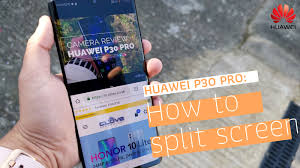
One of the standout features of Huawei smartphones is the split-screen feature. Also known as Split-Window or Dual-Windows, this feature allows you to divide your screen into two parts, enabling you to run multiple apps simultaneously. This feature is particularly useful for multitasking enthusiasts who want to keep an eye on multiple apps at the same time.
How to Enable The Split-screen Feature
Enabling the split-screen feature is a breeze. Simply follow these steps:
- Step 1: Make sure your Huawei smartphone has EMUI 9.X or higher installed.
- Step 2: Find an app that supports the split-screen mode (most apps should work, but some may not).
- Step 3: Open the app and place three fingers on the screen in the middle area.
- Step 4: Swipe up with your fingers to divide the screen into two parts.
Using The Split-window Feature
Once you’ve enabled the split-screen feature, you can use it to run multiple apps simultaneously. Here’s how:
- Step 1: Open an app that supports the split-screen mode.
- Step 2: Place three fingers on the screen in the middle area again.
- Step 3: Swipe up with your fingers to divide the screen into two parts.
- Step 4: You can now run multiple apps simultaneously.
Duplicating Your Monitor: A Convenient Option
Want to duplicate your monitor and project its content onto a TV? Huawei smartphones have got you covered. You can use a USB/HDMI cable to connect your smartphone to a TV and project its content. This feature is particularly useful for presentations, gaming, or watching movies.
The Desktop Mode: A Powerful Feature
Huawei’s desktop mode is a powerful feature that allows you to create an independent desktop environment on your smartphone. This feature is available only on certain models of Huawei smartphones, such as the Mate series. With this feature, you can run multiple apps simultaneously and work on tasks without being disturbed by notifications or calls.
Conclusion
Huawei smartphones are packed with exciting features that can enhance your mobile experience. From the split-screen feature to duplicating your monitor, there’s a lot to explore. By following these steps, you can unlock the full potential of your Huawei smartphone and enjoy a more convenient, productive, and enjoyable mobile experience.
Frequently Asked Questions (FAQs)
- What is the split-screen feature on Huawei smartphones?
- The split-screen feature allows you to divide your screen into two parts, enabling you to run multiple apps simultaneously.
- How do I enable the split-screen feature on my Huawei smartphone?
- To enable the split-screen feature, follow these steps: Make sure your Huawei smartphone has EMUI 9.X or higher installed. Find an app that supports the split-screen mode (most apps should work, but some may not). Open the app and place three fingers on the screen in the middle area. Swipe up with your fingers to divide the screen into two parts.
- How do I use the split-window feature?
- To use the split-window feature, open an app that supports the split-screen mode. Place three fingers on the screen in the middle area again. Swipe up with your fingers to divide the screen into two parts. You can now run multiple apps simultaneously.
- How do I duplicate my monitor and project its content onto a TV?
- To duplicate your monitor and project its content onto a TV, use a USB/HDMI cable to connect your smartphone to a TV. This feature is particularly useful for presentations, gaming, or watching movies.
- What is the desktop mode on Huawei smartphones?
- The desktop mode is a powerful feature that allows you to create an independent desktop environment on your smartphone. This feature is available only on certain models of Huawei smartphones, such as the Mate series. With this feature, you can run multiple apps simultaneously and work on tasks without being disturbed by notifications or calls.
- How do I enable the desktop mode on my Huawei smartphone?
- To enable the desktop mode on your Huawei smartphone, consult the user manual for instructions on how to use this feature.
I hope this guide has helped you unlock the full potential of your Huawei smartphone!


