
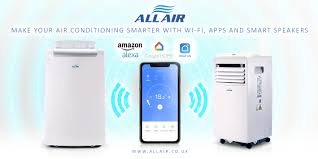
The Ultimate Guide to Controlling Your Air Conditioner With Your Smartphone
Are you tired of feeling hot and sweaty in your home during the summer months? Do you wish there was a way to control the temperature of your air conditioner from the comfort of your bed or even when you’re out running errands? Well, you’re in luck! With the rise of smart technology, it’s now possible to control your air conditioner with your smartphone. In this article, we’ll explore the best apps for controlling your air conditioner and how they can make your life easier.
The Benefits of Smart Air Conditioner Control
Controlling your air conditioner with your smartphone offers a range of benefits. Firstly, it allows you to adjust the temperature from anywhere, at any time. Whether you’re on vacation or just running errands, you can ensure that your home is always comfortable and cool. Secondly, smart air conditioner control can help you save energy by allowing you to program the temperature to turn off when you’re not using the AC.
The Best Apps For Controlling Your Air Conditioner
There are several apps available that allow you to control your air conditioner with your smartphone. Here are some of the most popular ones:
Tado° (Android/iOS/iPadOS)
Tado° is a smart thermostat and air conditioner controller app that allows you to control your AC from anywhere. With Tado°, you can adjust the temperature, set schedules, and even monitor your energy consumption.
How it Works
To use Tado°, you’ll need to install the device in your home and connect it to your smartphone via Wi-Fi or Bluetooth. Once connected, you can access the app and control your air conditioner from anywhere.
Sensibo (Android/iOS/iPadOS)
Sensibo is another popular app for controlling air conditioners. With Sensibo, you can adjust the temperature, set schedules, and even monitor your energy consumption.
How it Works
To use Sensibo, you’ll need to install the device in your home and connect it to your smartphone via Wi-Fi or Bluetooth. Once connected, you can access the app and control your air conditioner from anywhere.
Broadlink (Android/iOS/iPadOS)
BroadLink is a smart home hub that allows you to control various devices in your home, including your air conditioner.
How it Works
To use BroadLink, you’ll need to install the device in your home and connect it to your smartphone via Wi-Fi or Bluetooth. Once connected, you can access the app and control your air conditioner from anywhere.
Other Apps For Controlling Air Conditioners
There are several other apps available that allow you to control your air conditioner with your smartphone. Some of these include:
- SmartThings (Android/iOS/iPadOS)
- MELCloud (Android/iOS/iPadOS)
- Onecta (Android/iOS/iPadOS)
Conclusion
Controlling your air conditioner with your smartphone is a game-changer for anyone who wants to stay cool and comfortable in their home. With the apps listed above, you can adjust the temperature, set schedules, and even monitor your energy consumption. Whether you’re at home or away, these apps make it easy to control your AC from anywhere.
Faqs
- Q: What is The Best App For Controlling my Air Conditioner?
A: The best app for controlling your air conditioner depends on your specific needs and preferences. However, Tado° and Sensibo are two popular options that offer a range of features. - Q: How do I Install The Device in my Home?
A: To install the device, follow the instructions provided by the manufacturer or consult the user manual. - Q: Can I Control my Air Conditioner With Multiple Devices?
A: Yes, some apps allow you to control your air conditioner with multiple devices, such as smartphones and tablets. - Q: How do I Monitor my Energy Consumption?
A: Many apps offer features that allow you to monitor your energy consumption, including real-time monitoring and historical data analysis. - Q: Can I Set Schedules For my Air Conditioner?
A: Yes, many apps allow you to set schedules for your air conditioner, including daily, weekly, and monthly schedules. - Q: How do I Troubleshoot Issues With my Device?
A: If you experience any issues with your device, refer to the user manual or contact customer support for assistance. - Q: Are These Apps Compatible With my Smartphone or Tablet?
A: Check the system requirements for each app to ensure compatibility with your device. - Q: Can I Control Multiple Air Conditioners With One App?
A: Some apps allow you to control multiple air conditioners, while others may require separate apps for each device.
I hope this article has been informative and helpful in answering any questions you may have about controlling your air conditioner with your smartphone!


