
How to Read Pdf Files: A Comprehensive Guide
Are you struggling to read PDF files on your computer or mobile device? Do you want to know the best software options available to help you open, view, and edit these documents? Look no further! In this article, we will guide you through the process of reading PDF files using various software programs and online tools.
What is a Pdf File?
A PDF (Portable Document Format) file is a type of document that preserves the formatting and layout of a printed page. It can contain text, images, and other types of content, making it a versatile format for sharing and viewing documents.
Why Can’t I Open My Pdf File?
If you’re having trouble opening your PDF file, there are several possible reasons:
- Your computer or device doesn’t have the necessary software to read PDF files.
- The PDF file is corrupted or damaged.
- You don’t have the correct password or permissions to access the file.
Solutions For Reading Pdf Files on Windows
If you’re using a Windows operating system, here are some solutions for reading PDF files:
Microsoft Edge (Windows/MacOS)
If you’re using Microsoft Edge as your default browser, you can open and view PDF files directly within the browser. To do this:
- Open Microsoft Edge.
- Click on the three dots in the top right corner of the browser window.
- Select “Open with” from the dropdown menu.
- Choose Microsoft Edge as the default application to open PDF files.
Trailer (macOS)
If you’re using a Mac, Trailer is the built-in application for viewing and editing PDF files. To use Trailer:
- Open the PDF file by double-clicking on it.
- The document will be displayed in a window.
- You can scroll through the content using the mouse or keyboard shortcuts.
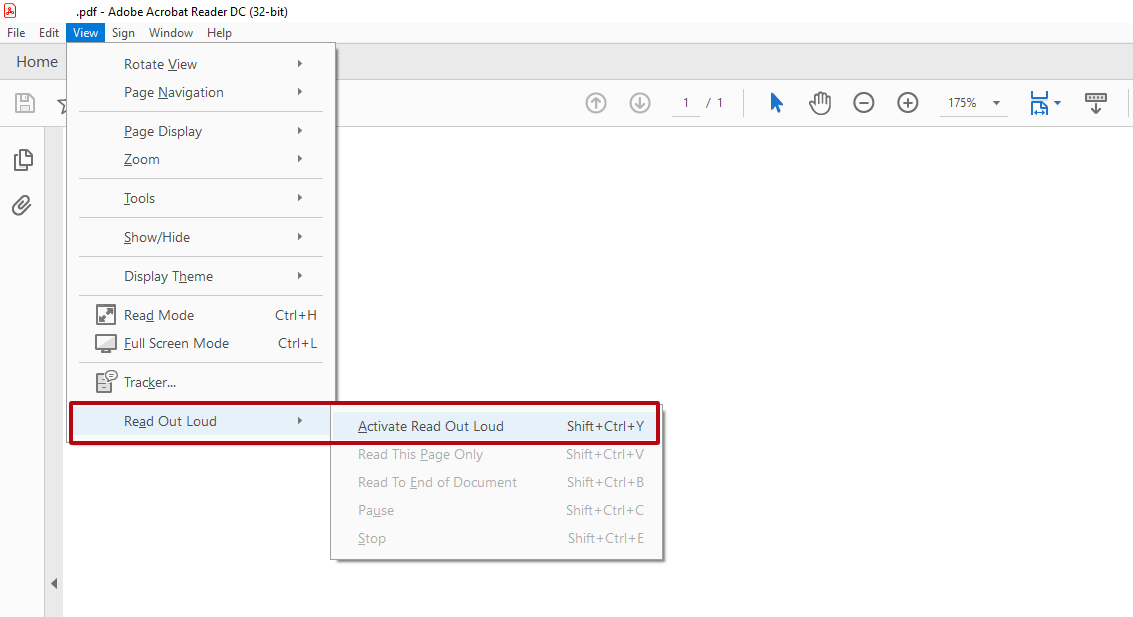
Adobe Acrobat Reader DC (Windows/MacOS)
Another popular option for reading and editing PDF files is Adobe Acrobat Reader DC. To use this software:
- Download and install Adobe Acrobat Reader DC from the official website.
- Open the application by double-clicking on the icon.
- Select “Open” from the dropdown menu.
- Choose the PDF file you want to open.
Solutions For Reading Pdf Files on Macos
If you’re using a Mac, here are some solutions for reading PDF files:
Trailer (macOS)
As mentioned earlier, Trailer is the built-in application for viewing and editing PDF files on macOS.
Adobe Acrobat Reader DC (Windows/MacOS)
You can also use Adobe Acrobat Reader DC to read and edit PDF files on your Mac.
Solutions For Reading Pdf Files Online
If you don’t have access to a computer or device, there are several online tools available to help you read PDF files:
Soda Pdf
Soda PDF is an online tool that allows you to view and edit PDF files without having to download any software. To use Soda PDF:
- Visit the official website.
- Click on “Upload a File” or drag and drop your PDF file into the browser window.
- You can scroll through the content using the mouse or keyboard shortcuts.
Pdf24
Another online tool for reading and editing PDF files is PDF24. To use PDF24:
- Visit the official website.
- Click on “Upload a File” or drag and drop your PDF file into the browser window.
- You can scroll through the content using the mouse or keyboard shortcuts.
Other Software Options
If you’re looking for alternative software options to read and edit PDF files, here are some other options:
Sumatra Pdf (Windows)
A free software for reading PDF files on Windows is Sumatra PDF.
Pdf-xchange Editor (Windows)
Another option for editing PDF files is PDF-XChange Editor.
What’s The Best Software Option?
The best software option for you will depend on your specific needs and preferences. If you’re looking for a free solution, Microsoft Edge or Trailer may be suitable options. If you need more advanced features, Adobe Acrobat Reader DC may be worth considering.
Conclusion
In conclusion, reading PDF files can be achieved using various software programs and online tools. By understanding the different solutions available, you can choose the best option to suit your needs. Whether you’re using Windows or MacOS, or prefer to read documents online, there’s a solution for everyone.
Frequently Asked Questions (FAQs)
- What is a Pdf File?
A PDF file is a type of document that preserves the formatting and layout of a printed page.
- Why Can’t I Open my Pdf File?
If you’re having trouble opening your PDF file, it may be due to corruption or damage to the file itself, or perhaps you don’t have the necessary software to read PDF files.
- What Are Some Solutions For Reading Pdf Files on Windows?
Solutions include Microsoft Edge, Trailer, and Adobe Acrobat Reader DC.
- What Are Some Online Tools For Reading Pdf Files?
Online tools include Soda PDF, PDF24, and iLovePDF.
- Are There Other Software Options Available?
Yes, other software options include Sumatra PDF, PDF-XChange Editor, and SlimPDF Reader.
- What’s The Best Software Option For Me?
The best software option will depend on your specific needs and preferences.
- Can I Read Pdf Files Online Without Downloading Any Software?
Yes, you can use online tools like Soda PDF or PDF24 to read and edit PDF files without having to download any software.
- What’s The Difference Between Reading a Pdf File Online Versus Using Software?
While both methods allow you to view PDF files, using software may offer more advanced features and editing capabilities compared to online tools.


