
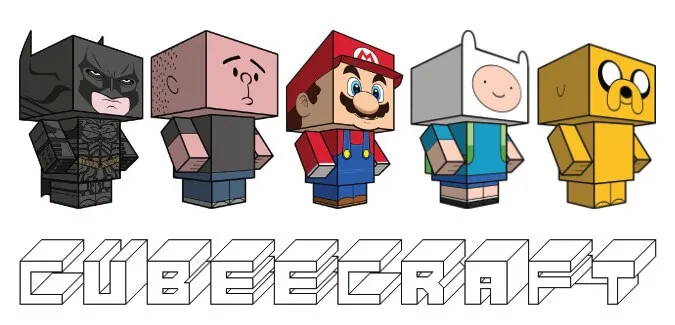
How to Create 3D Characters: A Comprehensive Guide
Are you an artist or a gamer looking to bring your creations to life? Do you want to learn how to create 3D characters without breaking the bank? Look no further! In this article, we’ll explore various methods for creating 3D characters, from beginner-friendly tools like Bing Image Creator to advanced software like Blender and Daz 3D.
What Are 3D Characters?
Before we dive in, let’s talk about what 3D characters are. A 3D character is a three-dimensional representation of a person or an object that can be used in various applications such as video games, animations, and even 3D printing. These characters can be custom-made to fit your specific needs, making them ideal for personal projects or commercial ventures.
Method 1: Using Bing Image Creator
One of the easiest ways to create a 3D character is by using Bing Image Creator. This tool allows you to generate images using artificial intelligence (AI), and it’s free! To get started:
- Open Microsoft Edge on your Windows 11 device.
- Click on the Bing icon in the top right corner.
- Select the “Creative” preset from the sidebar.
- Type in a brief description of the character you want to create, including any specific features or accessories (e.G., A cartoon blogger with a server farm background).
- Wait for Bing to generate four possible images based on your input.
Keep in mind that while this method is quick and easy, the results might not always be what you expect. However, it’s an excellent starting point for beginners who want to see their ideas come to life without much effort.
Method 2: Using Blender
Blender is a free, open-source software available on Windows, macOS, and Linux platforms. It’s a powerful tool that can be used for various tasks like modeling, rigging, animation, and rendering. To get started with creating 3D characters using Blender:
- Download the latest version of Blender from their official website.
- Follow the installation instructions to set up the software on your device.
- Launch Blender and select the “English” language option (or any other language you prefer).
- Click on the “Open” button to import a pre-made 3D character or create one from scratch using the various tools available in the software.
Blender is an advanced tool that requires some knowledge of its interface and functionality. However, it’s an excellent choice for those who want more control over their creations and are willing to invest time in learning how to use it effectively.
Method 3: Using Makehuman
MakeHuman is another free, open-source software available on Windows, macOS, and Linux platforms. It’s specifically designed for creating realistic human figures with various customization options. To get started:
- Download the latest version of MakeHuman from their official website.
- Follow the installation instructions to set up the software on your device.
- Launch MakeHuman and select the “English” language option (or any other language you prefer).
- Use the various tools available in the software to create a 3D character, including options for customizing facial features, skin tone, age, and more.
MakeHuman is an excellent choice for those who want to create realistic human figures with advanced customization options. However, it may require some knowledge of its interface and functionality.
Method 4: Using Daz 3D
Daz 3D is a free software available on Windows and macOS platforms. It’s designed for creating 3D characters and scenes using pre-made assets and tools. To get started:
- Download the latest version of Daz 3D from their official website.
- Follow the installation instructions to set up the software on your device.
- Launch Daz 3D and select the “English” language option (or any other language you prefer).
- Use the various tools available in the software to create a 3D character, including options for customizing facial features, skin tone, age, and more.
Daz 3D is an excellent choice for those who want to create 3D characters using pre-made assets and tools. However, it may require some knowledge of its interface and functionality.
Method 5: Using Autodesk Maya
Autodesk Maya is a professional software available on Windows, macOS, and Linux platforms. It’s designed for creating high-end 3D models, animations, and visual effects. To get started:
- Download the latest version of Autodesk Maya from their official website.
- Follow the installation instructions to set up the software on your device.
- Launch Autodesk Maya and select the “English” language option (or any other language you prefer).
- Use the various tools available in the software to create a 3D character, including options for customizing facial features, skin tone, age, and more.
Autodesk Maya is an excellent choice for those who want to create high-end 3D models, animations, and visual effects. However, it may require some knowledge of its interface and functionality.
Conclusion
Creating 3D characters can be a fun and creative process using various software tools available on the market. Whether you’re a beginner or an experienced artist, there’s a method for everyone to get started with creating 3D characters. From Bing Image Creator to Blender, MakeHuman, Daz 3D, and Autodesk Maya, each tool has its unique features and requirements.
Frequently Asked Questions (FAQs)
- What is The Best Software For Creating 3D Characters?
The answer depends on your specific needs and skill level. Bing Image Creator is a great starting point for beginners, while Blender, MakeHuman, Daz 3D, and Autodesk Maya offer more advanced features for those who want to invest time in learning their interfaces.
- How Much Does it Cost to Use These Software Tools?
Some of the software tools mentioned are free, such as Bing Image Creator, Blender, MakeHuman, and Daz 3D. Others, like Autodesk Maya, require a subscription or one-time purchase fee.
- What is The Difference Between 2D And 3D Characters?
A 2D character is a two-dimensional representation of a person or object, often used in comics, cartoons, or illustrations. A 3D character, on the other hand, is a three-dimensional representation that can be used in various applications like video games, animations, and even 3D printing.
- Can I Use These Software Tools For Commercial Purposes?
Some of the software tools mentioned have restrictions on commercial use. Be sure to check the terms of service for each tool before using it for business purposes.
- How Can I Learn More About Creating 3D Characters?
There are many online resources, tutorials, and communities available that can help you learn more about creating 3D characters. Start by exploring the official documentation and user guides for each software tool mentioned in this article.
- Can I Create 3D Characters Without Any Prior Experience?
Yes! Many of the software tools mentioned are designed to be user-friendly and accessible even for beginners. However, keep in mind that some tools may require more time and effort to master.
- How Long Does it Take to Create a 3D Character Using These Software Tools?
The time it takes to create a 3D character depends on your skill level, the complexity of the design, and the tool you choose. Some methods can be completed in minutes, while others may require hours or even days of work.
- Can I Use These Software Tools on Multiple Devices?
Some software tools mentioned are available for multiple platforms, such as Windows, macOS, and Linux. Be sure to check the system requirements for each tool before using it on your device.


