
Using Your Modem Wifi Tim: A Step-by-step Guide
If you’re looking for a comprehensive guide on how to use your Modem WiFi TIM, look no further. This step-by-step guide will walk you through the process of setting up and using your modem, ensuring you get the most out of it.
What is a Modem Wifi Tim?
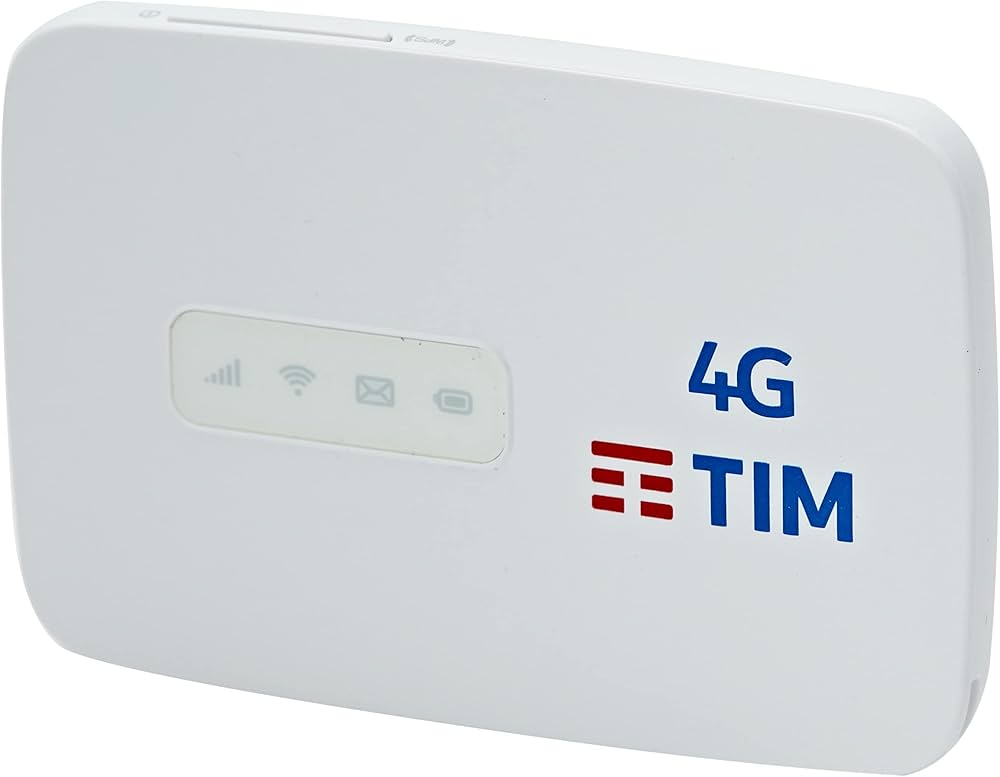
A Modem WiFi TIM is a device that allows you to connect to the internet via Wi-Fi or Ethernet cable. It’s an essential component in your home network, enabling you to access online content, stream videos, and stay connected with friends and family.
Characteristics of Modem Wifi Tim
When it comes to modems WiFi TIM, there are several characteristics worth noting:
- Adsl2+ Wi-fi N Standard: This is the most common type of modem provided by TIM. It supports a maximum speed of transmission of data up to 24 Mega.
- Technicolor And Alice Gate Voip 2 Plus Wi-fi: These modems offer advanced features such as Voice over Internet Protocol (VoIP) support and faster data transfer speeds.
- Adsl2+ Wi-fi N – Da2210: This modem is designed for high-speed internet access and supports up to 24 Mega.
- Sercomm And Fibre Modems: These modems are specifically designed for fiber-optic connections, offering faster speeds and more reliable connectivity.
How to Use Your Modem Wifi Tim
Now that we’ve covered the basics, let’s move on to the fun part – using your modem WiFi TIM!
Collegare The Modem Wifi Tim
To start using your modem WiFi TIM, follow these simple steps:
- Connect the power cord to the modem and plug it into a nearby outlet.
- Insert the telephone cable into the wall jack and plug it into the modem.
- Connect your computer or other devices to the modem using an Ethernet cable.
Regolare The Settings of The Modem Wifi Tim
To configure your modem WiFi TIM, follow these steps:
- Access the panel of management by typing Http://Alicegate into your web browser (or Http://Modemtelecom if you’re using a DSL modem).
- If the coordinates don’t work, try accessing the panel directly by typing 192.168.0.1 Or 192.168.1.1.
- Once logged in, update your settings to ensure secure and reliable internet access.
Accedere to The Panel of Management
To access the panel of management, follow these steps:
- Open a web browser (such as Chrome) and type in the address Http://Alicegate (or Http://Modemtelecom for DSL modems).
- If you’re using a modem that supports multiple languages, select your preferred language.
- Enter your username and password (found on the label attached to the modem).
Open The Doors of Utorrent And Emule
To open the doors of uTorrent and eMule, follow these steps:
- Access the panel of management and click on the “Port Mapping” tab.
- Select the application you want to open (e.G., UTorrent or eMule).
- Configure the port settings according to your needs.
Modificare The Password of The Wi-fi
To modify the password of your WiFi, follow these steps:
- Access the panel of management and click on the “Wi-Fi” tab.
- Select the option to change the password.
- Enter a new password that meets the required criteria (minimum 12 characters).
Cambiare Channel of Wi-fi
To change the channel of your WiFi, follow these steps:
- Access the panel of management and click on the “Wi-Fi” tab.
- Select the option to change the channel.
- Choose a new channel that is less crowded.
Cambiare Name of Wi-fi
To change the name of your WiFi, follow these steps:
- Access the panel of management and click on the “Wi-Fi” tab.
- Select the option to change the name.
- Enter a new name that meets the required criteria (maximum 30 characters).
Cambiare Password of Wi-fi
To change the password of your WiFi, follow these steps:
- Access the panel of management and click on the “Wi-Fi” tab.
- Select the option to change the password.
- Enter a new password that meets the required criteria (minimum 12 characters).
Cambiare Security of Wi-fi
To change the security of your WiFi, follow these steps:
- Access the panel of management and click on the “Wi-Fi” tab.
- Select the option to change the security.
- Choose a new security type that is more secure.
Faqs:
- Q: What is a modem WiFi TIM?
- A: A modem WiFi TIM is a device that allows you to connect to the internet via Wi-Fi or Ethernet cable.
- Q: How do I access the panel of management?
- A: You can access the panel of management by typing Http://Alicegate (or Http://Modemtelecom for DSL modems) into your web browser.
- Q: Can I use my modem WiFi TIM with multiple devices?
- A: Yes, you can connect multiple devices to your modem WiFi TIM using Ethernet cables or Wi-Fi.
- Q: How do I configure the settings on my modem WiFi TIM?
- A: You can access and configure the settings on your modem WiFi TIM by following the steps outlined in this article.
I hope this helps! Let me know if you have any other questions.


