
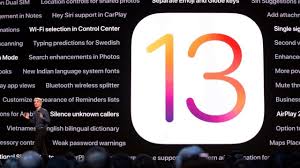
Installing Ios 13: A Step-by-step Guide
As a tech enthusiast, you’re likely eager to get your hands on the latest iOS update. Apple’s latest operating system, iOS 13, has been released, and it brings with it numerous exciting features and improvements. In this article, we’ll guide you through the process of installing iOS 13 on your iPhone or iPod Touch.
Requirements
Before proceeding, ensure that your device is compatible with iOS 13. Here are the compatible devices:
- IPhone 11 Pro
- IPhone 11 Pro Max
- IPhone 11
- IPhone XS Max
- IPhone XS
- IPhone XR
- IPhone X
- IPhone 8 Plus
- IPhone 8
- IPhone 7 Plus
- IPhone 7
- IPhone 6s Plus
- IPhone 6s
- IPod Touch (seventh generation)
Preliminary Operations
Before installing iOS 13, it’s essential to ensure that your device is prepared for the update. Here are some preliminary operations to perform:
- Backup Your Device: Create a backup of your device using iCloud or iTunes. This will help you recover your data in case something goes wrong during the installation process.
- Update Itunes: Ensure that you’re running the latest version of iTunes on your computer. If not, update it before proceeding.
- Save Photos And Videos: Save any photos and videos you want to keep on your computer.
Downloading And Installing Ios 13
Now that you’ve completed the preliminary operations, it’s time to download and install iOS 13. Here are two methods:
Standard Procedure
- Connect your device to a stable internet connection.
- Open Settings on your device and tap on “General.”
- Tap on “Software Update” and then tap on “Download and Install.”
- Enter the password to confirm the installation.
Alternative Procedure (Using Itunes)
- Connect your device to your computer using a USB cable.
- Open iTunes and select your device from the top-left corner of the screen.
- Click on “Summary” and then click on “Check for Update.”
- If an update is available, click on “Download and Install.”
Installation Process
After initiating the installation process, follow these steps:
- Wait for the download to complete.
- The device will restart automatically.
- Once the installation is complete, follow the on-screen instructions to set up your device.
New Features in Ios 13
IOS 13 brings numerous exciting features and improvements. Here are some of the notable ones:
- Dark Mode: A new dark theme that reduces eye strain and saves battery life.
- Improved Camera App: Enhanced camera app with new editing features, including a monochromatic effect.
- Memoji: Create your own Memoji using the built-in editor in Messages.
- Safari Improvements: Enhanced browsing experience with improved security and privacy features.
Troubleshooting
If you encounter any issues during the installation process or after completing it, refer to our troubleshooting guides:
- Backing Up Your Device
- Restoring Iphone From Backup
- Troubleshooting Ios Installation Issues
Faqs
Q: What Are The Compatible Devices For Ios 13?
A: The following devices are compatible with iOS 13:
* IPhone 11 Pro
* IPhone 11 Pro Max
* IPhone 11
* IPhone XS Max
* IPhone XS
* IPhone XR
* IPhone X
* IPhone 8 Plus
* IPhone 8
* IPhone 7 Plus
* IPhone 7
* IPhone 6s Plus
* IPhone 6s
* IPod Touch (seventh generation)
Q: How do I Backup my Device Before Installing Ios 13?
A: You can create a backup of your device using iCloud or iTunes.
Q: Can I Install Ios 13 on Multiple Devices at Once?
A: No, each device must be updated individually.
Q: Will Installing Ios 13 Erase All my Data?
A: No, your data will remain intact. However, it’s always a good idea to create a backup before updating.
Q: Can I Revert Back to The Previous Version of Ios if I Encounter Issues With Ios 13?
A: Yes, you can downgrade to the previous version of iOS using iTunes or iCloud.
Q: How do I Troubleshoot Installation Issues or Other Problems After Installing Ios 13?
A: Refer to our troubleshooting guides for assistance.


