
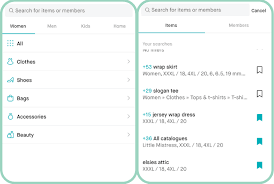
How to See Who Has Contacted You Preferred on Vinted
Are you tired of wondering who has shown interest in your used clothes and objects on Vinted? Look no further! In this article, we will guide you through the process of seeing who has contacted you preferred on Vinted.
What is Vinted?
Vinted is a popular platform for buying and selling used clothes and objects. It’s like a virtual thrift store where people can browse through items from various sellers and purchase what they like.
How to See Who Has Contacted You Preferred on Vinted
To see who has contacted you preferred on Vinted, follow these steps:
Step 1: Check Your Account Settings
Before we dive into the process, make sure your account settings are in order. Log in to your Vinted account and go to the “Settings” section. Look for the option that says “Notification preferences” or something similar. Make sure it’s set to receive notifications when someone adds your item to their preferred list.
Step 2: Check Your Inbox
Go to your inbox on Vinted and look for any unread messages or notifications. If you have any pending messages, click on them to read the content.
Step 3: Look For Notifications
If you’ve received a notification that someone has added your item to their preferred list, it will be displayed in the “Notifications” section of your account. Click on the notification to view the details.
What Happens When Someone Adds Your Item to Their Preferred List?
When someone adds your item to their preferred list, you’ll receive a notification with the buyer’s nickname and the date they added the item. You can then respond to the notification by proposing a price or sending them a message directly.
How to Respond to Notifications on Vinted
To respond to notifications on Vinted:
- Click on the notification in your inbox.
- Read the content of the notification and decide how you want to respond.
- If you’d like to propose a price, click on the “Propose a price” button.
- If you’d rather send them a message directly, click on the “Message” button.
Tips For Responding to Notifications on Vinted
Here are some tips to keep in mind when responding to notifications on Vinted:
- Be clear and concise in your response. Avoid using jargon or overly technical terms.
- Make sure you understand the buyer’s requirements before making a proposal.
- Be willing to negotiate prices or other terms.
How to See Who Has Contacted You Preferred on The App
If you’re accessing Vinted through their app, follow these steps:
Step 1: Open The App And Log In
Open the Vinted app on your phone or tablet and log in to your account.
Step 2: Go to Your Profile
Go to your profile by tapping on the icon that looks like a person. Tap on the “Profile” tab.
Step 3: Look For Notifications
Look for any notifications in the “Notifications” section of your profile.
How to See Who Has Contacted You Preferred on The Website
If you’re accessing Vinted through their website:
Step 1: Log In to Your Account
Log in to your account by clicking on the “Login” button.
Step 2: Go to Your Profile
Go to your profile by clicking on the icon that looks like a person. Click on the “Profile” tab.
Step 3: Look For Notifications
Look for any notifications in the “Notifications” section of your profile.
Conclusion
In conclusion, seeing who has contacted you preferred on Vinted is easy and straightforward. Just follow the steps outlined above to get started!


