
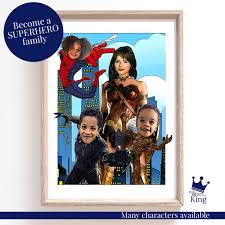
How to Become a Superhero With a Photo: A Step-by-step Guide
Are you tired of being just an ordinary person? Do you want to become a superhero with a photo that can inspire others? Look no further! In this article, we will guide you through the process of becoming a superhero with a photo using various online tools and apps.
Why Become a Superhero?
Becoming a superhero is not just about having a cool costume or powers. It’s about inspiring others to be their best selves and making a positive impact on the world. As a superhero, you can use your platform to raise awareness for important causes, promote positivity and kindness, and show people that they too can make a difference.
Tools And Apps to Become a Superhero With a Photo
There are several online tools and apps that can help you become a superhero with a photo. Here are some of the most popular ones:
Canva: The Ultimate Graphic Design Tool
Canva is a powerful graphic design tool that can help you create professional-looking photos, graphics, and videos. With Canva, you can add text, filters, and effects to your photos, making them look like they were taken by a professional photographer.
How to Use Canva to Become a Superhero With a Photo
To use Canva to become a superhero with a photo, follow these steps:
- Go to the Canva website and sign up for an account.
- Choose a template or start from scratch.
- Add your photo to the design.
- Use the various tools and filters to enhance your photo.
- Save your design as a PNG or JPG file.
Photofunia: The Fun Way to Create Superhero Photos
PhotoFunia is another popular tool that can help you become a superhero with a photo. With PhotoFunia, you can create fun and colorful photos using pre-made templates and filters.
How to Use Photofunia to Become a Superhero With a Photo
To use PhotoFunia to become a superhero with a photo, follow these steps:
- Go to the PhotoFunia website and sign up for an account.
- Choose a template or start from scratch.
- Add your photo to the design.
- Use the various tools and filters to enhance your photo.
- Save your design as a PNG or JPG file.
Other Tools And Apps
There are many other online tools and apps that can help you become a superhero with a photo, including:
- Toonme: A cartoon-style photo app for Android devices.
- Toonart: Another cartoon-style photo app for Android and iOS devices.
- Face in Hole: A fun tool that allows you to insert your face into funny situations.
Tips And Tricks
Here are some tips and tricks to help you become a superhero with a photo:
- Use High-quality Photos: The quality of your photo will greatly affect the final result. Use high-quality photos to get the best results.
- Experiment With Different Filters: Try out different filters and effects to see what works best for you.
- Add Text And Graphics: Add text and graphics to your photo to make it more engaging and interesting.
Conclusion
Becoming a superhero with a photo is not just about having a cool costume or powers. It’s about inspiring others to be their best selves and making a positive impact on the world. With the right tools and apps, you can create professional-looking photos that will inspire others to become superheroes too!
Frequently Asked Questions
Here are some frequently asked questions about becoming a superhero with a photo:
Q: What is the best tool for becoming a superhero with a photo?
A: The best tool depends on your personal preferences and needs. Canva and PhotoFunia are both great options.
Q: How do I use Canva to become a superhero with a photo?
A: To use Canva, follow the steps outlined above.
Q: Is it possible to create a cartoon-style photo without using any apps or tools?
A: Yes, it is possible. However, using apps and tools can make it easier and more fun.
Q: How do I share my superhero photo with others?
A: You can share your photo on social media platforms like Facebook, Instagram, and Twitter.
Q: Can I use a photo of someone else to create a superhero photo?
A: No, you should only use photos of yourself or people who have given you permission.
Q: How do I make sure my photo is high-quality?
A: Make sure your photo is high-resolution and free from noise and distortion.


