
How to Track a Lost Phone: A Comprehensive Guide
Table 1: Tracking Phones on Android And Ios
| Platform | Method | Steps |
|---|---|---|
| Android | Google Find My Device | Check location settings, activate “Find my device” in Settings > Google, log in to account online, locate phone on map |
| IOS | Apple’s Whereabouts | Activate location services and Whereabouts in Settings, log in to iCloud account online, locate iPhone on map |
Table 2:Bolded Title:Tracking Phones with IMEI and SIM Blocking**
| Method | Steps | Required Information |
|---|---|---|
| Block phone with IMEI | Obtain IMEI code, report theft to authorities, enclose complaint copy to service provider for SIM blocking | IMEI code |
Lost Your Phone? Don’t Panic!
Have you ever misplaced your phone and frantically searched every nook and cranny, only to realize it’s nowhere to be found? You’re not alone. With the increasing reliance on smartphones, losing one can be a stressful experience. But worry not, dear reader, for this comprehensive guide will walk you through the steps to track and recover your lost phone.
Understanding Phone Tracking
Phone tracking is a feature that allows you to locate your device using GPS coordinates. This functionality is available on both Android and iOS devices, courtesy of Google and Apple’s respective operating systems. To take advantage of this feature, you’ll need to activate location services and the corresponding tracking app on your phone.
Tracking Phones on Android
If you’re an Android user, follow these steps:
- Check Location Settings: Ensure that the location settings are enabled on your device. You can do this by going to Settings > Location.
- Activate “Find My Device”: In the Google account settings, activate the “Find my device” feature.
- Log in to Account Online: Log in to your Google account online and access the Find My Device dashboard.
- Locate Phone on Map: On the map, you’ll see the location of your phone. If it’s turned off or out of range, you might not be able to track its exact position.
Tracking Phones on Ios
If you’re an iPhone user, follow these steps:
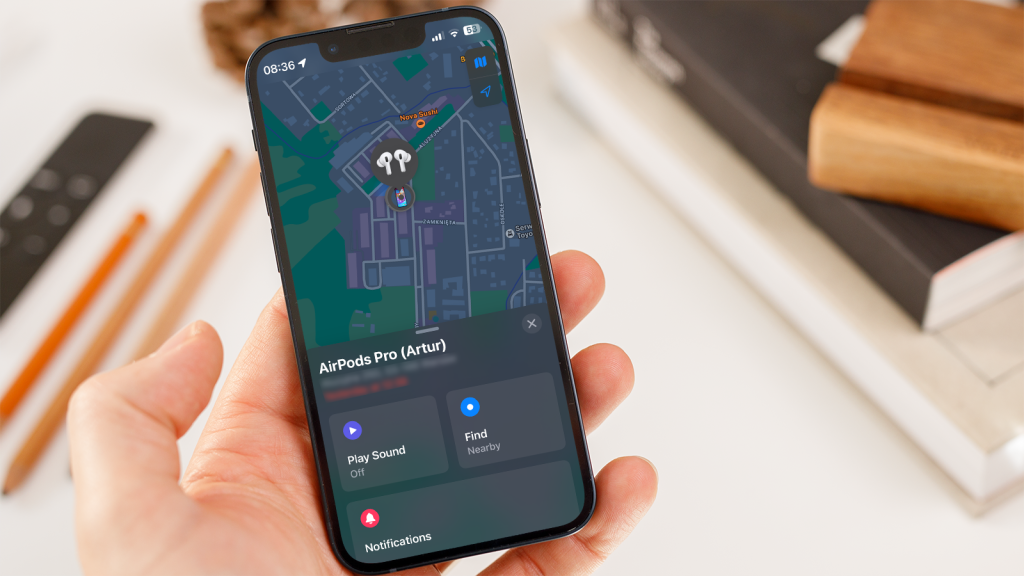
- Activate Location Services And Whereabouts: Enable location services and the Whereabouts feature in Settings > General > Location Services.
- Log in to Icloud Account Online: Log in to your Apple ID account online and access the Find My iPhone dashboard.
- Locate Iphone on Map: On the map, you’ll see the last known position of your iPhone.
Tracking Phones With Imei
If you’re unable to track your phone using Google or Apple’s tracking features, you can try blocking it using the IMEI (International Mobile Equipment Identity) code. This method involves reporting the theft to authorities and providing them with the IMEI code. Your service provider will then block the SIM card associated with that device.
Tips For Tracking Phones
- Always ensure your phone is up-to-date with the latest software updates.
- Activate location services and tracking features on your phone.
- Keep a record of your IMEI code and store it safely.
- Report any theft or loss to authorities immediately.
Conclusion
Losing your phone can be a frustrating experience, but with the right knowledge and tools, you can increase the chances of recovering it. By following the steps outlined in this guide, you’ll be well-equipped to track and locate your lost device. Remember to stay calm, take action quickly, and keep your IMEI code handy.
Frequently Asked Questions (FAQs)
- Q: How do I Activate Location Services on my Android Device?
A: Go to Settings > Location. - Q: What is The Imei Code, And How Can I Find It?
A: The IMEI code is a unique identifier for your phone. You can usually find it in the phone’s packaging or by dialing *#06# on your device. - Q: Can I Track my Iphone if It’s Turned Off?
A: Yes, but only if it was last connected to your Apple ID account and the Find My iPhone feature is enabled. - Q: How Can I Block my Sim Card if my Phone is Lost or Stolen?
A: Report the theft to authorities and provide them with your IMEI code. Your service provider will then block the SIM card associated with that device.
References
- Google’s Find My Device documentation
- Apple’s Whereabouts documentation
- National Crime Agency (NCA) guidelines for reporting phone theft


