
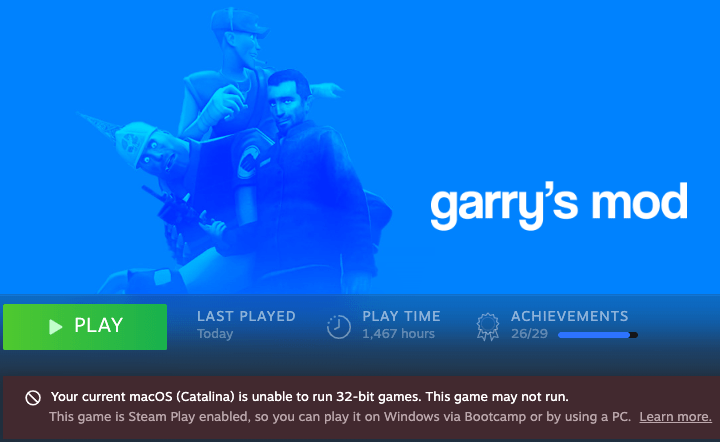
How to Download Gmod on Your Pc: A Step-by-step Guide
Are you eager to experience the excitement of Garry’s Mod (GMod) on your PC? Look no further! In this article, we’ll guide you through the process of downloading and installing GMod on your Windows or Mac computer.
What is Garry’s Mod?
Before we dive into the installation process, let’s take a brief look at what Garry’s Mod (GMod) is. Developed by Facepunch Studios and edited by Valve Corporation, GMod is a popular sandbox video game that allows players to create and share their own game modes, maps, and content.
System Requirements For Gmod on PC
To ensure smooth gameplay, make sure your computer meets the minimum system requirements:
- Operating System: Windows XP, Vista, 7, 8, or 10
- Processor: 2GHz+
- RAM: 4GB
- Video Card: 512MB
- Memory: 5GB of available space
For a better gaming experience, we recommend meeting the recommended system requirements:
- Operating System: Windows 7, 8, or 10
- Processor: 2.5GHz+
- RAM: 8GB
- Video Card: 1GB
- Memory: 20GB of available space
Installing Steam on PC
Before you can download GMod, you need to install Steam, the popular digital distribution platform for PC games.
- Visit the official Steam website and click on the “Install Steam” button.
- Run the SteamSetup.Exe file and follow the prompts to install Steam.
- Once installed, launch Steam and log in with your existing account or create a new one.
- Click on the “Shop” tab and search for Garry’s Mod.
Downloading Gmod on PC
Now that you have Steam installed, it’s time to download GMod!
- Search for Garry’s Mod in the Steam store.
- Click on the game and select “Add to Cart.”
- Proceed to checkout and pay for the game using your preferred payment method.
- Once the game is purchased, click on the “Install” button to start the download process.
Installing Gmod on PC
After downloading, you can install GMod by following these steps:
- Launch Steam and navigate to the Garry’s Mod page.
- Click on the “Play” button to start the installation process.
- Wait for the game to finish installing, and then launch it from within Steam.
System Requirements For Gmod on Mac
If you’re using a Mac, here are the minimum system requirements:
- Operating System: MacOS Snow Leopard 10.6.3
- Processor: 2GHz+
- RAM: 4GB
- Video Card: 512MB
- Memory: 5GB of available space
For a better gaming experience, we recommend meeting the recommended system requirements:
- Operating System: Last version of macOS
- Processor: 2.5GHz+
- RAM: 8GB
- Video Card: 1GB
- Memory: 20GB of available space
Installing Steam on Mac
To install GMod on your Mac, you need to have Steam installed.
- Visit the official Steam website and click on the “Install Steam” button.
- Run the steam.Dmg file and follow the prompts to install Steam.
- Once installed, launch Steam and log in with your existing account or create a new one.
Downloading Gmod on Mac
Now that you have Steam installed, it’s time to download GMod!
- Search for Garry’s Mod in the Steam store.
- Click on the game and select “Add to Cart.”
- Proceed to checkout and pay for the game using your preferred payment method.
- Once the game is purchased, click on the “Install” button to start the download process.
Alternatives to Gmod on Android
Unfortunately, there is no official version of Garry’s Mod available for Android devices. However, we’ve got some great alternatives that you can try:
- Ultimate Sandbox: A video game sandbox with a vast array of features and modes.
- Sandbox Mod: A popular alternative to GMod with visual effects in third person.
- Sandbox Experimental: A futuristic sandbox game with a multiplayer online mode.
Conclusion
In this article, we’ve guided you through the process of downloading and installing Garry’s Mod on your PC or Mac computer. We hope you enjoy playing GMod and exploring its vast array of game modes, maps, and content!
System Requirements For Gmod on Android
Unfortunately, there is no official version of Garry’s Mod available for Android devices.
Alternatives to Gmod on Android
If you’re looking for alternatives to play on your Android device, we recommend trying the following:
- Ultimate Sandbox: A video game sandbox with a vast array of features and modes.
- Sandbox Mod: A popular alternative to GMod with visual effects in third person.
- Sandbox Experimental: A futuristic sandbox game with a multiplayer online mode.


