
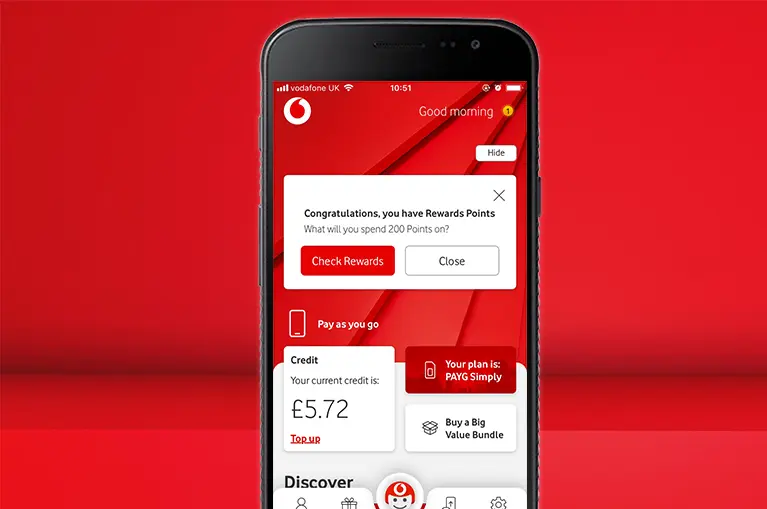
How to Recharge Your Vodafone Number: A Comprehensive Guide
Are you tired of wondering how to recharge your Vodafone number? Look no further! In this article, we will guide you through the various methods to top up your mobile phone, ensuring that you stay connected with friends and family.
Table 1: Methods to Recharge Your Vodafone Number
| Method | Description |
|---|---|
| Online | Recharge your number using the Vodafone website or app |
| App | Use the My Vodafone app to top up your number |
| Ricaricard | Purchase a prepaid card and recharge your number |
| Satispay | Use the Satispay app to make payments and recharge your number |
| Bancomat/Postamat | Recharge your number using a bank or post office machine |
Understanding Your Options
Before we dive into the details of each method, let’s take a step back and consider what you need to know. When it comes to recharging your Vodafone number, there are several options available:
- Online: You can recharge your number using the Vodafone website or app.
- App: The My Vodafone app allows you to top up your number quickly and easily.
- Ricaricard: A prepaid card that can be used to recharge your number.
- Satispay: An app that enables you to make payments and recharge your number.
- Bancomat/Postamat: You can also use a bank or post office machine to recharge your number.
Method 1: Recharging Online
Recharging your Vodafone number online is a straightforward process. Here’s how:
- Open the Vodafone website or app on your device.
- Log in to your account using your username and password.
- Click on the “Recharge” button and select the amount you want to top up with.
- Choose the payment method (e.G., Credit card, PayPal).
- Confirm your payment details and complete the transaction.
Method 2: Using The My Vodafone App
The My Vodafone app is a convenient way to recharge your number on-the-go. Here’s how:
- Download and install the My Vodafone app from the Play Store or App Store.
- Log in to your account using your username and password.
- Tap on the “Recharge” button and select the amount you want to top up with.
- Choose the payment method (e.G., Credit card, PayPal).
- Confirm your payment details and complete the transaction.
Method 3: Using a Ricaricard
A ricaricard is a prepaid card that can be used to recharge your number. Here’s how:
- Purchase a ricaricard from a Vodafone store or authorized retailer.
- Check the code on the back of the card.
- Call the free number 42010 (or +393482002010) and follow the automated instructions.
- Enter the code from your ricaricard to complete the transaction.
Method 4: Using Satispay
Satispay is an app that enables you to make payments and recharge your Vodafone number. Here’s how:
- Download and install the Satispay app from the Play Store or App Store.
- Log in to your account using your username and password.
- Tap on the “Recharge” button and select the amount you want to top up with.
- Choose the payment method (e.G., Credit card, PayPal).
- Confirm your payment details and complete the transaction.
Method 5: Using Bancomat/postamat
You can also use a bank or post office machine to recharge your Vodafone number. Here’s how:
- Insert your card into the machine.
- Choose the option to recharge a mobile phone.
- Select Vodafone as the operator.
- Enter the code from your ricaricard (if applicable).
- Confirm your payment details and complete the transaction.
Conclusion
Recharging your Vodafone number is easier than you think! With these methods, you can stay connected with friends and family without any hassle. Whether you prefer to recharge online, using an app, or by purchasing a ricaricard, there’s a method that suits your needs. So next time you need to top up your number, don’t hesitate – choose the method that works best for you!
Frequently Asked Questions (FAQs)
- Q: Can I recharge my Vodafone number online?
- A: Yes, you can recharge your Vodafone number using the Vodafone website or app.
- Q: How do I use the My Vodafone app to recharge my number?
- A: Simply download and install the app, log in to your account, tap on the “Recharge” button, select the amount you want to top up with, choose the payment method, and confirm your payment details.
- Q: What is a ricaricard, and how do I use it?
- A: A ricaricard is a prepaid card that can be used to recharge your number. To use one, purchase a card from a Vodafone store or authorized retailer, check the code on the back, call the free number 42010 (or +393482002010), and enter the code to complete the transaction.
- Q: Can I use Satispay to recharge my Vodafone number?
- A: Yes, you can use Satispay to make payments and recharge your Vodafone number. Simply download and install the app, log in to your account, tap on the “Recharge” button, select the amount you want to top up with, choose the payment method, and confirm your payment details.
- Q: Can I use Bancomat/Postamat to recharge my Vodafone number?
- A: Yes, you can use a bank or post office machine to recharge your Vodafone number. Simply insert your card into the machine, choose the option to recharge a mobile phone, select Vodafone as the operator, enter the code from your ricaricard (if applicable), and confirm your payment details.
By following these methods and FAQs, you’ll be able to stay connected with friends and family without any hassle. Happy recharging!


