
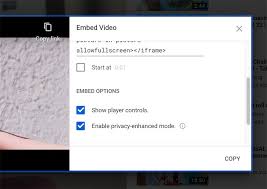
How to Copy a Youtube Link: A Step-by-step Guide
Are you tired of not being able to share your favorite YouTube videos with friends and family? Do you want to know how to copy a YouTube link easily and quickly? Look no further! In this article, we will guide you through the simple steps of copying a YouTube link on both computer and mobile devices.
Why Copying a Youtube Link is Important
Copying a YouTube link allows you to share your favorite videos with others privately or publicly. Whether you want to send it via email, message, or social media, knowing how to copy a YouTube link is essential for sharing content online.
Copying a Youtube Link on Computer
To copy a YouTube link on computer, follow these steps:
Step 1: Open Youtube And Find The Video
Open your web browser and navigate to www.Youtube.Com. Search for the video you want to share and click on it.
Below the video player, click on the “Share” button. This will open a menu with various sharing options.
Step 3: Select The Copy Link Option
From the menu, select the “Copy link” option. This will copy the YouTube link to your clipboard.
Copying a Youtube Link on Mobile Device
To copy a YouTube link on mobile device, follow these steps:
Step 1: Open Youtube App And Find The Video
Open the YouTube app on your Android or iOS device and search for the video you want to share.
Step 2: Tap on The Three Dots Menu
Tap on the three dots menu icon (⋯) next to the video title. This will open a dropdown menu.
From the dropdown menu, select the “Share” option. This will open a list of sharing options.
Step 4: Select The Copy Link Option
Select the “Copy link” option from the sharing menu. This will copy the YouTube link to your clipboard.
Sharing Youtube Links on Whatsapp And Other Social Media Platforms
Now that you know how to copy a YouTube link, let’s talk about sharing it on WhatsApp and other social media platforms.
Step 1: Open Whatsapp App
Open the WhatsApp app on your mobile device.
From within the YouTube app, select the “Share” option. Choose WhatsApp from the list of available options.
Step 3: Copy And Paste The Link
Copy the YouTube link from the clipboard and paste it into the WhatsApp chat window.
Sharing Youtube Links on Powerpoint
Want to share a YouTube video in your presentation? Here’s how:
Step 1: Open Powerpoint App
Open the PowerPoint app on your computer or mobile device.
Step 2: Insert Video
Insert the video from YouTube by clicking on the “Video” option. Paste the copied link into the URL field.
Step 3: Adjust Video Size And Position
Adjust the size and position of the video as needed in your presentation.
Conclusion
Copying a YouTube link is an essential skill for sharing content online. Whether you’re sharing a funny video with friends or showcasing a tutorial in a presentation, knowing how to copy a YouTube link will save you time and effort. Follow these simple steps on both computer and mobile devices, and you’ll be sharing your favorite videos in no time!
Frequently Asked Questions (FAQs)
-
Q: Why do I Need to Copy a Youtube Link?
A: Copying a YouTube link allows you to share the video privately or publicly via email, message, or social media. -
Q: How do I Copy a Youtube Link on Computer?
A: To copy a YouTube link on computer, follow steps 1-3 in our guide above. -
Q: Can I Copy a Youtube Link on Mobile Device?
A: Yes! Follow the steps outlined in our guide to copy a YouTube link on mobile device. -
Q: How do I Share a Youtube Link on Whatsapp And Other Social Media Platforms?
A: To share a YouTube link on WhatsApp, follow steps 1-3 in our guide above. -
Q: Can I Insert a Youtube Video Into Powerpoint?
A: Yes! Follow the steps outlined in our guide to insert a YouTube video into your presentation. -
Q: Why do I Need to Copy The Youtube Link And Not Just Share it From Within The App?
A: Copying the link allows you to share the content privately or publicly, whereas sharing directly from the app may have limitations. -
Q: Is Copying a Youtube Link Safe?
A: Yes! Copying a YouTube link is a legitimate and safe practice for sharing content online. -
Q: Can I Copy a Youtube Link on Older Versions of Powerpoint?
A: Unfortunately, the steps outlined in our guide may not be applicable to older versions of PowerPoint. In that case, please refer to your device’s user manual or seek assistance from technical support.


