
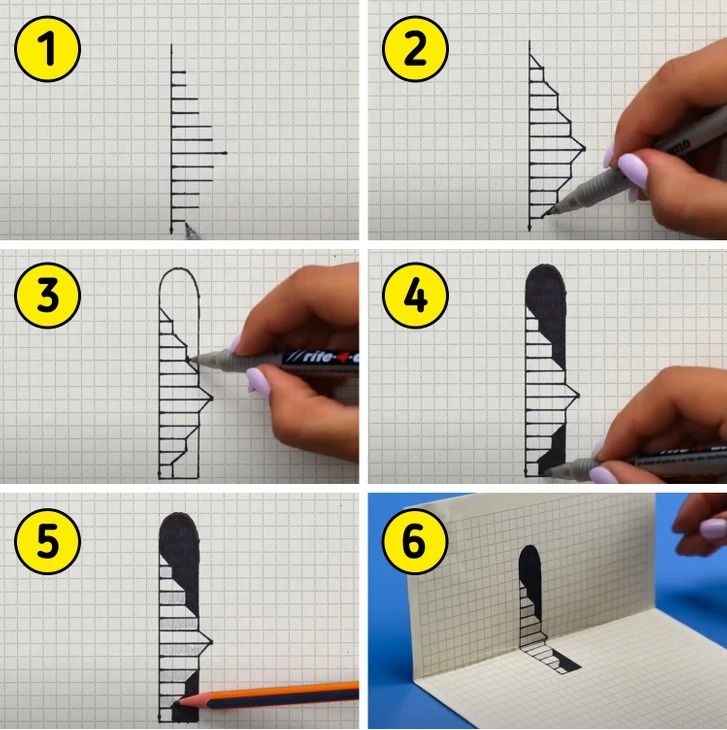
Unlocking The Power of 3D Cartoonists: A Guide to Creating Stunning Visuals
As a cartoonist, have you ever dreamed of bringing your creations to life in three dimensions? With the rise of digital technologies, it’s now possible to create stunning 3D cartoons with ease. In this article, we’ll explore the world of 3D cartooning and provide you with a comprehensive guide on how to get started.
What is 3D Cartooning?
3D cartooning involves creating three-dimensional images or animations using various software tools. This art form has gained popularity in recent years due to its ability to engage audiences and convey complex ideas in an entertaining way. From movies and video games to architectural visualizations, 3D cartoons are used in a wide range of applications.
Why Choose 3D Cartooning?
There are several reasons why you might want to explore the world of 3D cartooning:
- Creativity: 3D cartooning allows you to unleash your creativity and bring your imagination to life.
- Visual Impact: 3D cartoons can be incredibly visually appealing, making them perfect for presentations, marketing materials, and more.
- Flexibility: With the right software tools, you can create 3D cartoons in a variety of styles and formats.
Getting Started With 3D Cartooning
So, where do you start? Here are some steps to help you get started:
- Choose Your Software: There are many software options available for creating 3D cartoons, including Blender, Daz 3D, and Tinkercad.
- Learn The Basics: Familiarize yourself with the software tools and techniques involved in 3D cartooning.
- Practice Makes Perfect: The more you practice, the better you’ll become at creating stunning 3D cartoons.
Exploring Advanced Techniques
Once you’ve mastered the basics, it’s time to explore advanced techniques:
- Lighting And Shading: Learn how to create realistic lighting and shading effects in your 3D cartoons.
- Animation: Discover how to bring your 3D cartoons to life with animation techniques.
- Rendering: Understand the importance of rendering in creating high-quality 3D cartoons.
Conclusion
In conclusion, 3D cartooning is a powerful tool for creatives and professionals alike. With its ability to engage audiences and convey complex ideas in an entertaining way, it’s no wonder why this art form has gained popularity in recent years. By following the steps outlined in this guide, you’ll be well on your way to creating stunning 3D cartoons that will impress and captivate your audience.
Frequently Asked Questions (FAQs)
- Q: What is The Best Software For Creating 3D Cartoons?
A: The best software for creating 3D cartoons depends on your specific needs and goals. Some popular options include Blender, Daz 3D, and Tinkercad. - Q: How do I Get Started With 3D Cartooning?
A: To get started with 3D cartooning, begin by choosing a software tool that suits your needs. Next, learn the basics of 3D cartooning and practice until you feel comfortable with the techniques involved. - Q: Can I Use 3D Cartooning For Professional Purposes?
A: Yes, 3D cartooning can be used for a wide range of professional applications, including marketing materials, presentations, and more.
Table 1
| Software Tool | Description |
|---|---|
| Blender | A free, open-source software tool for creating 3D cartoons. |
| Daz 3D | A software tool designed specifically for creating 3D characters and animations. |
| Tinkercad | A web-based software tool for creating 3D designs and models. |
Table 2
| Software Tool | Description |
|---|---|
| Blender | A free, open-source software tool for creating 3D cartoons. |
| Daz 3D | A software tool designed specifically for creating 3D characters and animations. |
| Tinkercad | A web-based software tool for creating 3D designs and models. |
Additional Resources
For more information on 3D cartooning, check out these additional resources:
- Online Tutorials: Websites like Udemy and Skillshare offer a wide range of online tutorials on 3D cartooning.
- Software Documentation: Consult the official documentation for your chosen software tool to learn more about its features and techniques.
- Communities: Join online communities, such as forums and social media groups, to connect with other creatives and professionals in the field.


