
How to See Your Spotify Listen History: A Step-by-step Guide
Are you curious about your music listening habits on Spotify? Do you want to see which songs, artists, or playlists have been getting the most playtime from you? Look no further! In this article, we’ll show you how to access your Spotify listen history and explore all the fascinating insights it has to offer.
What is Spotify Wrapped?
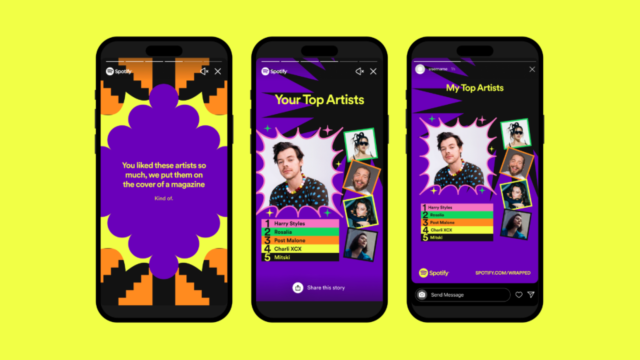
Spotify Wrapped is a feature that provides users with an overview of their listening habits on Spotify. It’s a way for Spotify to give back to its users by sharing data about what they’ve been listening to throughout the year. With Spotify Wrapped, you can see which songs, artists, and playlists have been getting the most playtime from you.
How to Access Your Spotify Listen History
To access your Spotify listen history, follow these steps:
- Open the Spotify app on your smartphone.
- Tap on the “Home” tab at the bottom of the screen.
- Look for the banner that says “Spotify Wrapped [Year]” (e.G., Spotify Wrapped 2021).
- Tap on it to view your listen history.
How to See Your Listen History on PC
If you prefer using your computer, here’s how to access your Spotify listen history:
- Open the Spotify app on your PC.
- Click on the three horizontal lines at the top left corner of the screen.
- Click on “Your Library” and then select “Playlists”.
- Look for the playlist that says “Spotify Wrapped [Year]” (e.G., Spotify Wrapped 2021).
- Right-click on it and select “View in New Tab”.
What Can You Do With Your Listen History?
With your listen history, you can:
- See which songs, artists, and playlists have been getting the most playtime from you.
- Discover new music by exploring the top tracks and artists in your listen history.
- Share your listen history on social media to show off your musical tastes.
How to Use Last.Fm to Get More Insights
Last.Fm is a website that allows users to track their music listening habits. You can connect your Spotify account to Last.Fm and get more insights about your listening behavior. To do this:
- Go to the Last.Fm website and sign up for an account.
- Connect your Spotify account to Last.Fm.
- Explore the “Recent Tracks” section of your profile to see which songs have been getting the most playtime from you.
What is Spotify For Artists?
Spotify for Artists is a feature that allows artists to track their music listening habits on Spotify. If you’re an artist, you can use this feature to:
- See which songs and albums have been getting the most playtime from listeners.
- Track your streams and downloads.
- Get insights about your audience’s demographics and behavior.
How to Access Your Artist Profile
To access your artist profile on Spotify, follow these steps:
- Go to the Spotify website and log in with your account credentials.
- Click on “Your Account” and then select “Spotify for Artists”.
- Follow the instructions to set up your artist profile.
Conclusion
In conclusion, accessing your Spotify listen history is a straightforward process. By following these steps, you can see which songs, artists, and playlists have been getting the most playtime from you. Whether you’re an artist or just a curious user, Spotify Wrapped provides valuable insights into your music listening habits.
Frequently Asked Questions
Here are some frequently asked questions about Spotify listen history:
- Q: How do I Access my Spotify Listen History?
A: To access your Spotify listen history, open the Spotify app on your smartphone and tap on the “Home” tab. Look for the banner that says “Spotify Wrapped [Year]”. - Q: Can I See my Listen History on Pc?
A: Yes, you can see your listen history on PC by opening the Spotify app and clicking on the three horizontal lines at the top left corner of the screen. - Q: What is Last.Fm?
A: Last.Fm is a website that allows users to track their music listening habits. You can connect your Spotify account to Last.Fm and get more insights about your listening behavior. - Q: How do I Access my Artist Profile on Spotify?
A: To access your artist profile on Spotify, go to the Spotify website and log in with your account credentials. Click on “Your Account” and then select “Spotify for Artists”.
References
- [1] Spotify Wrapped – https://Open.Spotify.Com/wrapped
- [2] Last.Fm – https://Www.Last.Fm/
- [3] Spotify for Artists – https://Artists.Spotify.Com/


