
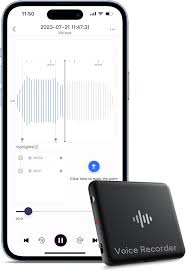
The Ultimate Guide to Recording Audio on Your Smartphone: Top Apps And Features
Are you tired of carrying around a bulky voice recorder or smartphone that can’t quite capture the nuances of your audio recordings? Look no further! In this comprehensive guide, we’ll explore the top apps for recording audio on your smartphone, as well as some additional features that will make your life easier.
Why Use a Smartphone App For Audio Recording?
Smartphone apps have revolutionized the way we record and listen to audio. With a vast array of options available, you can choose the perfect app for your specific needs. Whether it’s for work, personal use, or creative projects, these apps offer an affordable and convenient solution.
Top Apps For Recording Audio on Your Smartphone
1. Registratore (Android)
If you’re an Android user, look no further than Registratore. This straightforward app allows you to record high-quality audio with ease. With a simple interface and minimal setup required, you can start recording in seconds.
- Tap the red circular button to initiate recording
- Tap the square red button to stop recording
- Name and save your recordings for later use
2. Memo Vocal (iOS/iPadOS)
For iPhone and iPad users, Memo Vocal is a pre-installed app that lets you record audio with just a tap. This user-friendly app offers a clean interface and easy-to-use features.
- Tap the red circular button to initiate recording
- Tap the square red button to pause or stop recording
- Edit your recordings by cutting, copying, or pasting sections
3. My Recorder (Android)
Another great option for Android users is My Recorder. This app offers a range of features, including recording and playback, editing, and sharing.
- Tap the red circular button to initiate recording
- Tap the square red button to stop recording
- Edit your recordings by cutting, copying, or pasting sections
4. Noise Eraser (Android/iOS/iPadOS)
Sometimes, audio recordings can be marred by background noise. That’s where Noise Eraser comes in – an app that uses AI technology to remove unwanted sounds.
- Tap the “Let’s start” button to initiate the cleaning process
- Select the file you want to clean and tap the “Import clips” button
- Choose between audio or video mode and select the noise reduction level
5. Audio Video Noise Reducer (Android/iOS/iPadOS)
This app is specifically designed for Android and iOS users, offering a range of features including noise reduction and video editing.
- Tap the “Let’s start” button to initiate the cleaning process
- Select the file you want to clean and tap the “Import clips” button
- Choose between audio or video mode and select the noise reduction level
6. Functions Predefinite (Android/iOS/iPadOS)
If you’re using an Android device, Instantaneous Transcription is a pre-installed app that allows you to transcribe audio in real-time.
- Tap on the Italian voice button to select your preferred language
- Select the transcription option and tap on the icon with the two arrows to enlarge the window
- Conceal the transcription window by tapping on the arrow to the left
7. Transcriptions Live (iOS/iPadOS)
For iPhone users, Transcriptions Live is a built-in feature that allows you to transcribe audio in real-time.
- Tap on the “Transcriptions” option and select your preferred language
- Select the transcription option and tap on the icon with the two arrows to enlarge the window
- Conceal the transcription window by tapping on the arrow to the left
Other Apps For Recording Audio
In addition to these top picks, there are many other apps available that can help you record audio on your smartphone. Some popular options include:
- Registratore Vocal: This app offers a range of features including recording, playback, and editing.
- Transcribe: This app uses AI technology to transcribe audio in real-time.
- Dictate To: This app allows you to dictate and share text across various platforms.
Conclusion
Recording audio on your smartphone has never been easier. With a range of apps available, you can choose the perfect tool for your specific needs. Whether it’s for work, personal use, or creative projects, these apps offer an affordable and convenient solution.


